CS184/284A Fall 2026 Homework 2 Write-Up
Link to webpage: https://cal-cs184-student.github.io/hw2-ronhw2-writeup/
Link to GitHub repository: https://github.com/cal-cs184-student/hw2-ronhw2
Overview
This homework has two halves. In the first, I implemented de Casteljau's algorithm. I used it to evaluate Bezier curves from their control points, then applied it twice, once along each parameter, to evaluate bicubic Bezier patches into a triangle mesh (the teapot). In the second half, I worked directly on the half-edge data structure. I computed area-weighted vertex normals for smooth shading, wrote the two local remeshing operations (edge flip and edge split), and combined them into Loop subdivision, which upsamples a triangle mesh into a smoother one. For extra credit, edge split also works on boundary edges, and Loop subdivision uses the boundary (crease) rules so meshes with holes subdivide correctly. For the optional art competition (Section III), I box-modeled a fox-like character in code and smoothed it with my Loop subdivision.
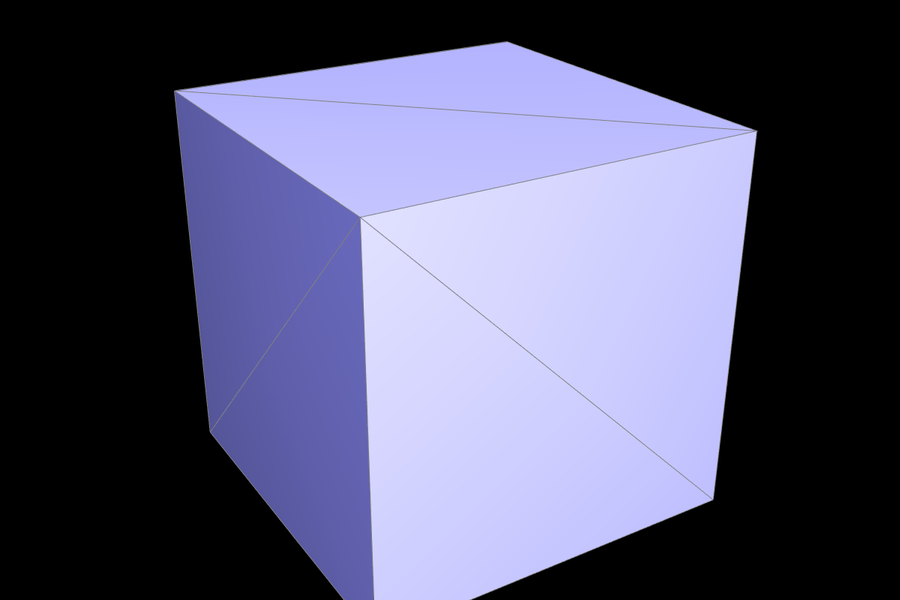
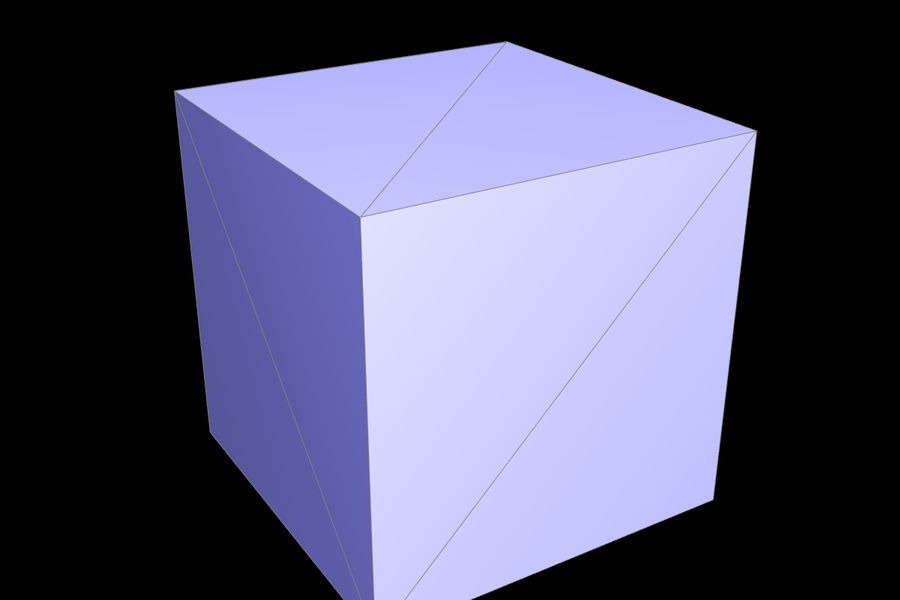
The biggest takeaway was how much one representation choice matters. Once the mesh is stored as half-edges, every local operation becomes "relabel a fixed, small set of pointers". So flip and split are short functions, and subdivision is just "split everything, then flip some edges". The hard part is bookkeeping, not math. I also learned that subdivision results depend on mesh connectivity, not just geometry. Two triangulations of the same cube subdivide into visibly different shapes.
Section I: Bezier Curves and Surfaces
Part 1: Bezier curves with 1D de Casteljau subdivision
de Casteljau's algorithm evaluates a Bezier curve at a parameter \(t \in [0, 1]\) using only repeated linear interpolation. Start with the \(n\) control points \(p_0, \dots, p_{n-1}\). One step interpolates each pair of neighbors: \[ p_i' = \operatorname{lerp}(p_i, p_{i+1}, t) = (1 - t)\, p_i + t\, p_{i+1}, \qquad i = 0, \dots, n-2, \] which gives \(n-1\) points. Repeat this on the new points. After \(n-1\) steps, exactly one point remains, and that point is the curve \(B(t)\). The intermediate levels are also the control polygons of the two halves of the curve split at \(t\), which is why this is called subdivision.
BezierCurve::evaluateStep implements one level. It loops i from 0 to points.size() - 2 and pushes (1 - t) * points[i] + t * points[i + 1] into a new vector, which it returns. The given point list therefore shrinks by one each time you press E. Drawing the full curve with C calls the step repeatedly for many values of \(t\). To check the result, I compared the final point against the Bernstein form \(\sum_i \binom{n-1}{i} t^i (1-t)^{n-1-i} p_i\) at 51 values of \(t\). The two agreed to about \(10^{-7}\), the float precision of t.
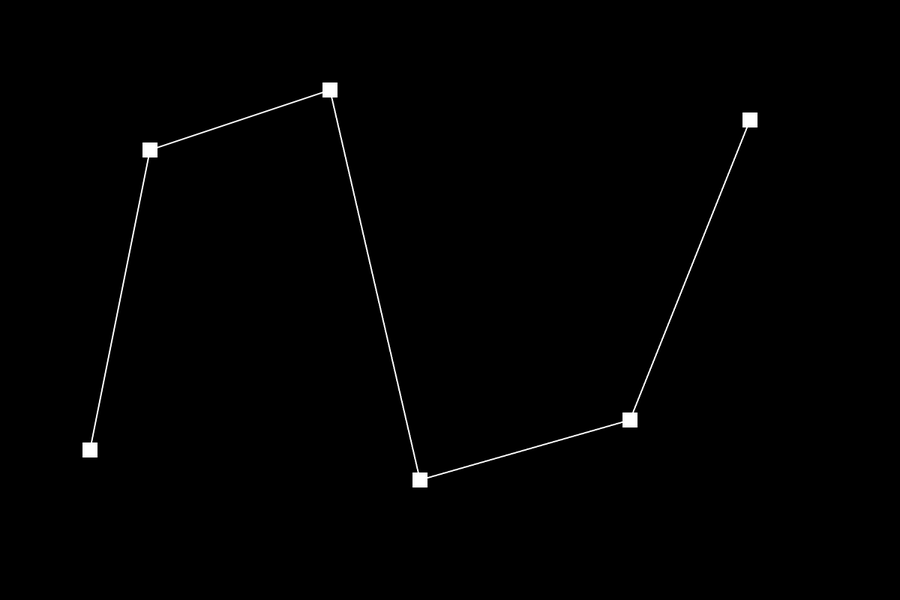
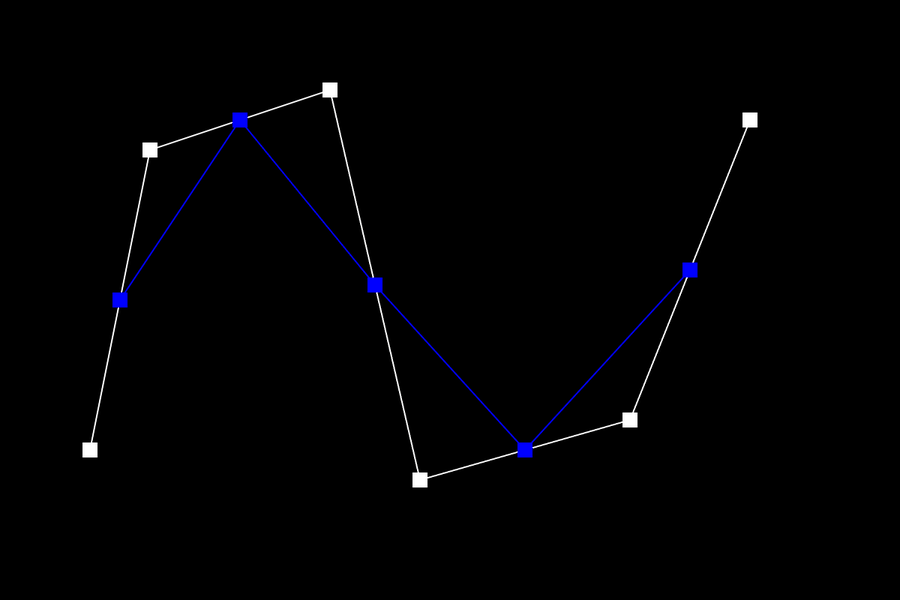
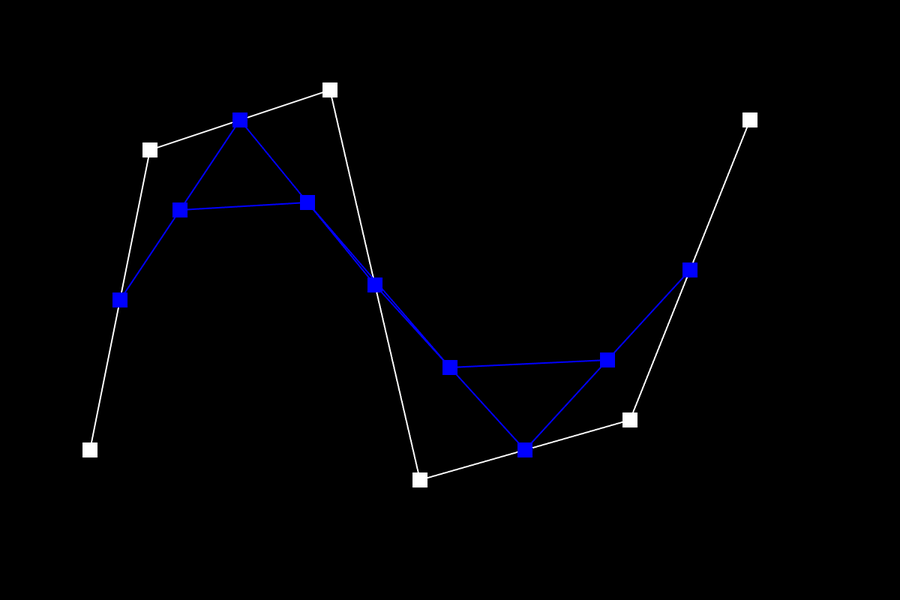
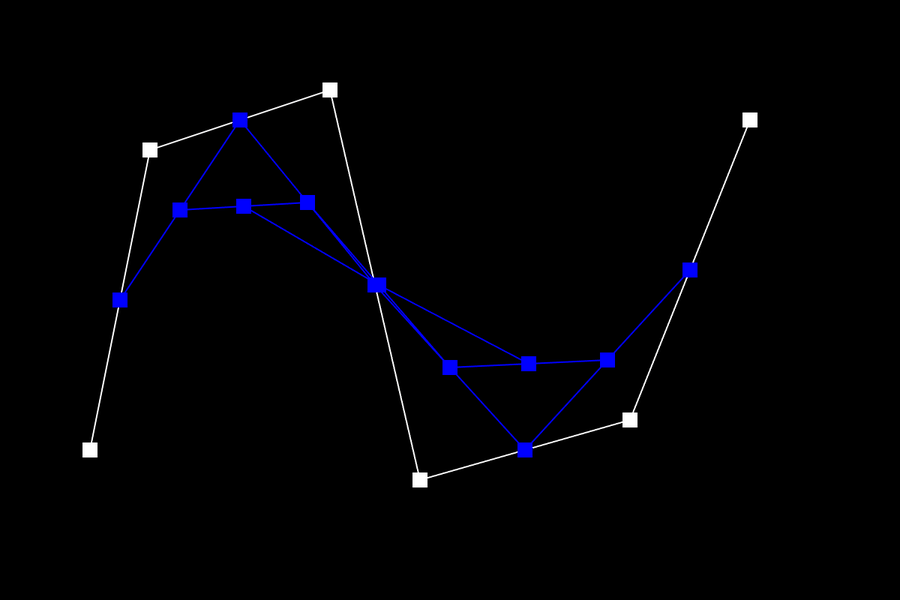
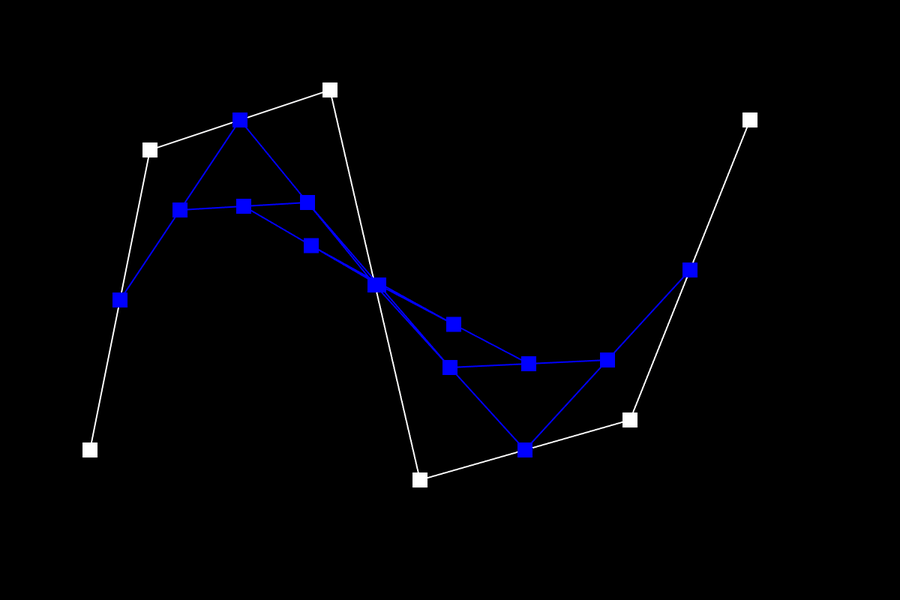
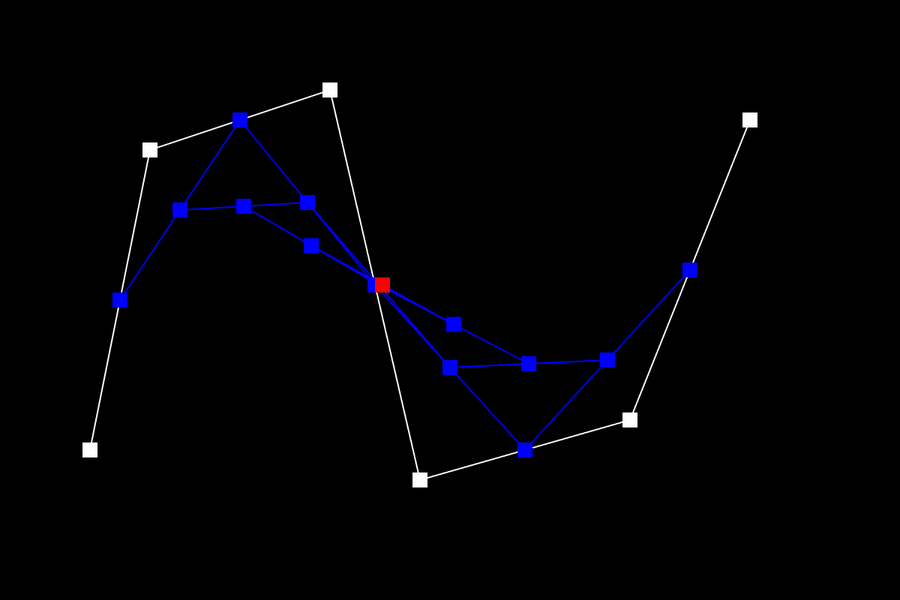
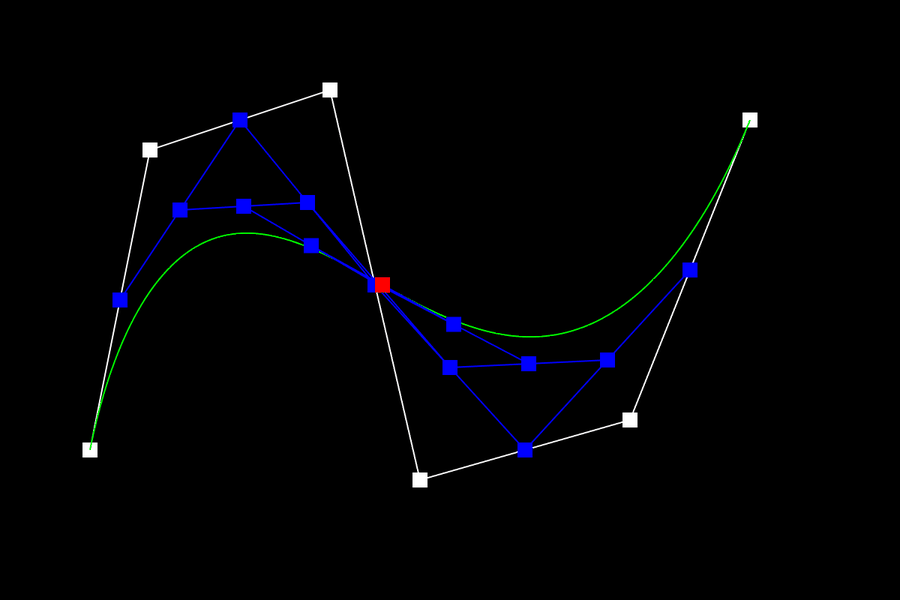
I made my own curve with 6 control points, in bzc/curve3.bzc (run it with ./meshedit ../bzc/curve3.bzc). Below are all levels of evaluation at \(t = 0.5\). White shows the control points, blue shows the intermediate points, and red shows the final point on the curve.
 |
 |
 |
 |
 |
 |
 |
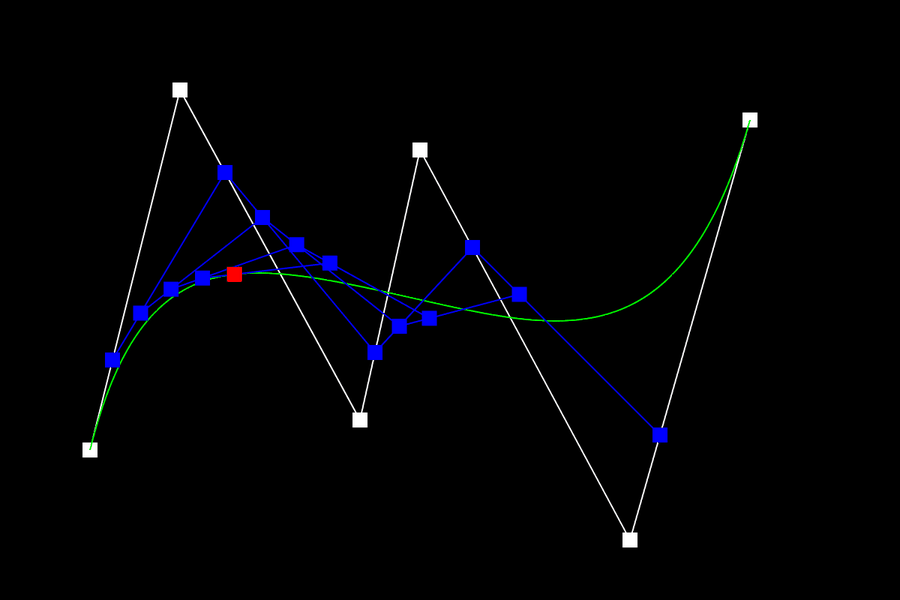
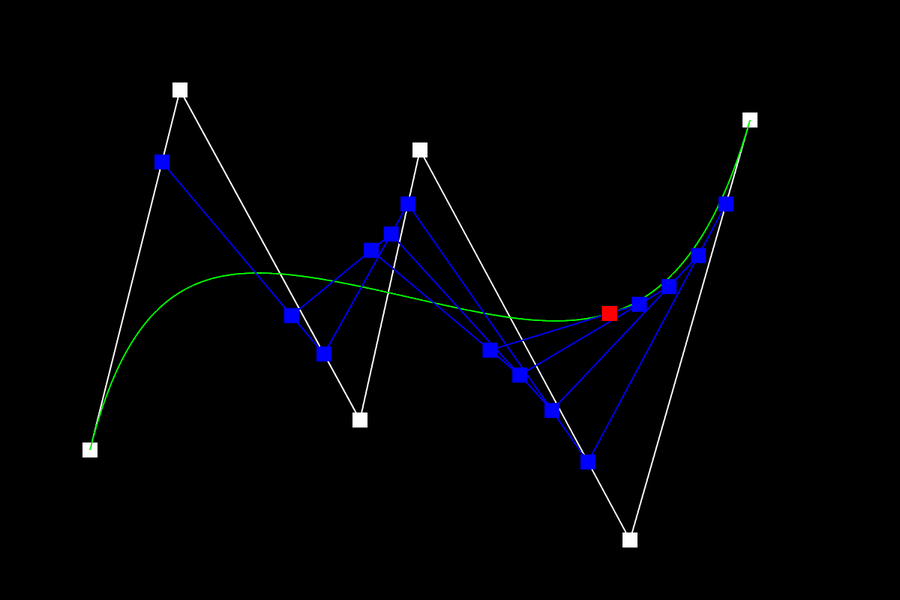
Next, I dragged four of the control points to new positions and scrolled to change \(t\). The final point slides along the curve, and the curve always stays inside the convex hull of the control points. It also starts and ends at the first and last control points, tangent to the first and last segments.
 |
 |
Part 2: Bezier surfaces with separable 1D de Casteljau
A bicubic Bezier patch is defined by a \(4 \times 4\) grid of control points \(p_{ij}\) and two parameters \((u, v)\). Because the patch is a tensor product, \(S(u,v) = \sum_i \sum_j B_i(v) B_j(u)\, p_{ij}\), it can be evaluated with the 1D algorithm in two passes.
- For each of the 4 rows of control points, run 1D de Casteljau with parameter \(u\). Each row collapses to one point \(q_i\), which gives 4 points: a "moving" Bezier curve.
- Run 1D de Casteljau on \(q_0, \dots, q_3\) with parameter \(v\). The result is \(S(u, v)\).
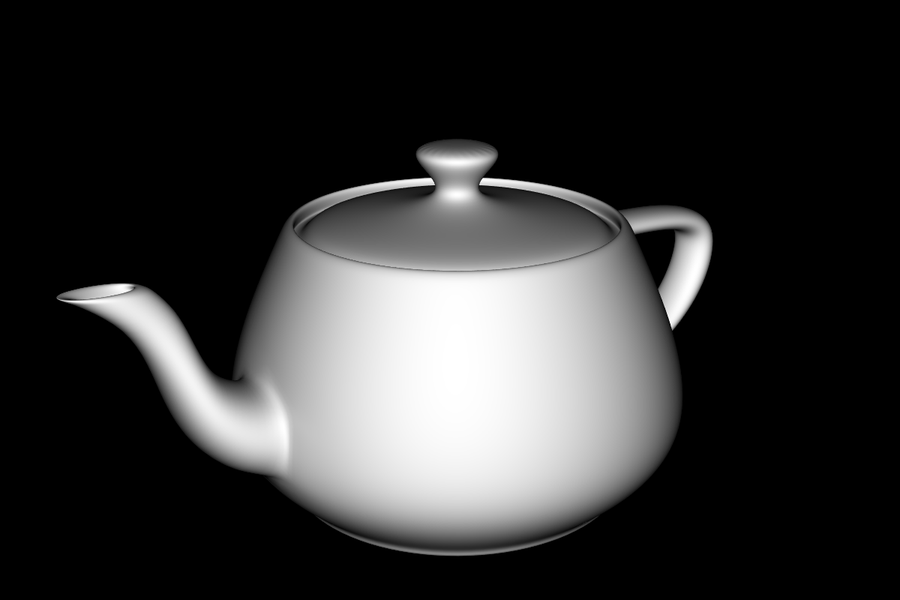
In code, BezierPatch::evaluateStep is the same lerp loop as Part 1, but for Vector3D and with \(t\) passed in. evaluate1D keeps calling evaluateStep until one point is left and returns it. evaluate(u, v) calls evaluate1D(controlPoints[i], u) for every row, then calls evaluate1D on those four results with v. The starter code samples each patch on a \(16 \times 16\) grid and triangulates it. To check the result, I evaluated random patches and compared them with the explicit tensor-product Bernstein sum. They matched to about \(10^{-16}\), and the patch corners equaled the corner control points.
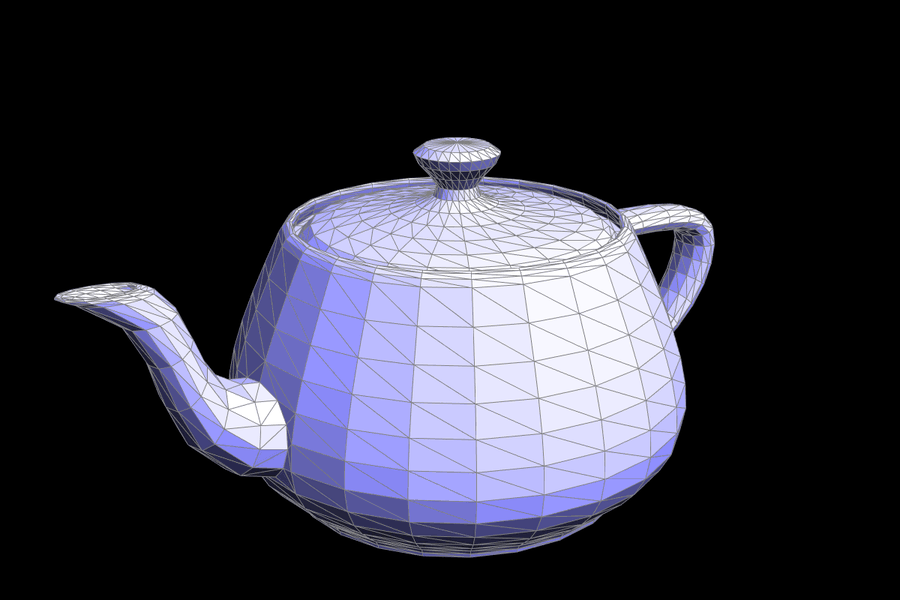
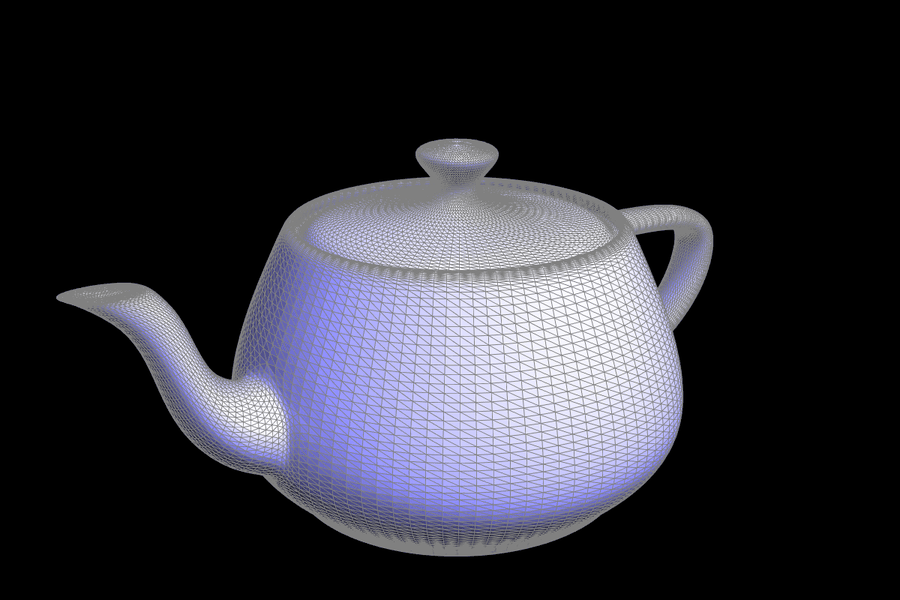
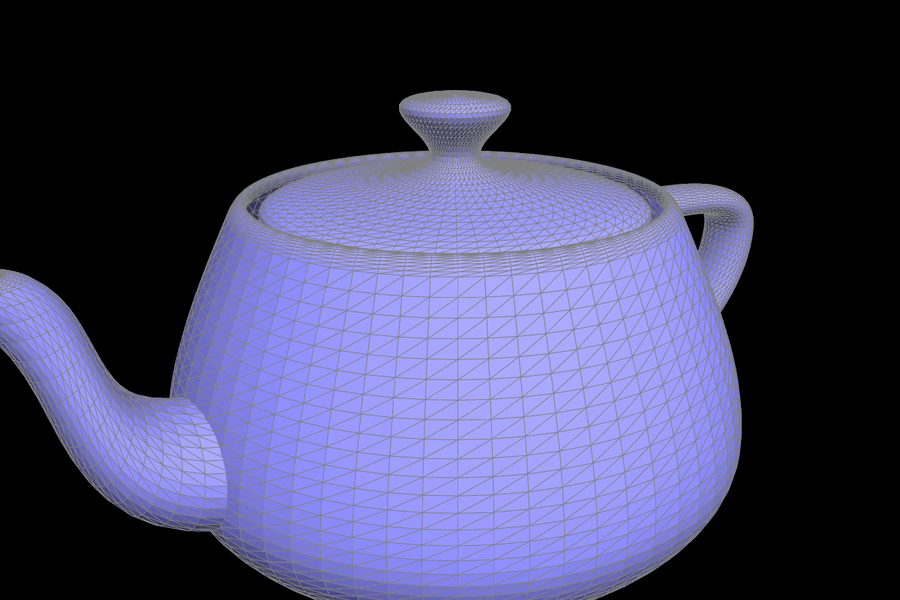 bez/teapot.bez evaluated by my implementation (wireframe view, where each patch becomes a 16x16 grid). |
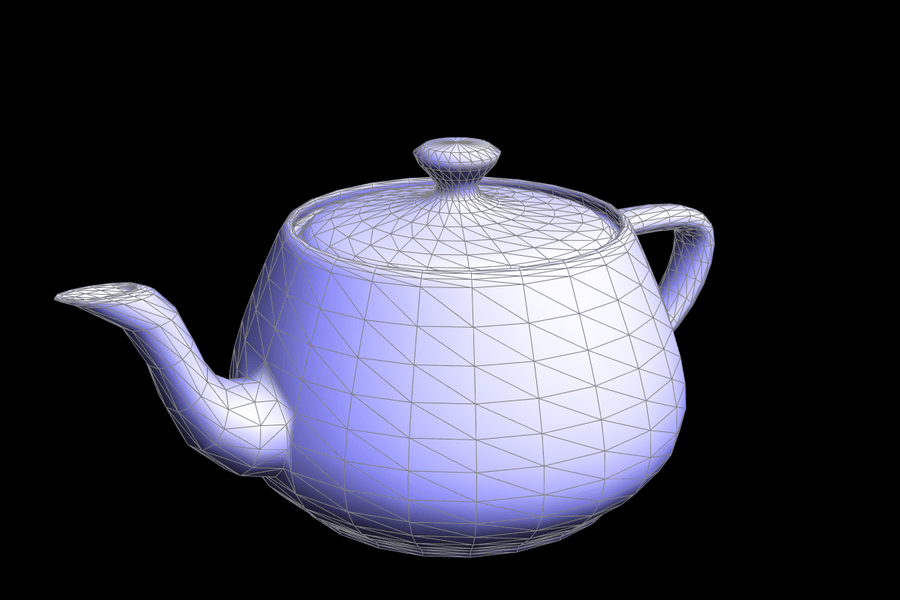
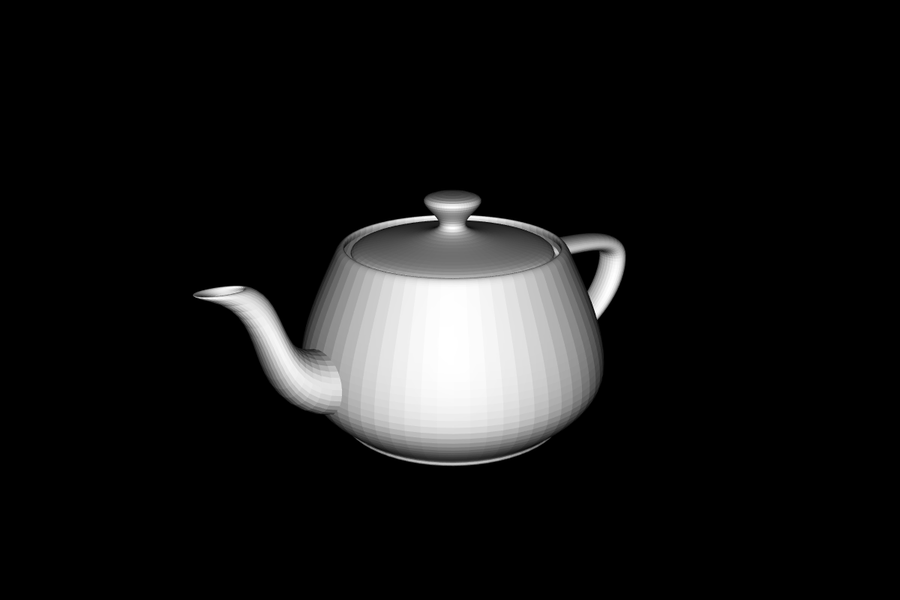 bez/teapot.bez, shaded with face normals. |
Section II: Triangle Meshes and Half-Edge Data Structure
Part 3: Area-weighted vertex normals
To find a vertex's normal, I visit every face around the vertex. Starting at v->halfedge(), I repeatedly move to h = h->twin()->next(). Each step goes to the next outgoing half-edge of the same vertex, and the loop stops when it returns to the start. For each face that is not a boundary (virtual) face, I take its three vertices in half-edge order, \(p_0 = v\), \(p_1\), and \(p_2\), and add \((p_1 - p_0) \times (p_2 - p_0)\) to a running sum.
This cross product points along the face normal, because the faces are oriented counter-clockwise. Its length is twice the triangle's area. So summing the raw cross products, without normalizing each one, gives an area-weighted average for free: large faces count more than slivers. Finally, I return the sum normalized to unit length. Because the function is const, it uses the const iterators (HalfedgeCIter). I checked it against a brute-force version that loops over all faces and adds each face's cross product to its three vertices. The two agreed to floating-point precision on every provided mesh.
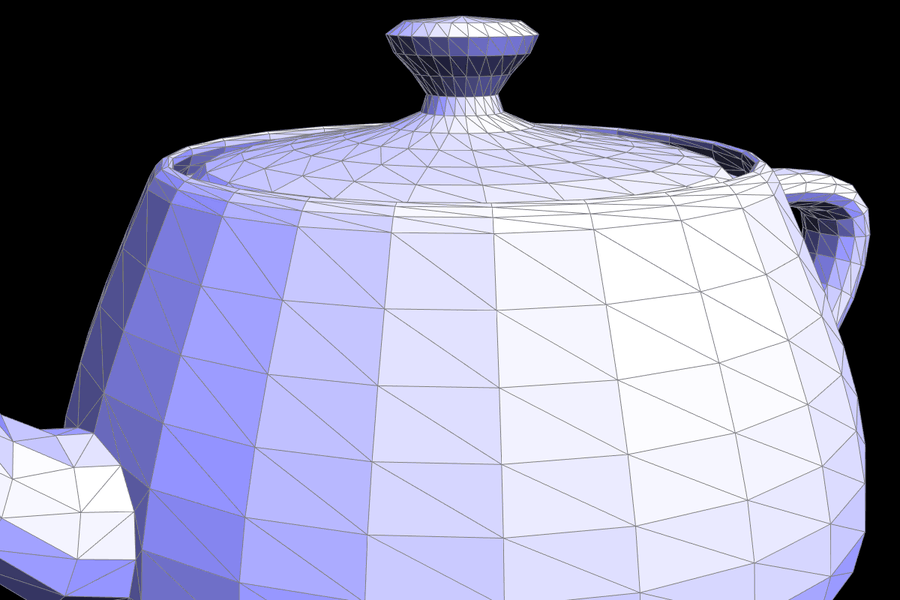
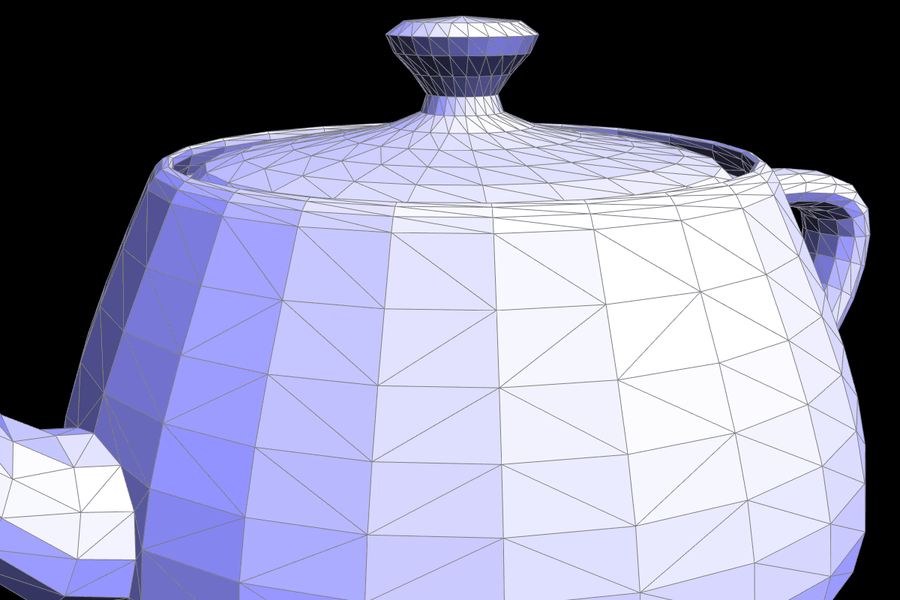
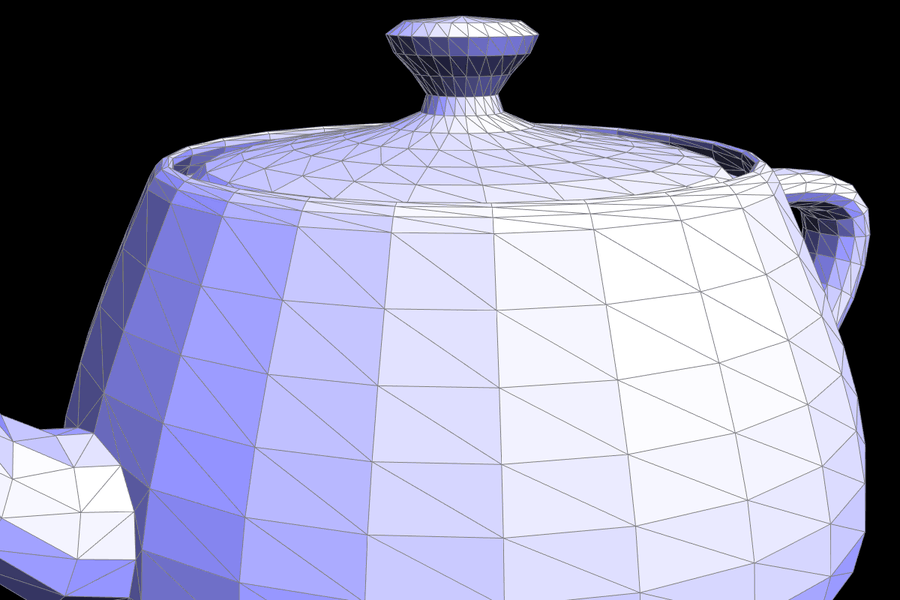
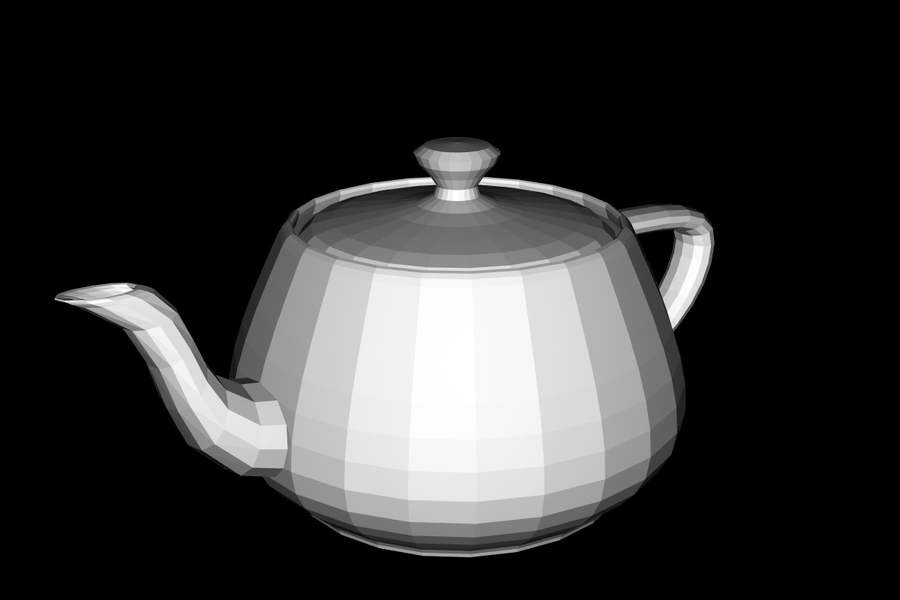 dae/teapot.dae, flat shading (face normals). |
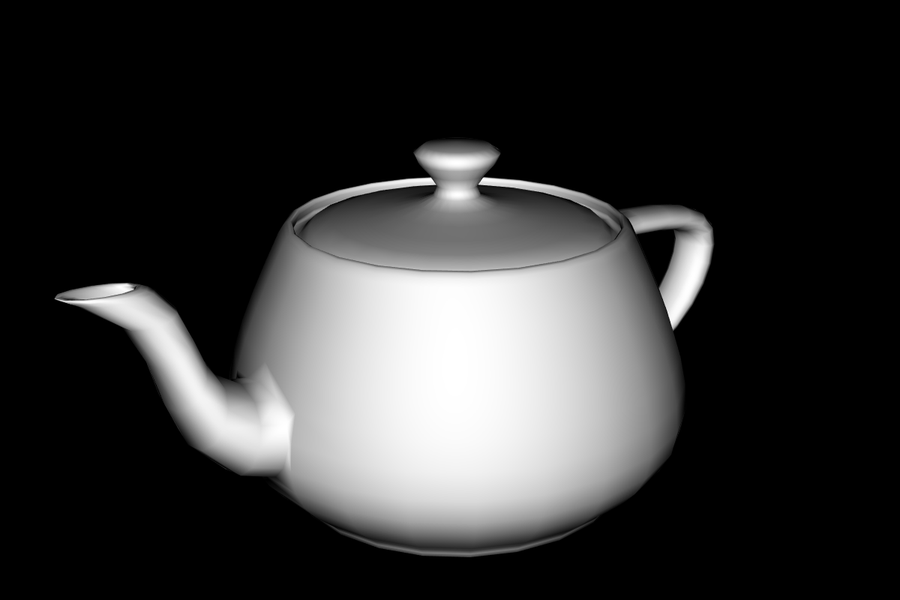 |
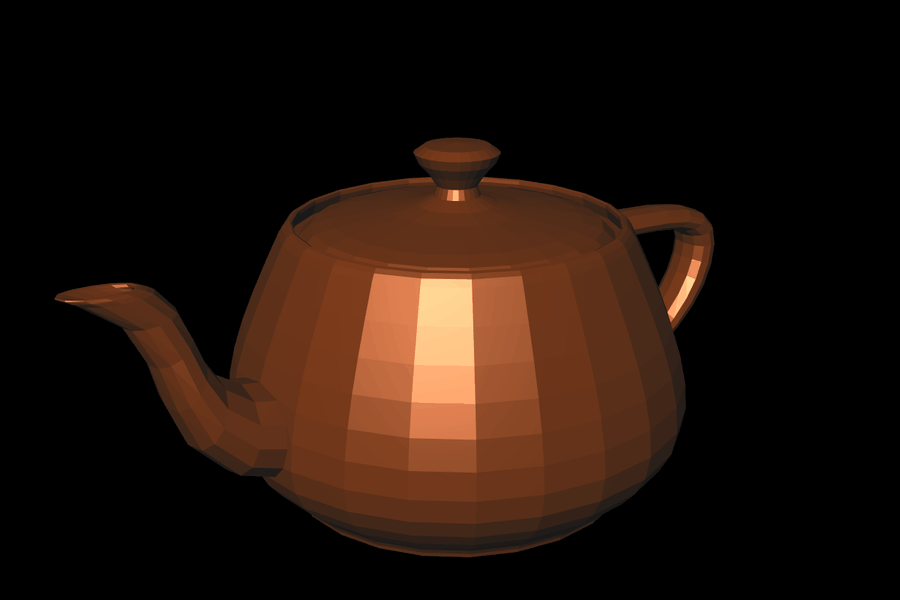 |
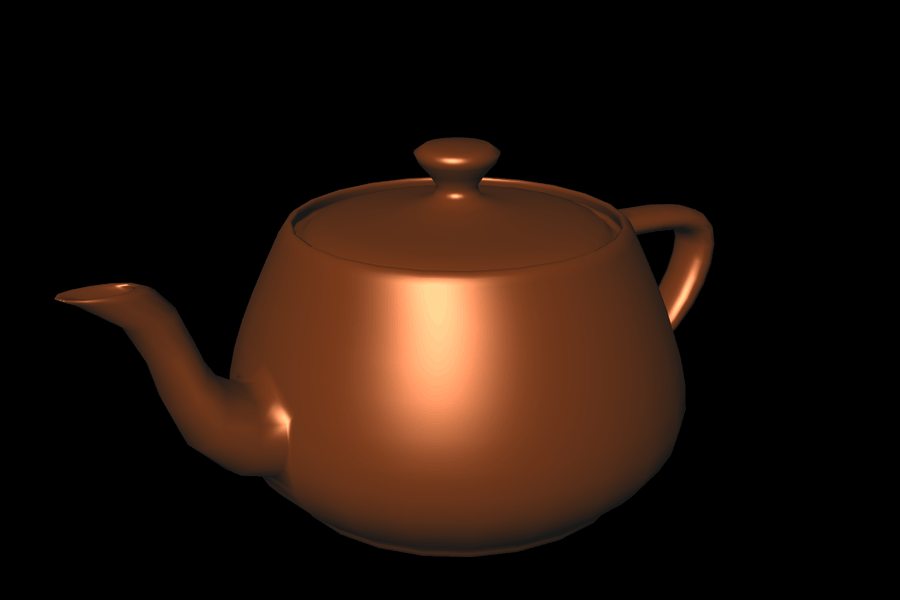 |
 |
 |
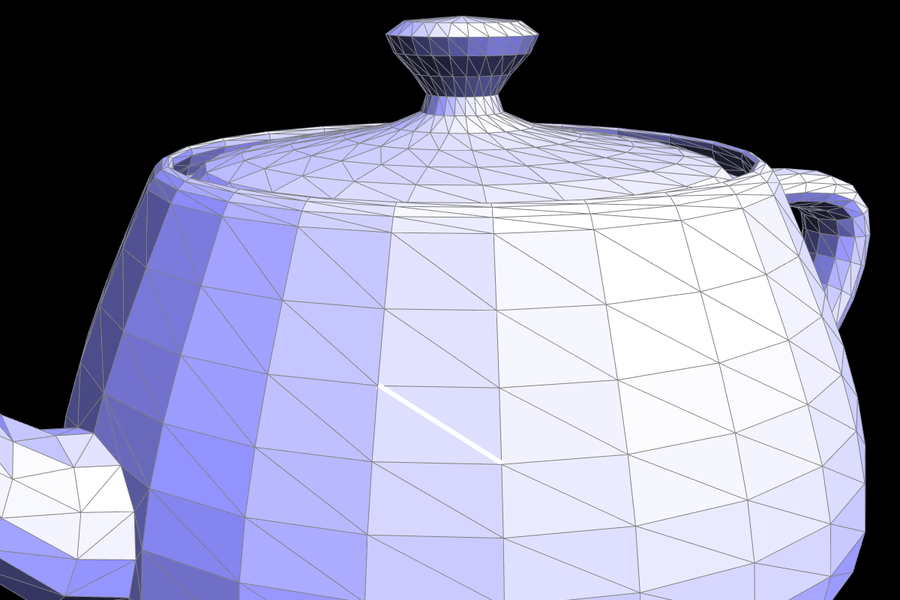
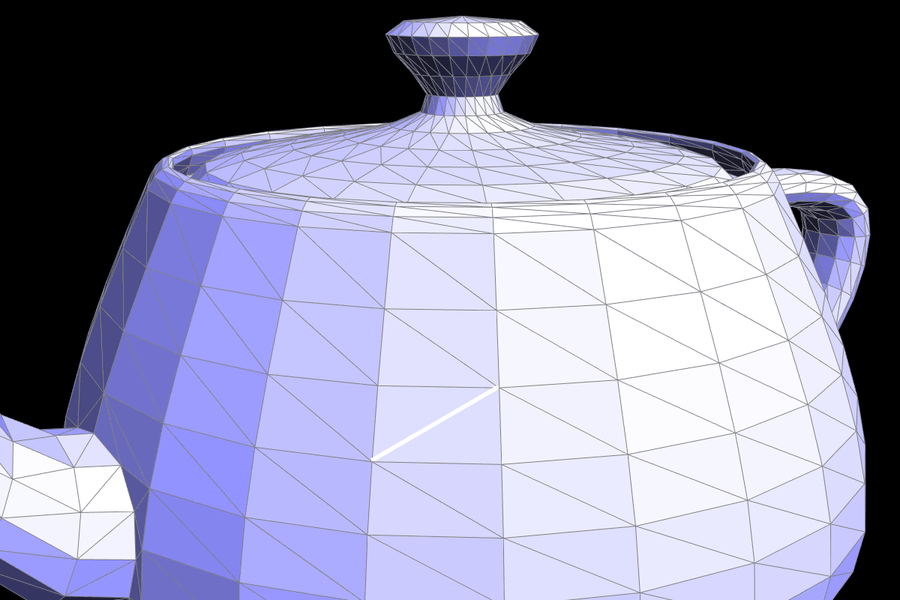
Part 4: Edge flip
Name the edge's half-edges as follows: h0 = e0->halfedge(), then h1 = h0->next(), h2 = h1->next(), h3 = h0->twin(), h4 = h3->next(), and h5 = h4->next(). The vertices are v0 and v1 (the edge's endpoints) and v2 and v3 (the vertices opposite the edge in faces f0 and f1). Before the flip, f0 = (v0, v1, v2) and f1 = (v1, v0, v3). After the flip, the edge connects v2 and v3, and the two triangles are f0 = (v3, v2, v0) and f1 = (v2, v3, v1), which are still counter-clockwise.
The key observation is that a flip creates and deletes nothing. The four outer half-edges (h1, h2, h4, h5) keep their twin, edge, and origin vertex. Only their next, and in two cases their face, change. So I reassign only what changes:
h0: next = h2, vertex = v3        h3: next = h5, vertex = v2
h2: next = h4                     h5: next = h1
h4: next = h0, face = f0          h1: next = h3, face = f1
v0->halfedge() = h4               v1->halfedge() = h1
f0->halfedge() = h0               f1->halfedge() = h3
The vertex updates matter. v0 or v1 might have pointed at h0 or h3, which no longer start at them. The face updates matter for the same reason: f0 might have pointed at h1, which now lives in f1. If either edge face is a boundary loop (e0->isBoundary()), the function returns immediately without changing anything.
Debugging. I drew the before/after diagram first and wrote the table above from it, so flip worked on the first try. I didn't trust the rendering alone, though, because a flip with a wrong pointer can look right until you traverse the mesh. I checked the full half-edge invariants after flips:
twin(twin(h)) == hh->next()->vertex() == h->twin()->vertex()- Every face loop has length 3.
- Every vertex's
twin->nextorbit closes and stays at that vertex. - Every element's
halfedge()points back to it.
I also checked that flipping the same edge twice gives back the original edge, and ran thousands of random flips on every provided mesh with these checks in between. One thing this taught me: flipping an edge at a degree-3 vertex leaves that vertex with degree 2. A later flip there can then create an edge from a vertex to itself. The spec doesn't ask flip to guard against that, so my flip doesn't, but I avoid those flips when editing by hand.
 |
 |
 |
 |
 |
 |
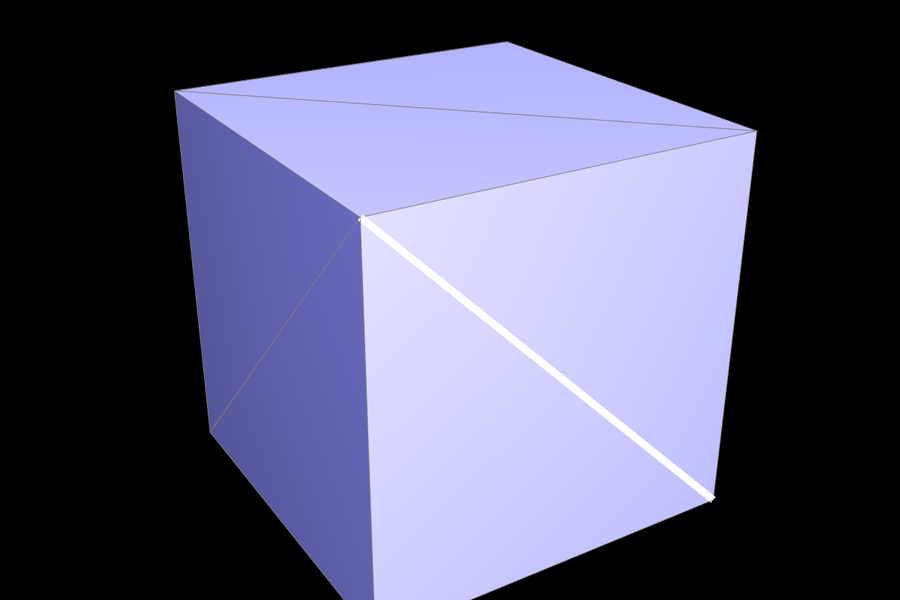
 dae/cube.dae before. |
 |
 |
Part 5: Edge split
Split uses the same labels as flip. It adds a new vertex m at the midpoint of v0 and v1 and connects it to both opposite vertices, turning 2 triangles into 4. I reuse as much as possible. The original edge e0, its half-edges h0 and h3, and faces f0 and f1 stay alive. I create:
- 1 vertex:
m - 3 edges:
e5(v0–m),e6(m–v2), ande7(m–v3) - 6 half-edges:
h6throughh11 - 2 faces:
f2andf3
e0 keeps the m–v1 half. The four triangles end up as:
f0 = (m, v1, v2):  h0 (m->v1)  -> h1 (v1->v2) -> h6 (v2->m)
f2 = (v0, m, v2):  h8 (v0->m)  -> h7 (m->v2)  -> h2 (v2->v0)
f1 = (v1, m, v3):  h3 (v1->m)  -> h10 (m->v3) -> h5 (v3->v1)
f3 = (m, v0, v3):  h9 (m->v0)  -> h4 (v0->v3) -> h11 (v3->m)
twins: h6/h7, h8/h9, h10/h11, h0/h3
For the old half-edges, only a few fields change. h0's origin becomes m. h1, h2, h3, and h4 get new next pointers. h2 and h4 move into the new faces. Then I set:
m->halfedge() = h0. This points along the split edge, as the spec requires.v0->halfedge() = h8. Its old half-edgeh0now starts atm.- The
halfedge()pointer of every new or changed edge and face.
For Part 6, split also sets the flags. m->isNew = true. The two halves of the original edge get isNew = false, and the two edges that cut across the old triangles get isNew = true.
Boundary edges (extra credit). If one side of the edge is a boundary loop, I first orient the labels so that h0 is on the real face. Then only the real face is split. I create m, e5, e6, f2, and h6 through h9, and splice h9 (m→v0) into the boundary loop: h9->next() = h3->next(), then h3->next() = h9. An interior split adds 1 vertex, 3 edges, and 2 faces. A boundary split adds 1 vertex, 2 edges, and 1 face. I check these counts in my tests.
Debugging. I used the same invariant checker as for flip, plus split-specific checks:
- The new position is the exact midpoint.
- The new vertex has 4 faces around it (2 for a boundary split).
- The vertex/edge/face counts change as listed above.
m->halfedge()points to one of the original endpoints.
I ran thousands of random splits, with random valid flips mixed in, on every mesh, including the ones with holes (beetle.dae, maxplanck.dae, and bez/teapot.bez). The checker caught one surprise, and it was in the starter code. HalfedgeMesh::build never sets the halfedge() pointer of the boundary (virtual) faces it creates. So boundary code must not rely on f->halfedge() for a boundary face. My boundary split only follows next pointers.
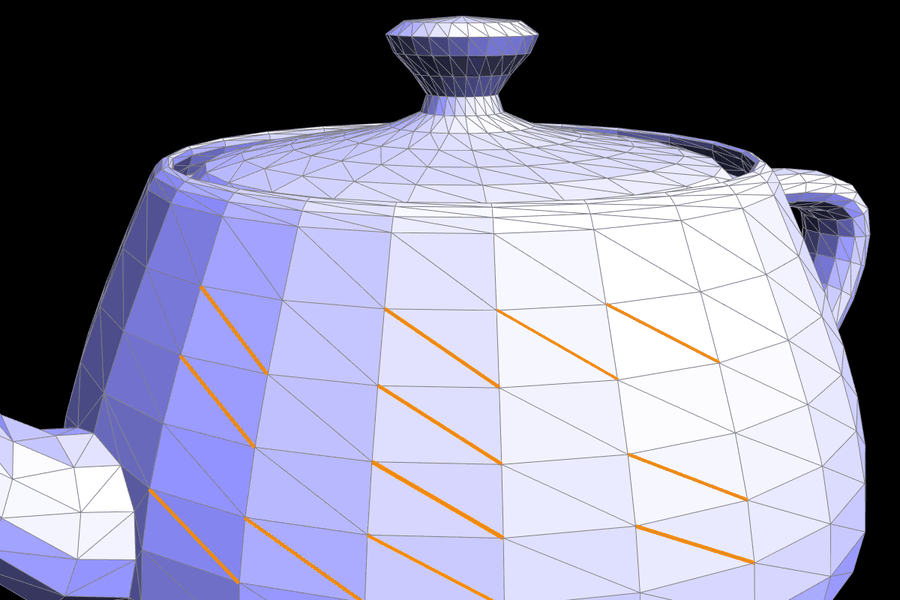 |
 |
 |
 |
 |
 |
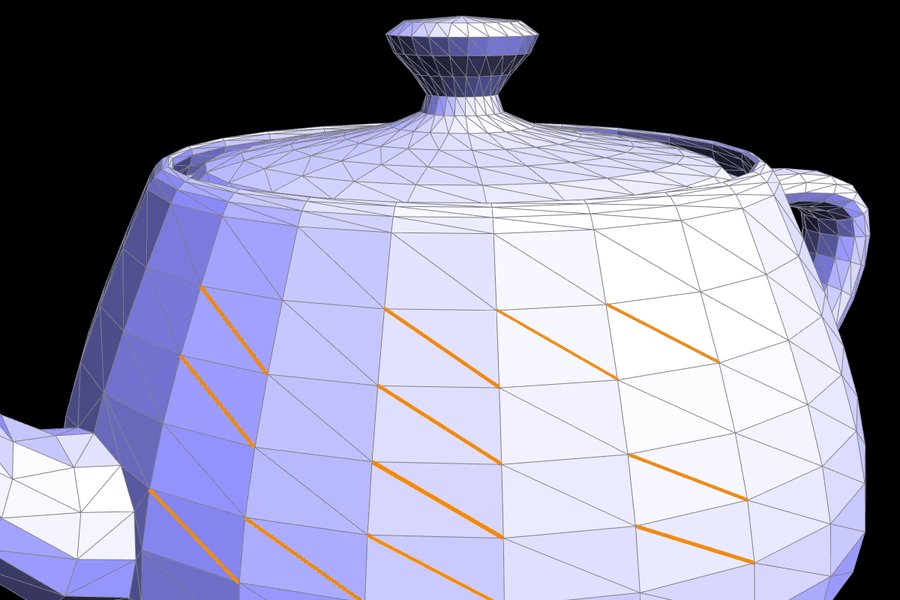
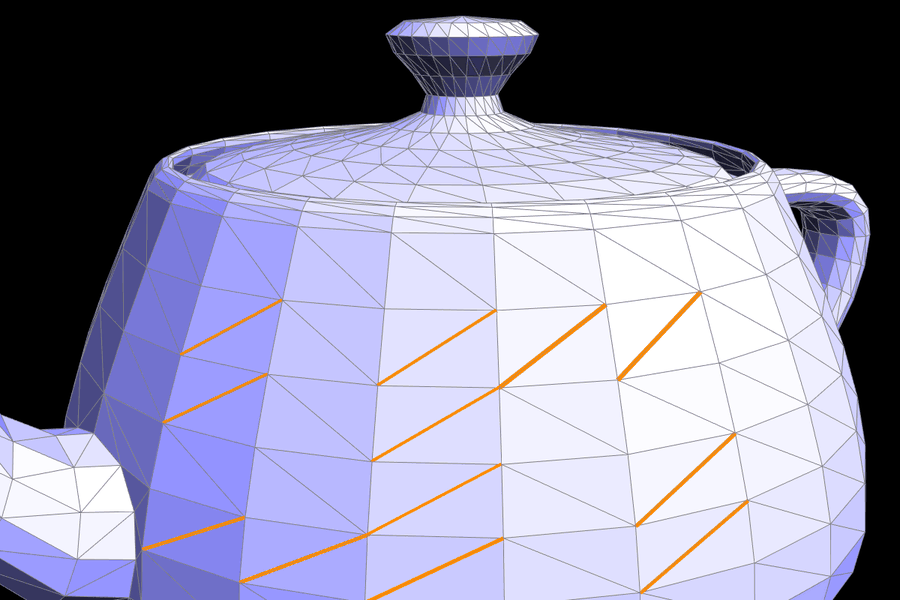
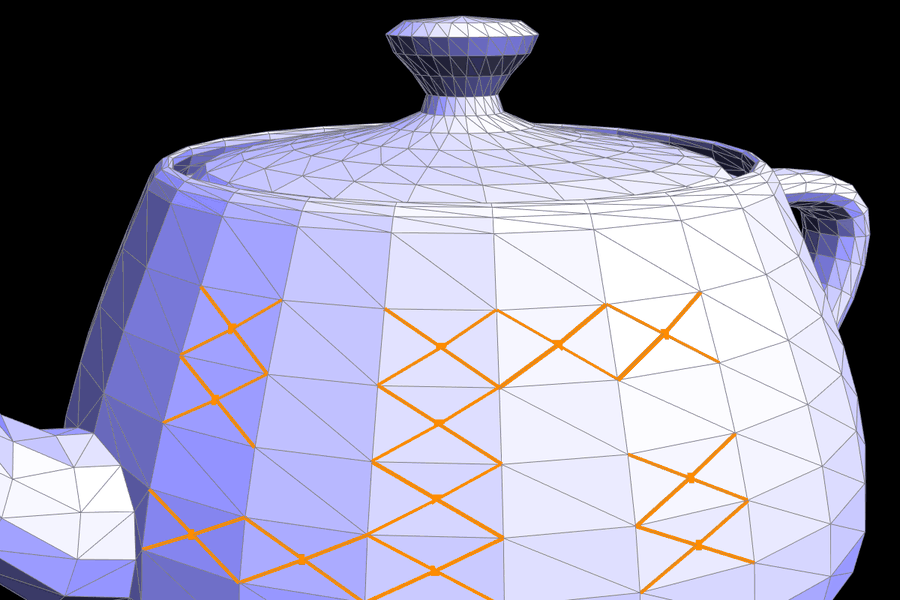
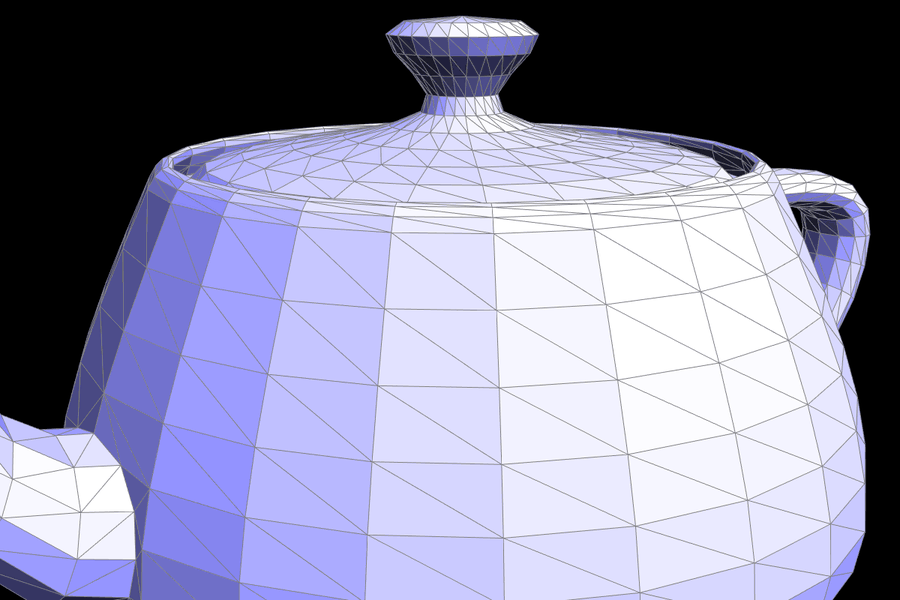
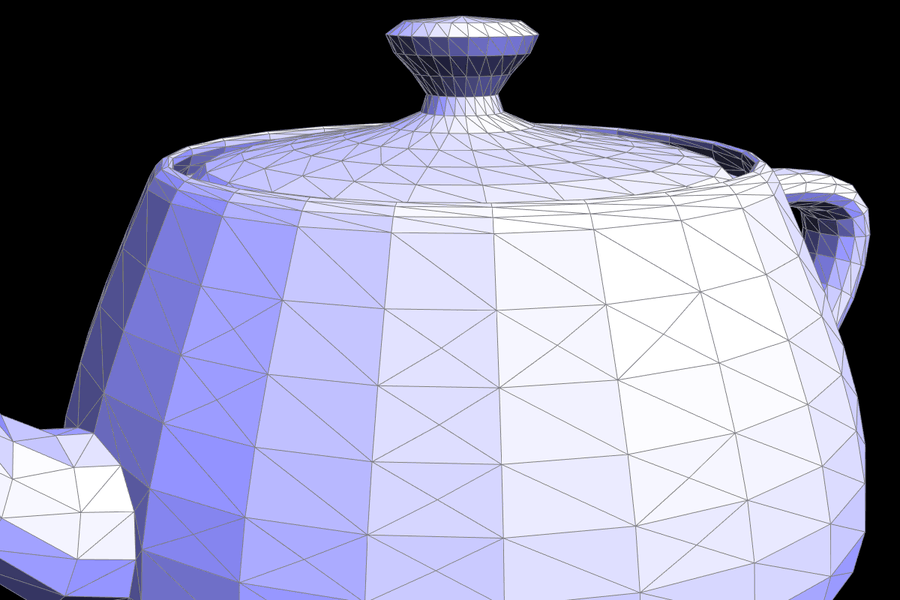
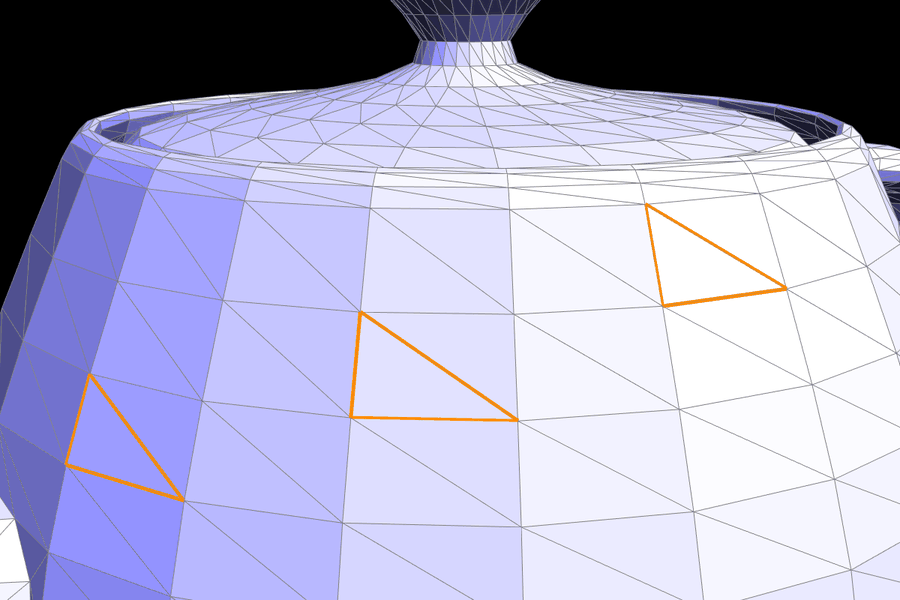
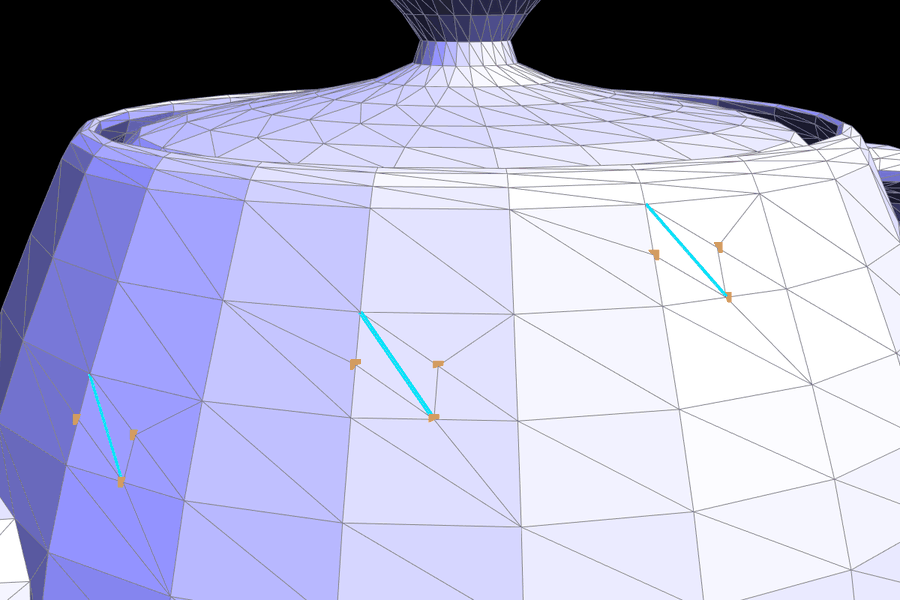
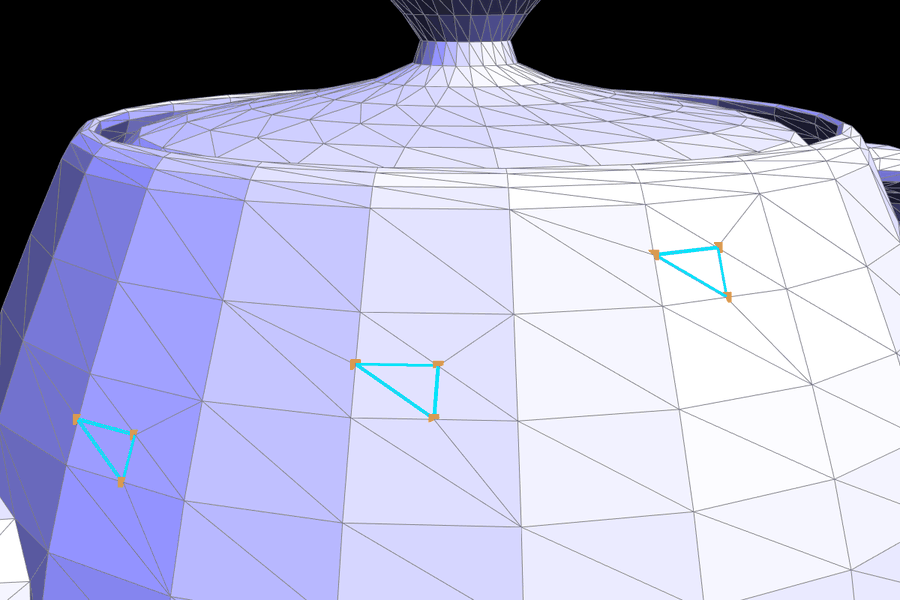
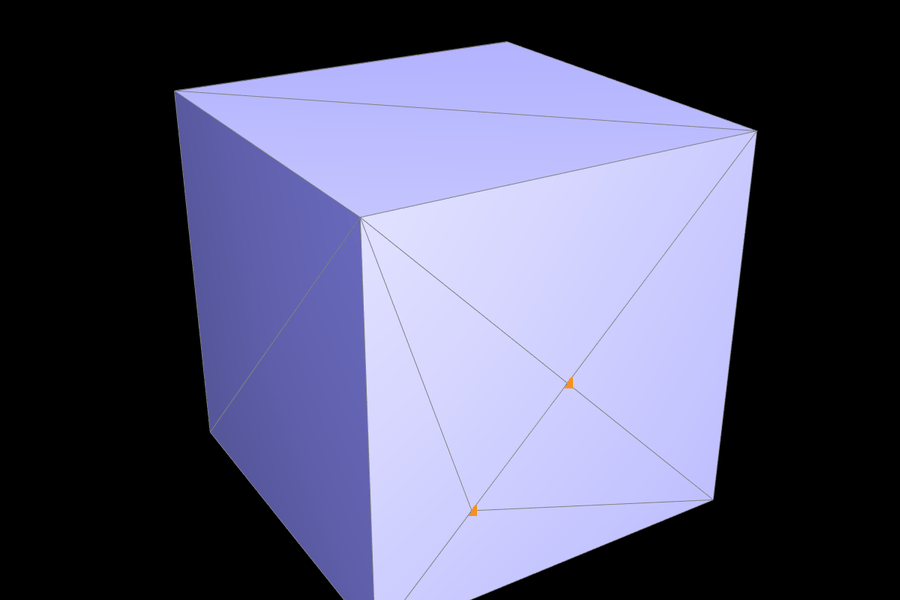
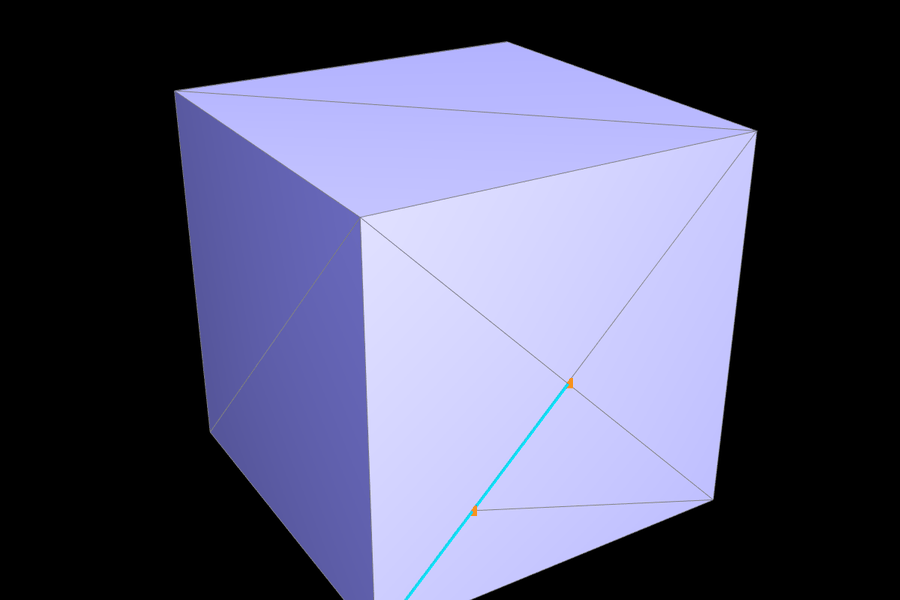
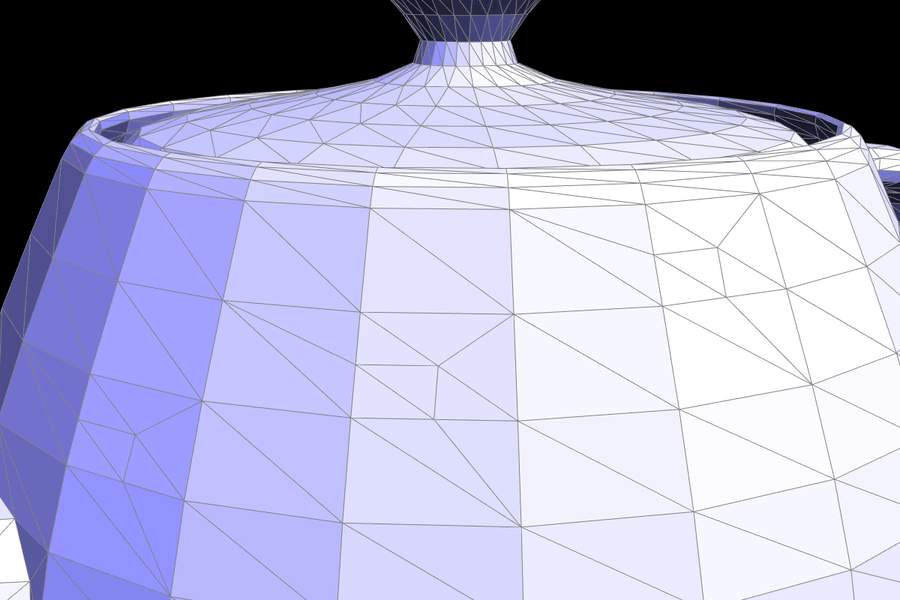
Splits and flips together. I combined the two operations to split a triangle into 4, which is exactly what Loop subdivision does to every triangle. First I split the triangle's 3 edges. That leaves one edge inside the triangle connecting a new midpoint to an old corner (cyan). Flipping that edge connects two midpoints, which gives the inner triangle.
 |
 |
 |
 |
 |
 |
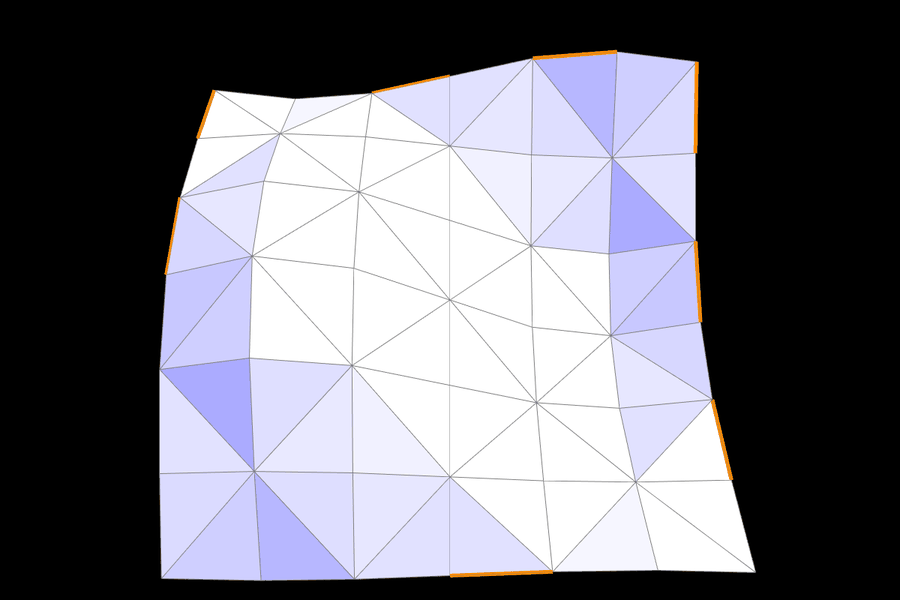
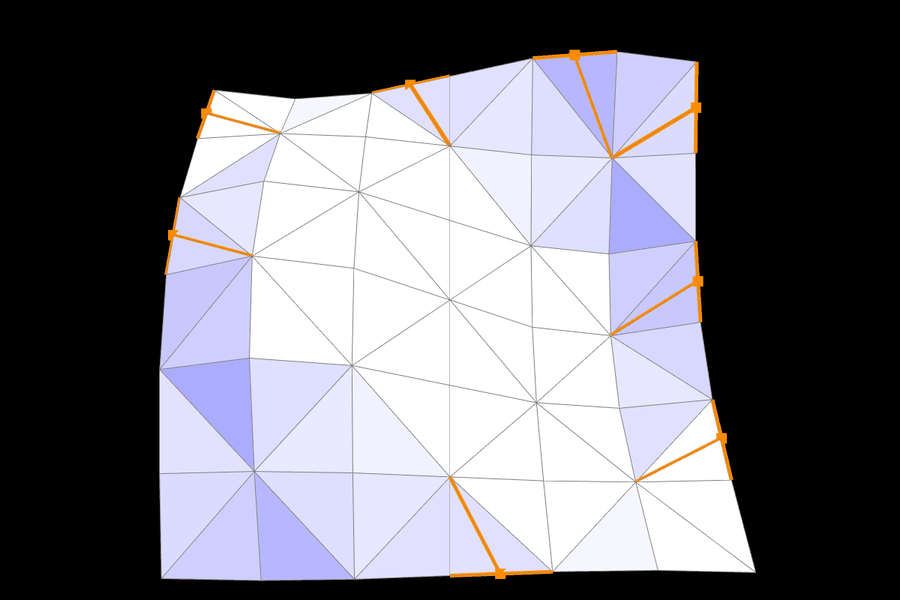
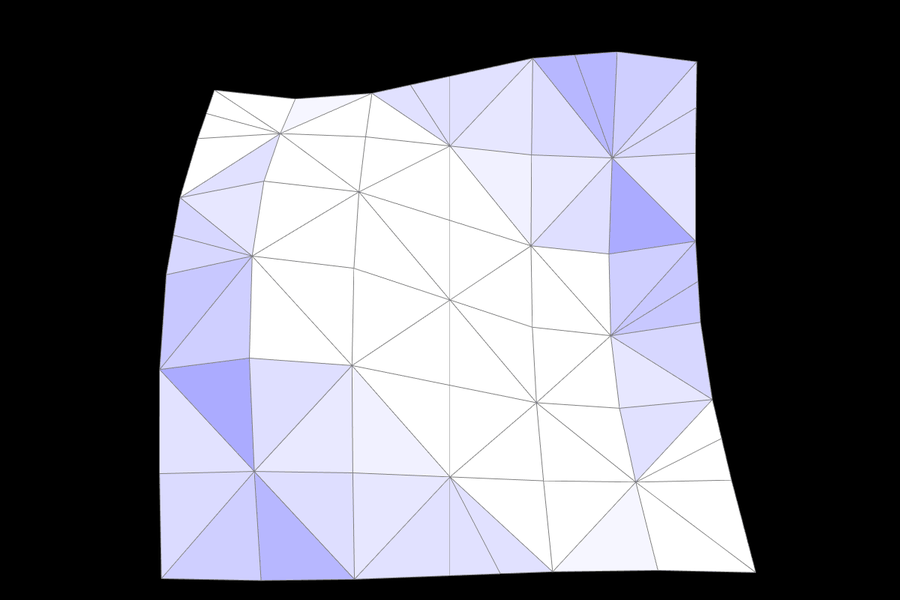
Boundary split (extra credit). I built an open wavy sheet with a boundary all the way around it, then split 8 of its boundary edges:
 |
 |
 |
Part 6: Loop subdivision for mesh upsampling
MeshResampler::upsample follows the recommended structure. All new positions are computed on the original mesh, before any topology changes.
- Old vertices. For each vertex, set
isNew = false. Walk its neighbors withtwin()->next()to get the degree \(n\) and the neighbor sum. Then store \[ \text{newPosition} = (1 - n u)\, p + u \sum p_{\text{neighbor}}, \qquad u = \begin{cases} 3/16 & n = 3 \\ 3/(8n) & \text{otherwise.} \end{cases} \] For a boundary vertex (extra credit), I use the curve rule instead, \(\tfrac{3}{4} p + \tfrac{1}{8}(b_1 + b_2)\), where \(b_1\) and \(b_2\) are its two boundary neighbors. - Edge points. For each edge \(AB\) with opposite vertices \(C\) and \(D\), store \(\tfrac{3}{8}(A + B) + \tfrac{1}{8}(C + D)\) in
Edge::newPosition, or the midpoint for a boundary edge. I also setisNew = falseand push the edge into avectorof original edges. - Split. Split every edge in that saved vector, and copy the edge's
newPositioninto the returned vertex. Splitting only the saved list is what keeps the loop finite.std::listinsertion never invalidates iterators, but it does append the new edges, so walking the live list would keep splitting forever. - Flip. Flip every edge with
isNew == truewhose endpoints differ inisNew. These are exactly the edges from a new midpoint to an old vertex that cut across an old triangle, the same cyan edges as in Part 5. The halves of the original edges also connect old to new vertices, but split marked themisNew = false, so they are left alone. - Commit. Copy
newPositionintopositionfor every vertex.
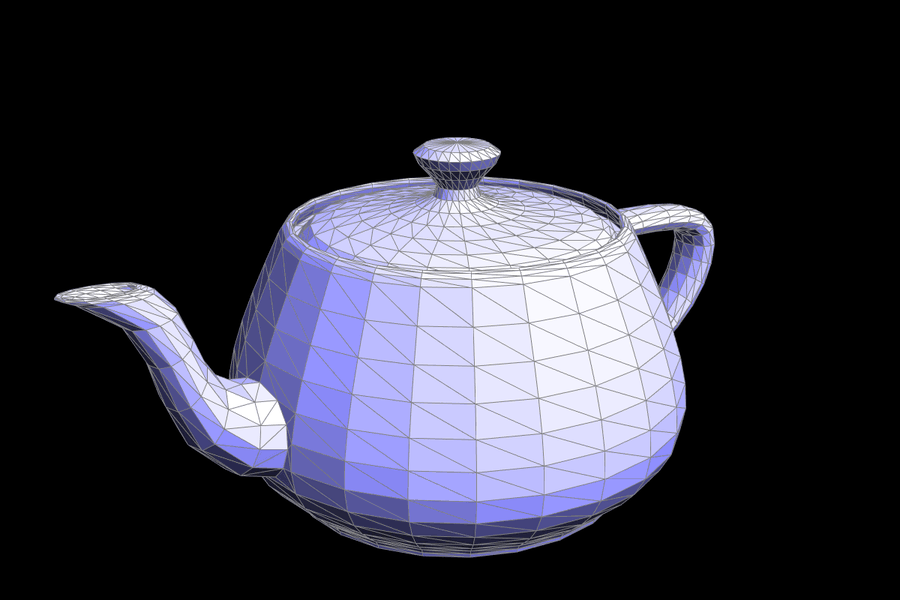
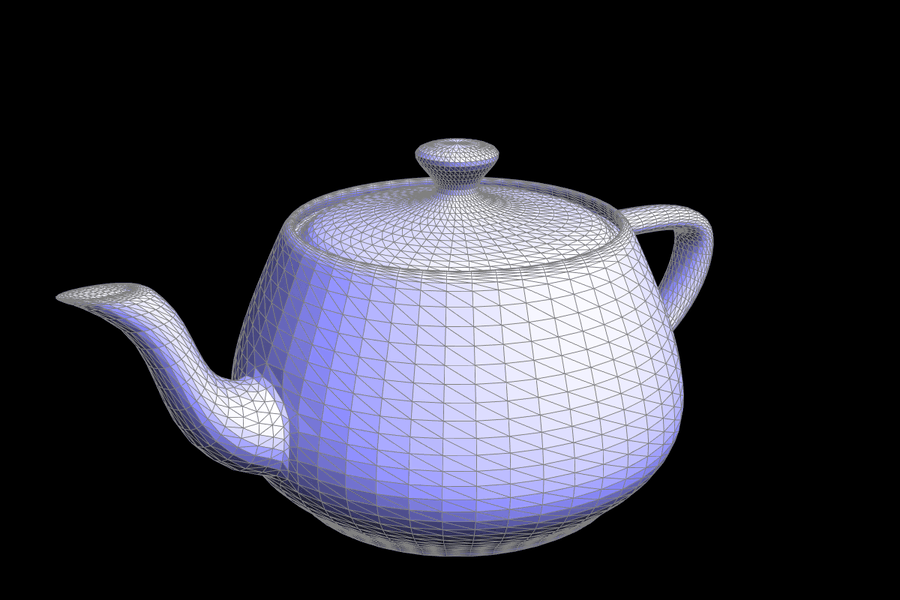
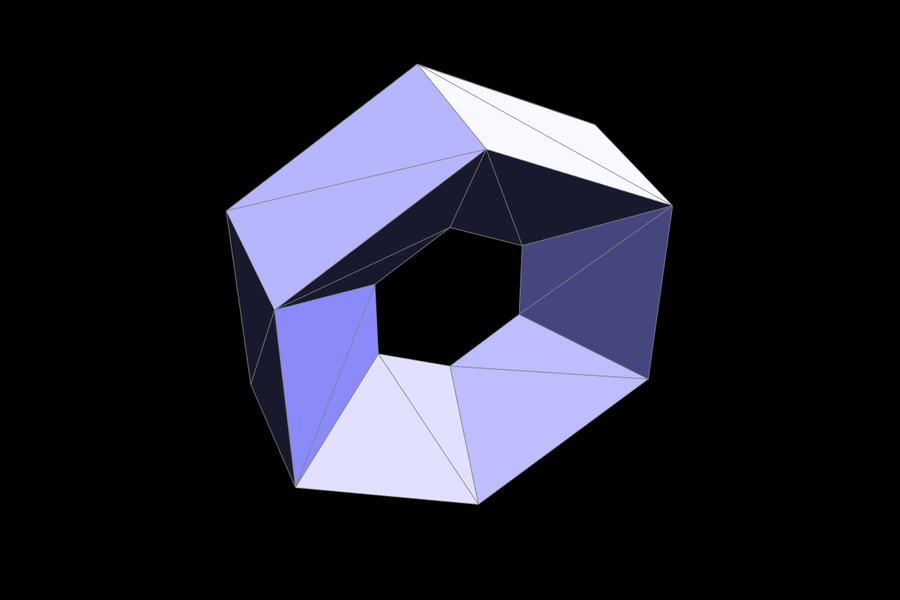
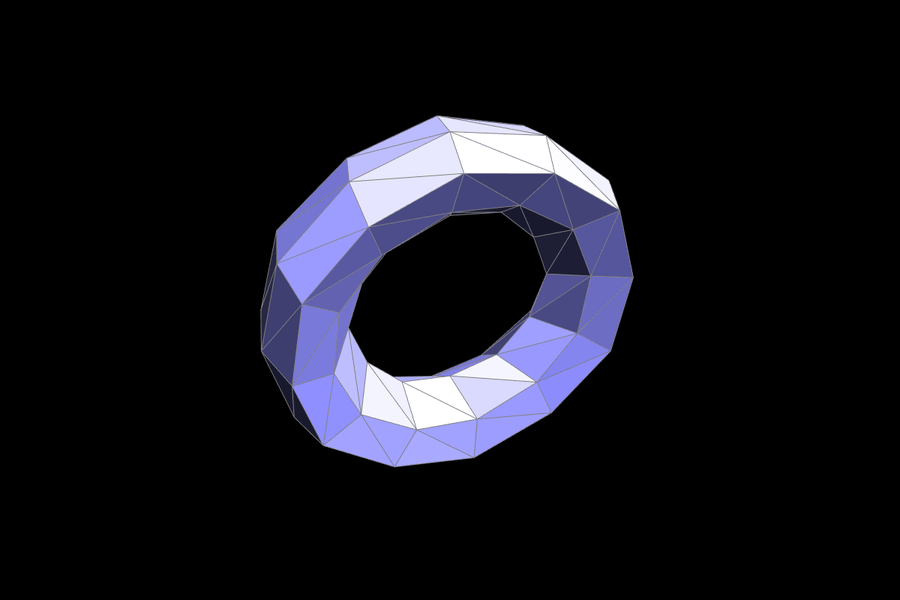
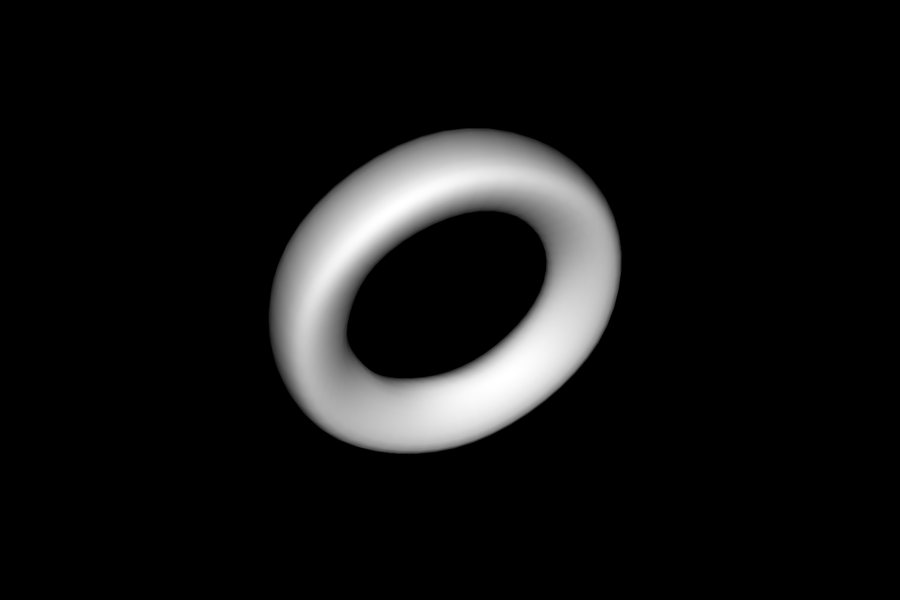
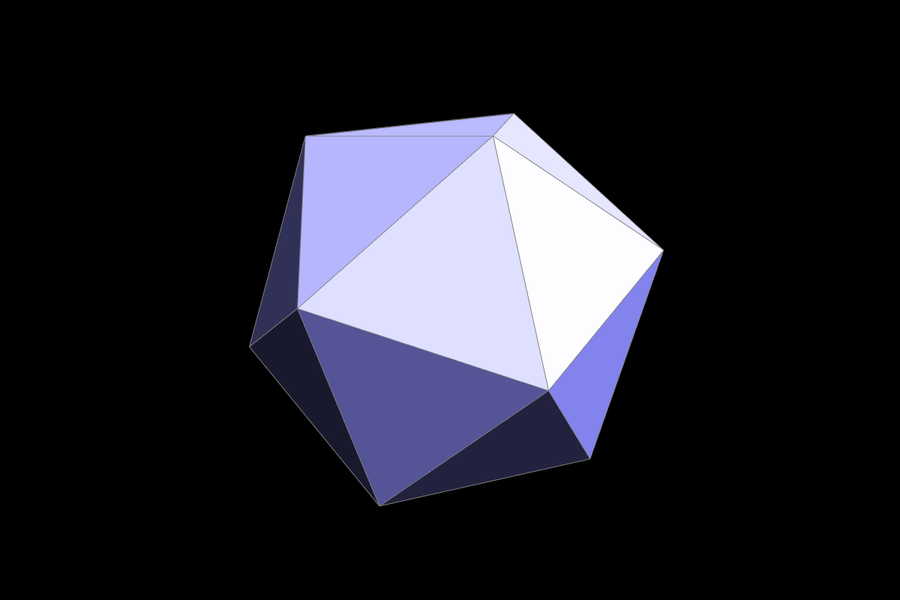
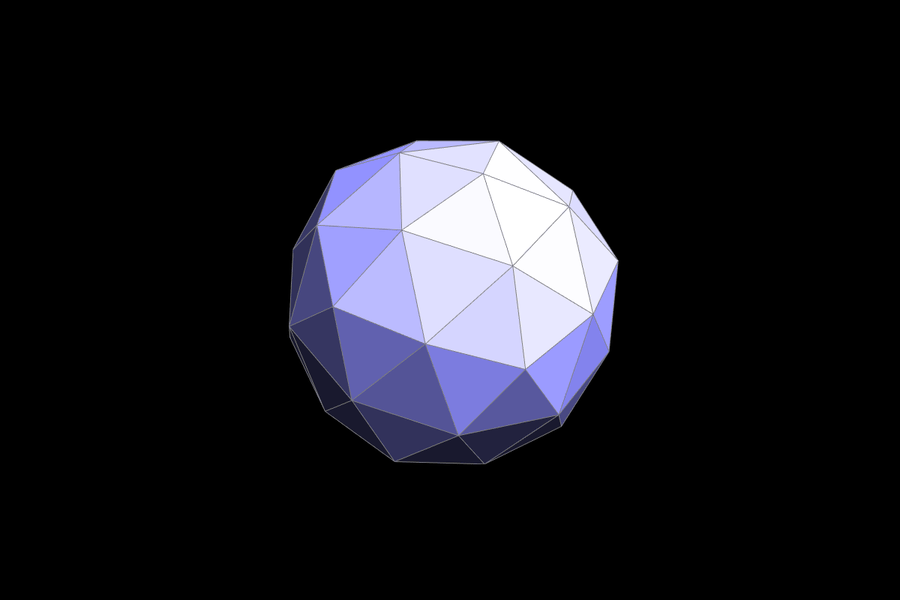
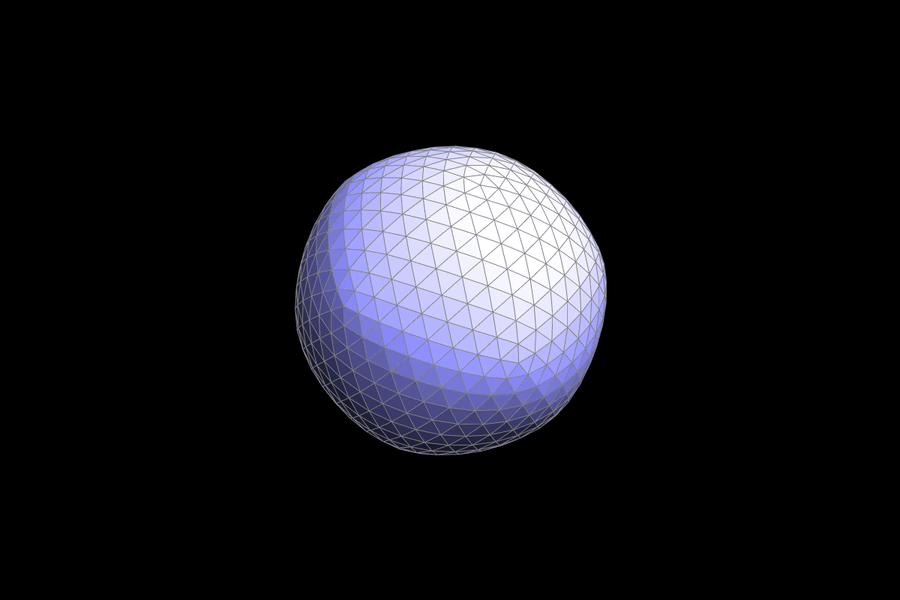
Debugging and verification. First I checked the counts after each round: \(V' = V + E\), \(F' = 4F\), and the full invariant check passes. Then I wrote a separate reference version of Loop subdivision that works on a plain indexed triangle list, with no half-edges. My half-edge result matched it exactly, in both positions and connectivity, for 1 to 3 rounds on every provided mesh. That includes the meshes with boundaries and meshes that had already been edited with random flips and splits. The test meshes were cube, teapot, cow, bean, beast, peter, maxplanck, beetle, quadball, weird, the torus, the icosahedron, and both .bez files. The only step that needed real care was step 3. Computing positions before splitting is essential, because the neighbor sums must use the original neighbors.
 |
 |
 |
 |
 |
 |
 |
 |
 |
Sharp corners and edges
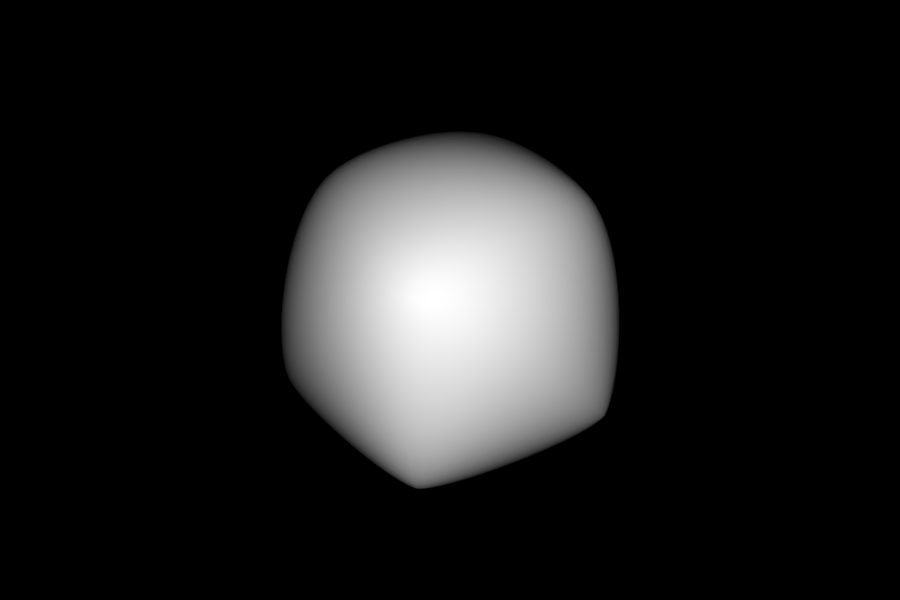
Loop subdivision is approximating, not interpolating. Old vertices move toward their neighbors, so the surface shrinks, and every sharp feature gets rounded off. The teapot barely changes because it's already smooth. The cube, however, collapses into a blob: its corners and creases are smoothed away entirely. The amount of rounding depends on how far the smoothing reaches, which is about one ring of neighbors per round. A coarse mesh with long edges is therefore rounded over a large region.
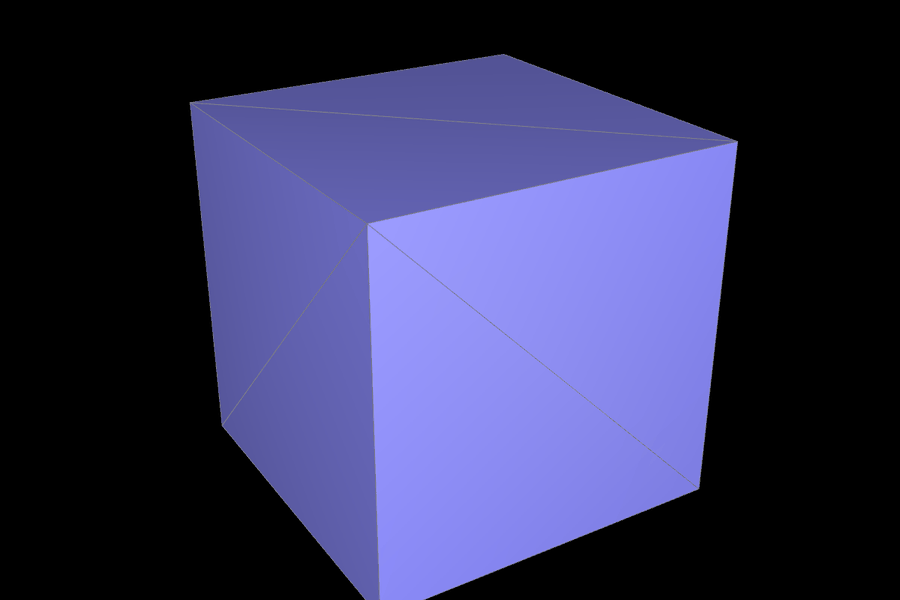
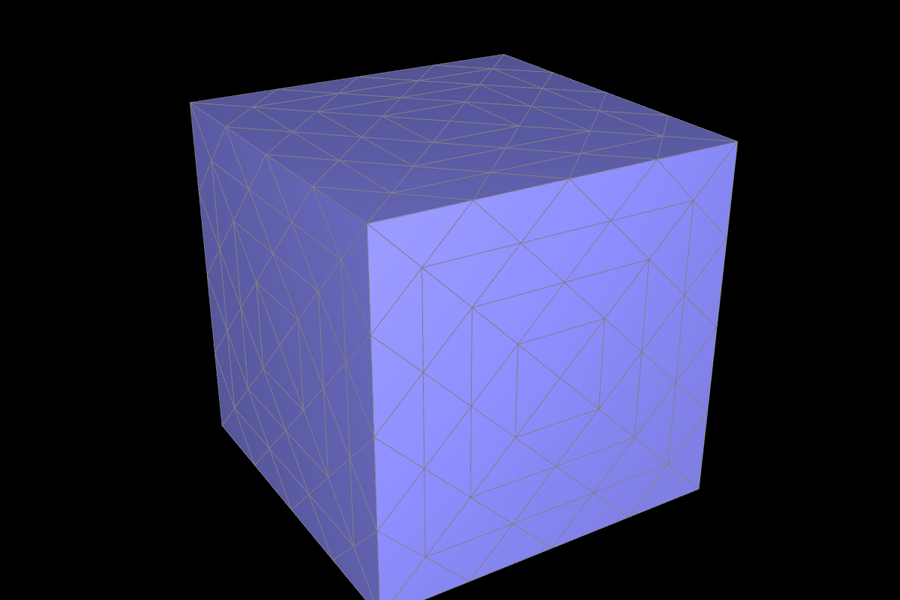
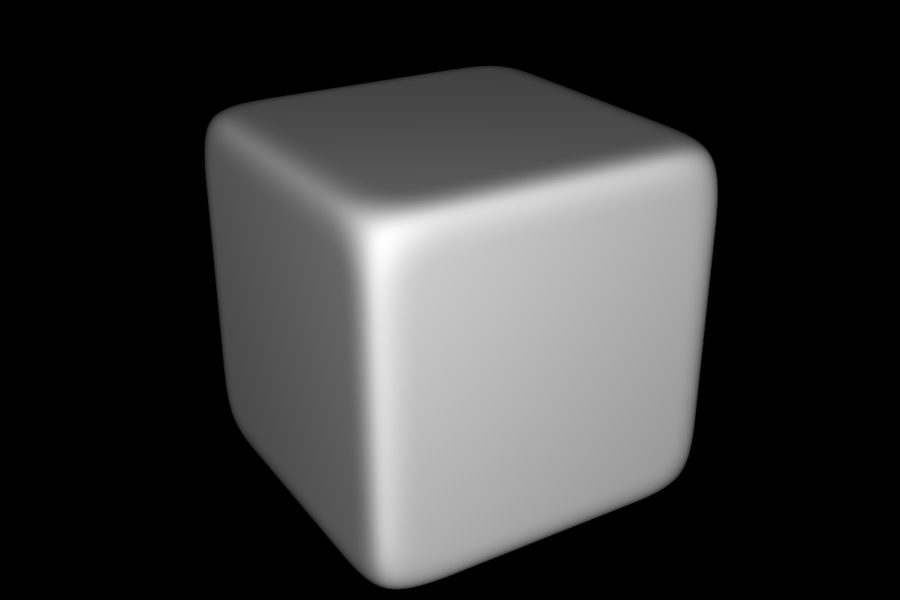
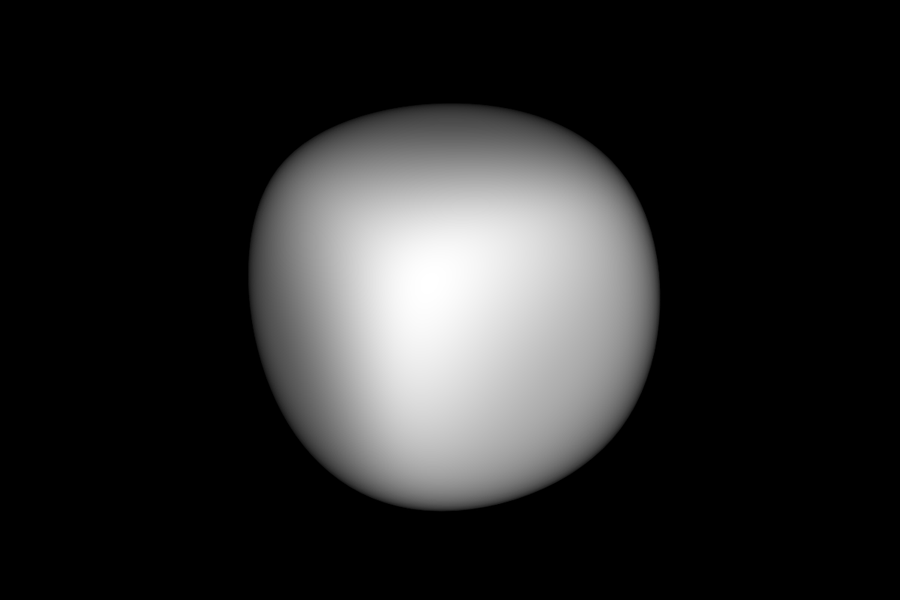
Pre-splitting edges reduces this effect. Splits add vertices, so the triangles next to a crease become smaller and the smoothing stays in a narrow band along the crease. To show this, I split the cube's face diagonals and then ran two rounds of "split every edge, then flip the old–new edges", without moving any vertex. That is Loop's topology step on its own, so the cube stays a cube but each face now has many small triangles. After 3 rounds of real Loop subdivision, this cube keeps flat faces and fairly sharp edges, and only a thin band near each crease is rounded. The plain cube turns into a lumpy ball. Adding more edges near a feature (an "edge loop") keeps that feature sharper.
 |
 |
 |
 |
The cube's asymmetry
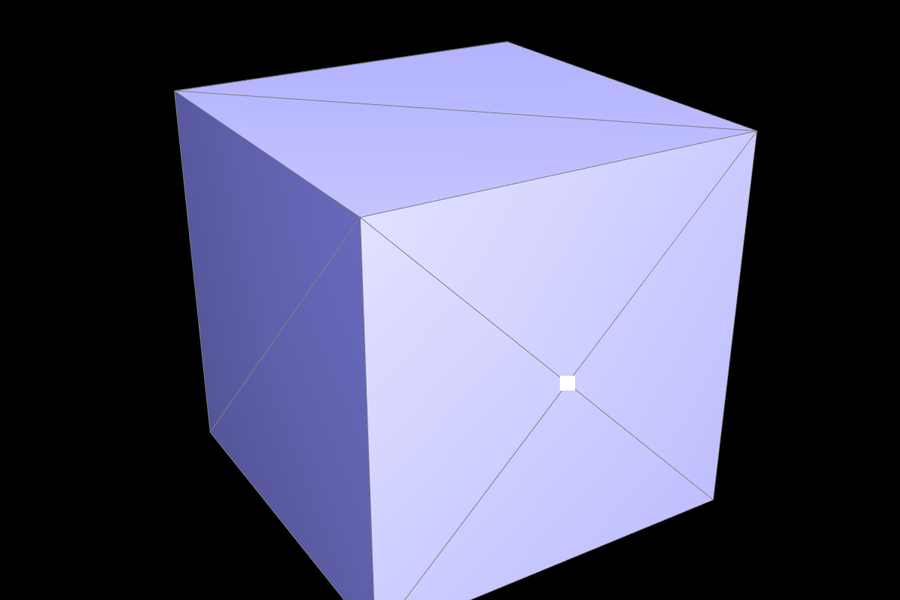
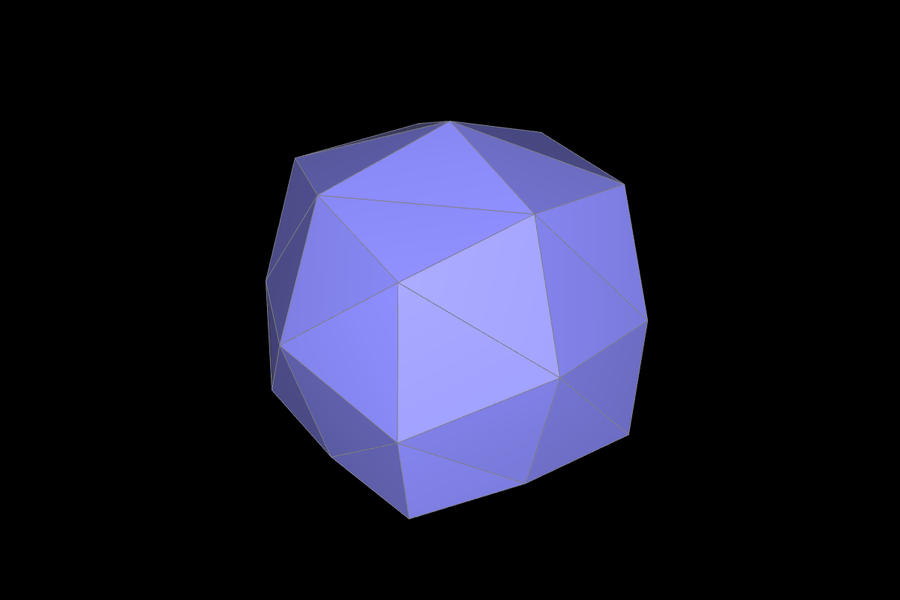
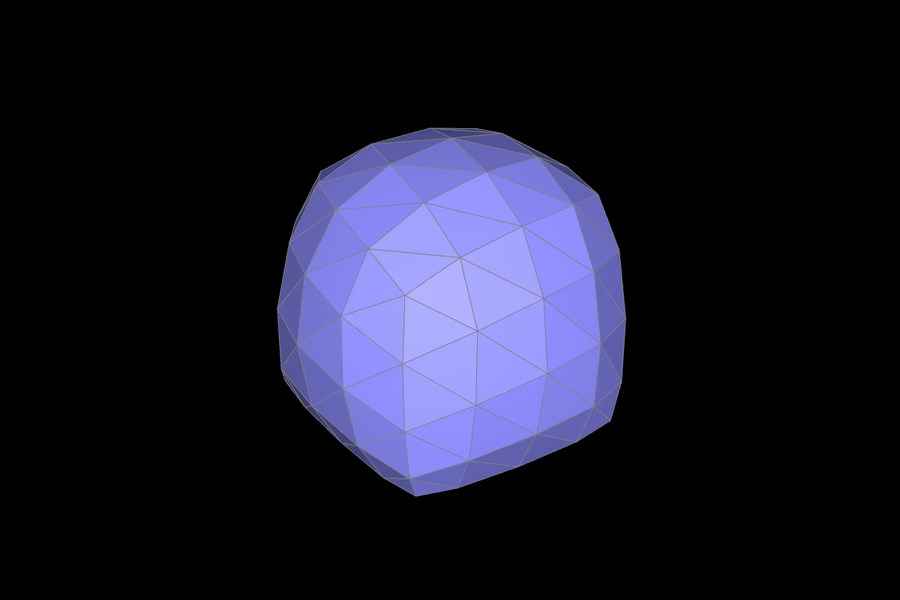
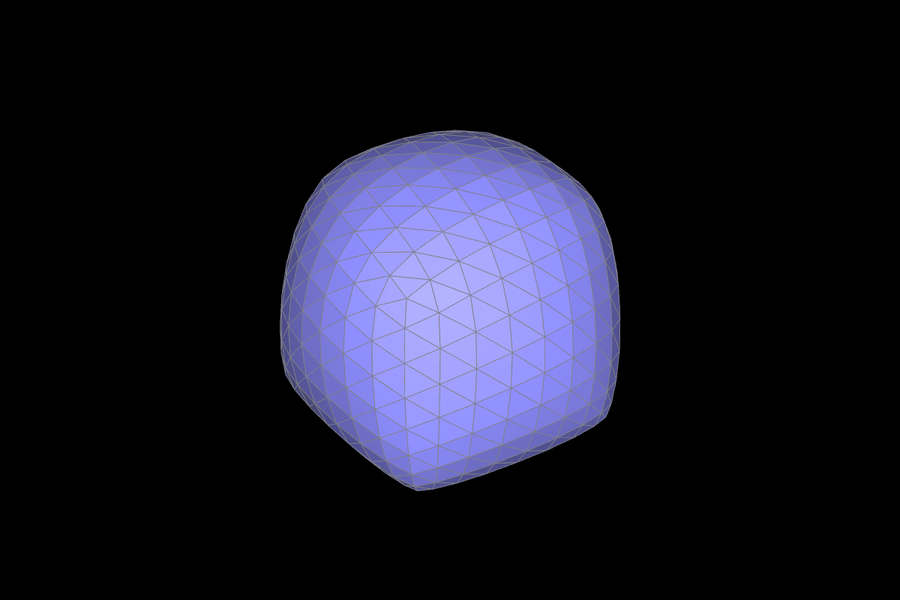
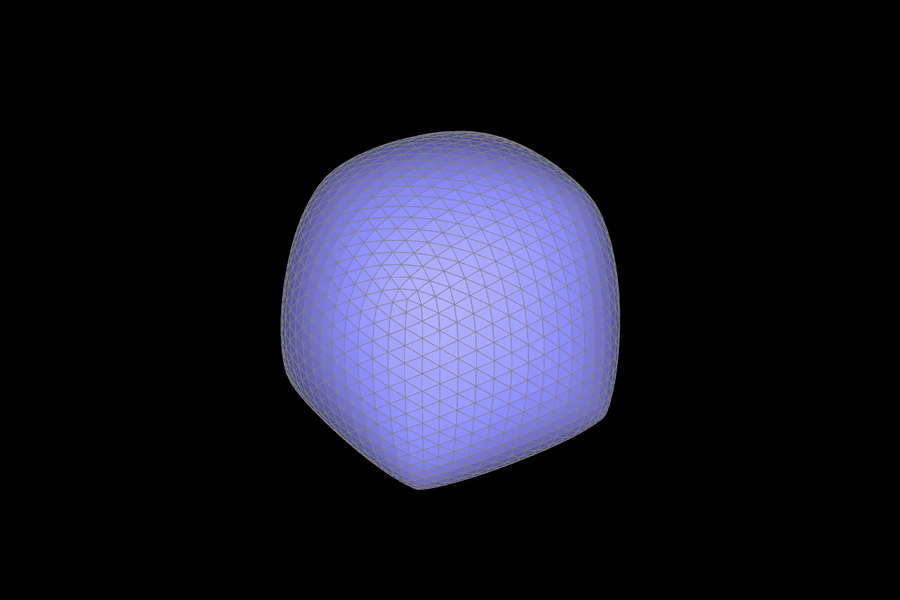
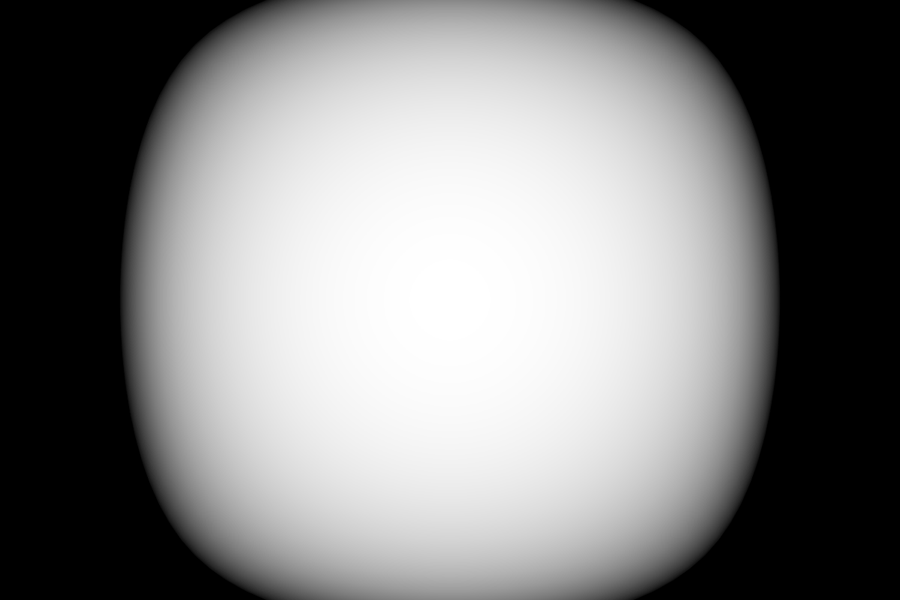
Subdividing dae/cube.dae several times gives a lopsided shape. It isn't symmetric under the cube's rotations or reflections, and from the front, one corner sags while the opposite one bulges.
|
 |
 |
 |
 |
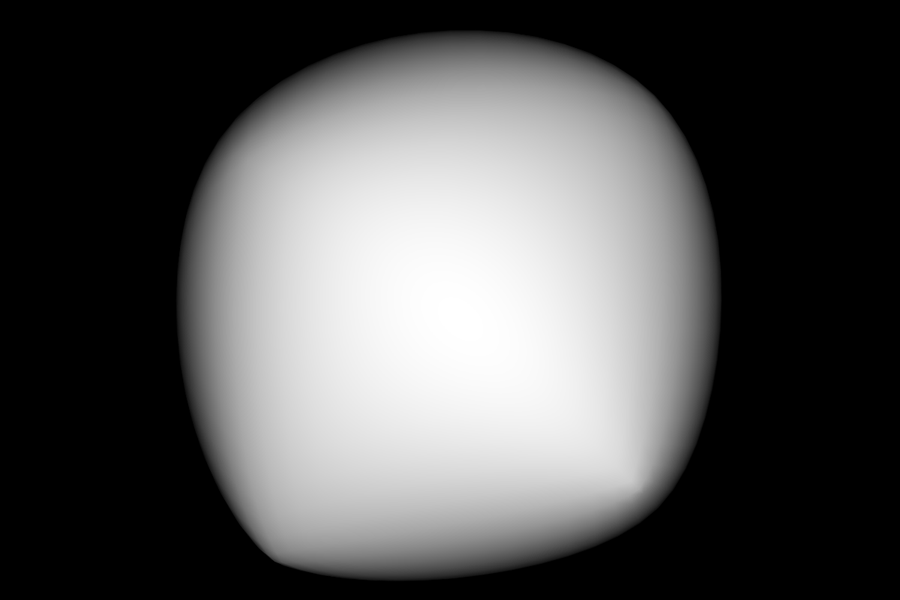 |
Why. Each square face is cut by a single diagonal, and the diagonals are not arranged symmetrically. So the 8 corners, which should be identical, have different degrees. In cube.dae they are 3, 4, 4, 4, 5, 5, 5, and 6: the corner at \((-1,-1,1)\) touches no diagonals, and the corner at \((-1,-1,-1)\) touches three. Loop's update depends on degree and on which neighbors a vertex has. With \(n = 3\), a corner keeps \(1 - 3 \cdot \tfrac{3}{16} = \tfrac{7}{16}\) of its own position. With \(n = 6\), it keeps \(1 - 6 \cdot \tfrac{1}{16} = \tfrac{10}{16}\), but it is also pulled toward three corners across the face diagonals. The new edge points also differ, because each diagonal sees opposite vertices that the other diagonal of the same square doesn't. The connectivity, not the geometry, breaks the symmetry, and every round of subdivision makes the difference larger.
Pre-processing fixes it. I split each of the 6 face diagonals once. Each face then gets a center vertex connected to all 4 of its corners, 4 triangles per face in a pinwheel. Every corner now has degree 6 (3 cube edges plus 3 face centers), every face center has degree 4, and the connectivity has the full symmetry of the cube. Since the geometry and the connectivity are both symmetric, Loop subdivision keeps that symmetry, and the result is a symmetric rounded cube. Flipping alone can't fix this. With one diagonal per face, the 6 diagonals have 12 endpoints, and 12 can't be shared equally among 8 corners. So some corners always end up with a higher degree than others, which is why the split is needed.
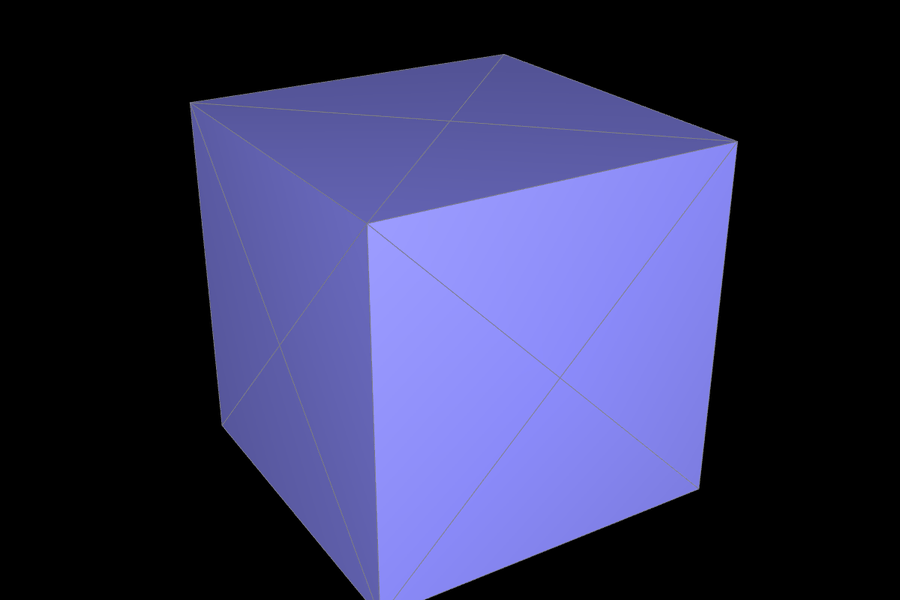 |
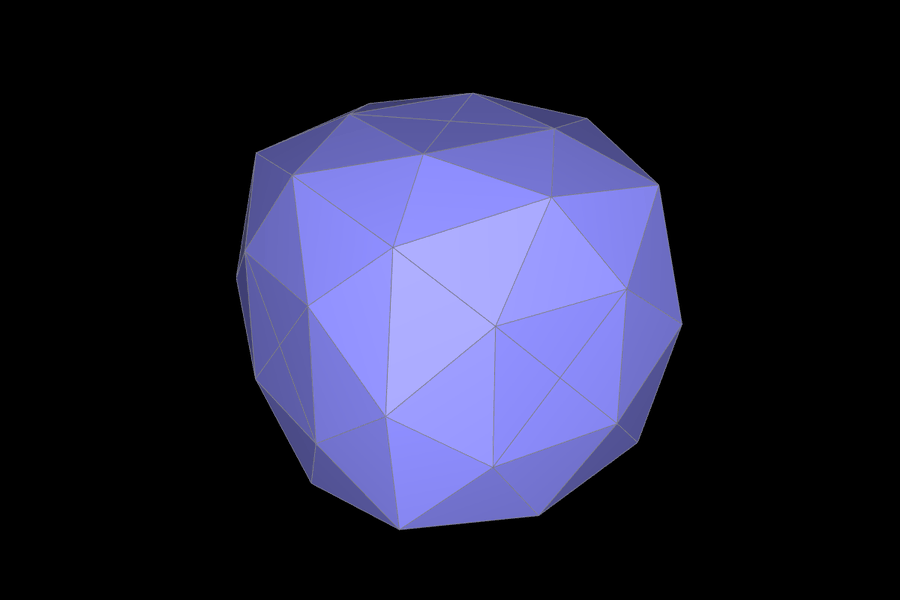 |
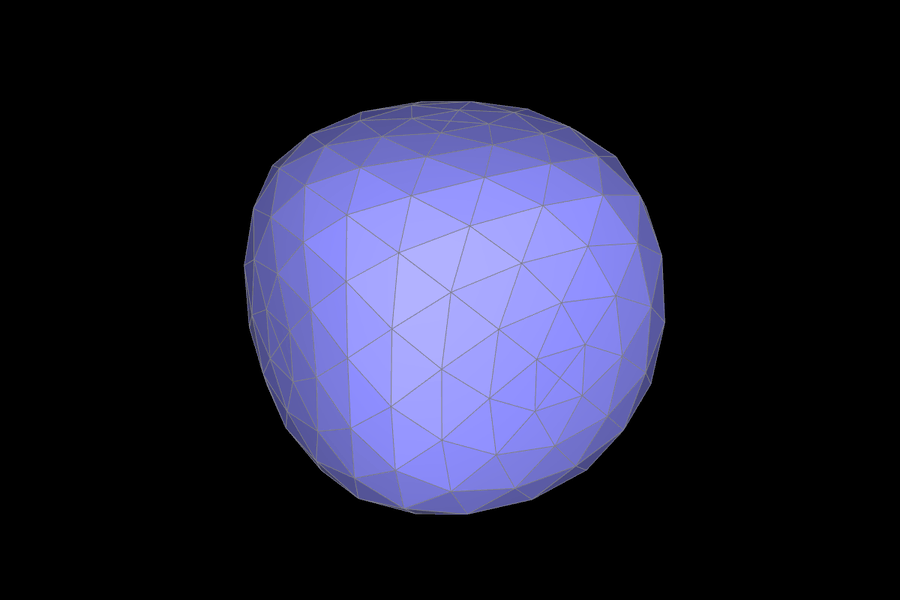 |
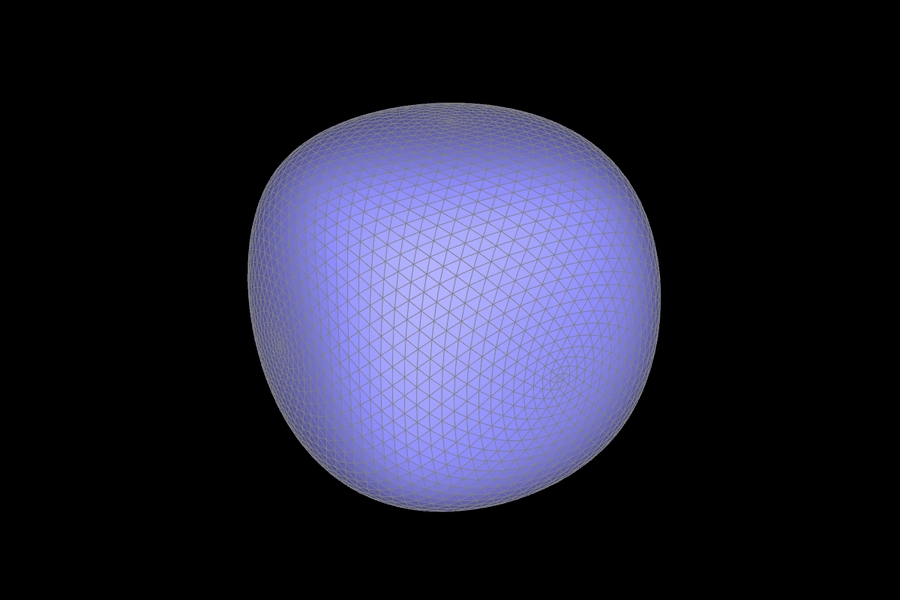 |
 |
 |
Extra credit: boundaries
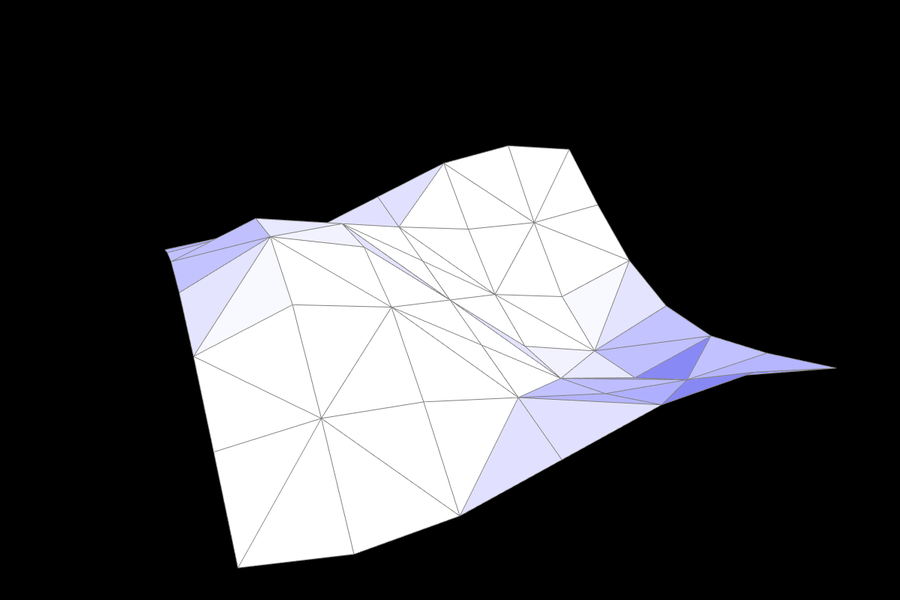
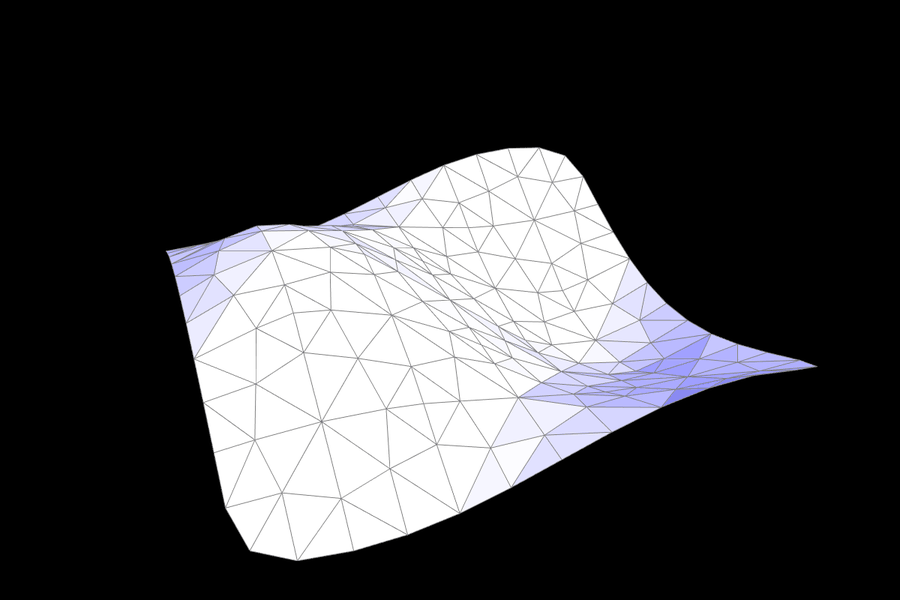
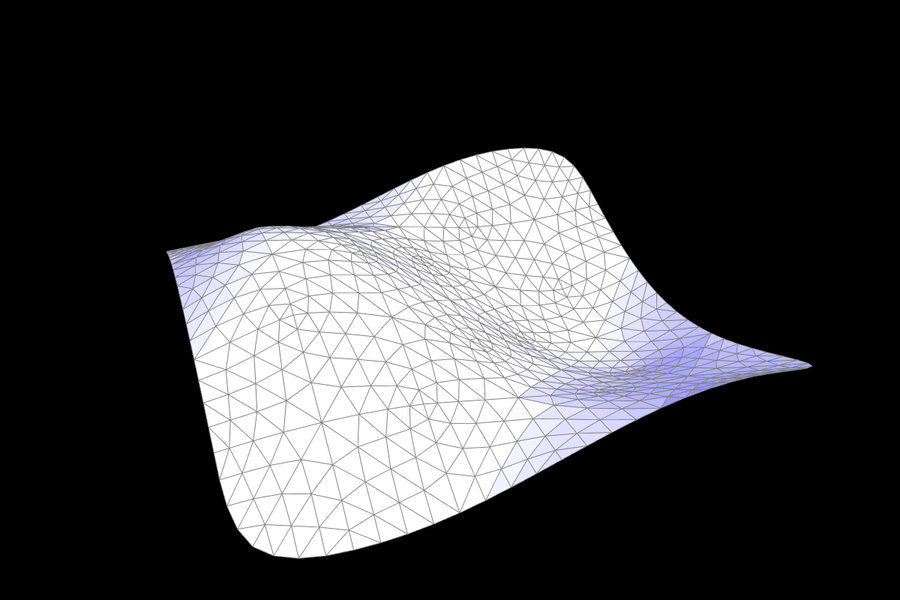
Boundary split (Part 5) and the boundary rules in steps 1 and 2 let Loop subdivision handle open meshes. Boundary vertices and boundary edge points depend only on boundary neighbors, so the boundary is subdivided as a cubic B-spline curve. It stays a smooth curve controlled only by the boundary itself, instead of being pulled inward by interior vertices or torn open. My results match the reference implementation on beetle.dae (11 boundary loops), maxplanck.dae, and bez/teapot.bez (6 loops).
 |
 |
 |
(Optional) Section III: Potential Extra Credit - Art Competition: Model something Creative
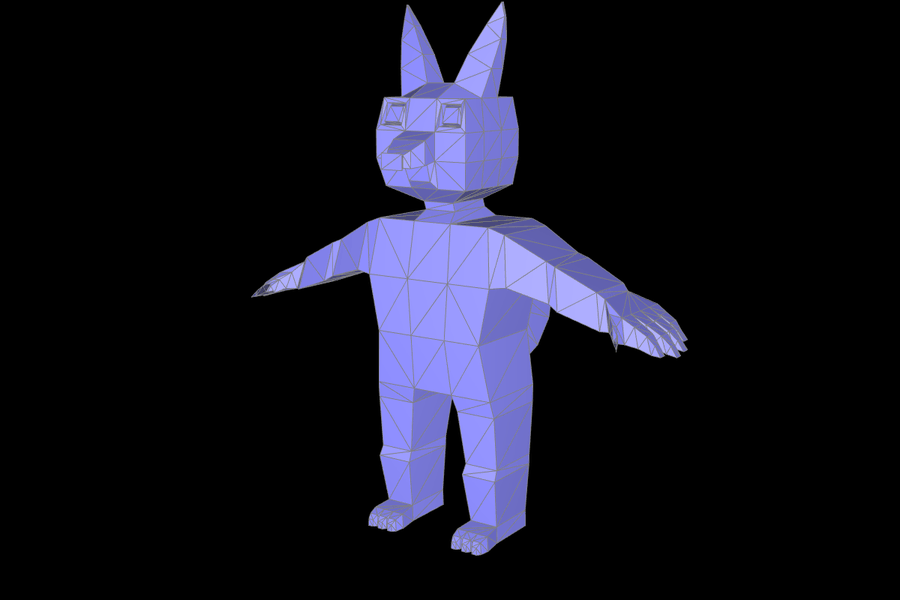
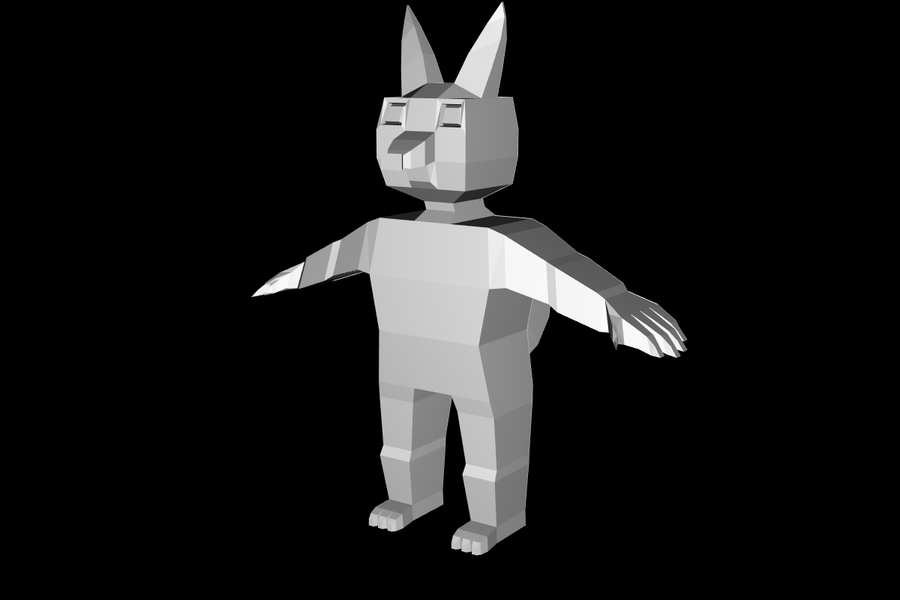
My mesh is a small fox-like character, saved as docs/artcompetition.dae. Instead of modeling it by hand in Blender, I box-modeled it in code. A short script starts from a box and builds the character by extruding faces, the same way box modeling works in a modeling tool. Each extrusion copies a face, moves it, scales it about its center, and stitches the gap with new side faces. Copying the face and stitching the gap is what keeps the mesh closed and keeps the faces oriented the same way.
- Torso. A 3 × 1 × 3 grid box with a narrow waist and a pushed-out chest. Its top, side, bottom, and back cells are where the neck, arms, legs, and tail start.
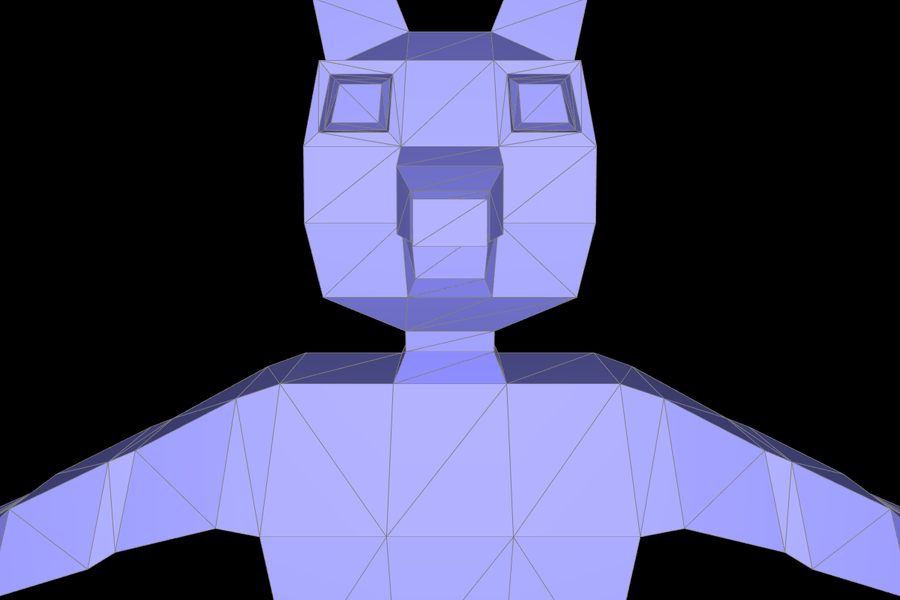
- Head. The neck widens into a head with three cells along each side, so the face is a 3 × 3 grid of quads. The top is split into a 3 × 3 grid and raised into a dome.
- Face. Two tall pointed ears grow from the top cells. Two eye sockets are inset and pushed into the head, each with an eyeball inside. The middle cell becomes a snout that tapers to a round nose, with a small chin below it.
- Hands. Each arm has a shoulder, elbow, and wrist. The palm's end face is split into four cells, which become four fingers of different lengths with three segments each. A thumb comes out of the palm's front side.
- Legs. Each leg has a hip, knee, and ankle. A foot comes forward from the front of the ankle and ends in three toes.
- Tail. The lower back grows a tail that curls up. I rotate each new ring of faces so it stays perpendicular to the curve.
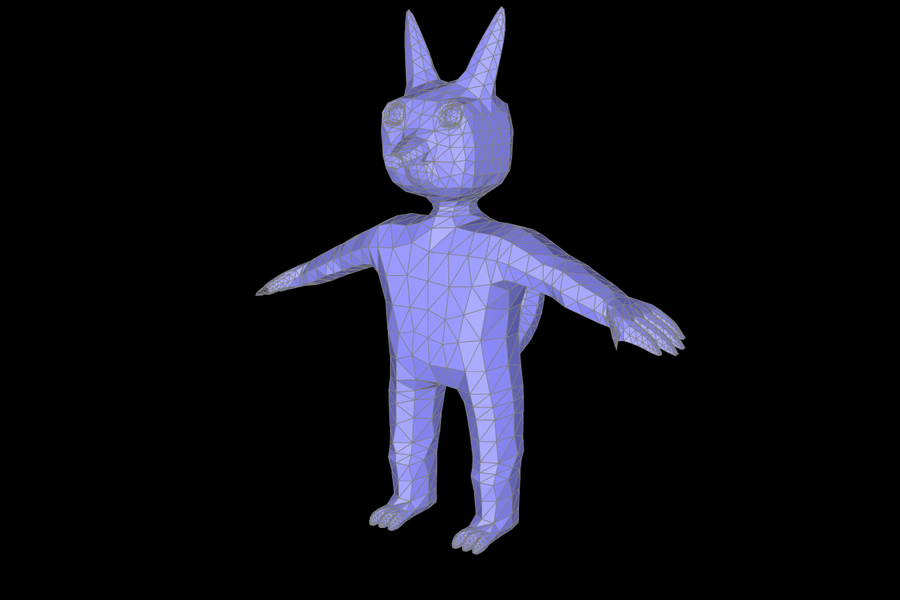
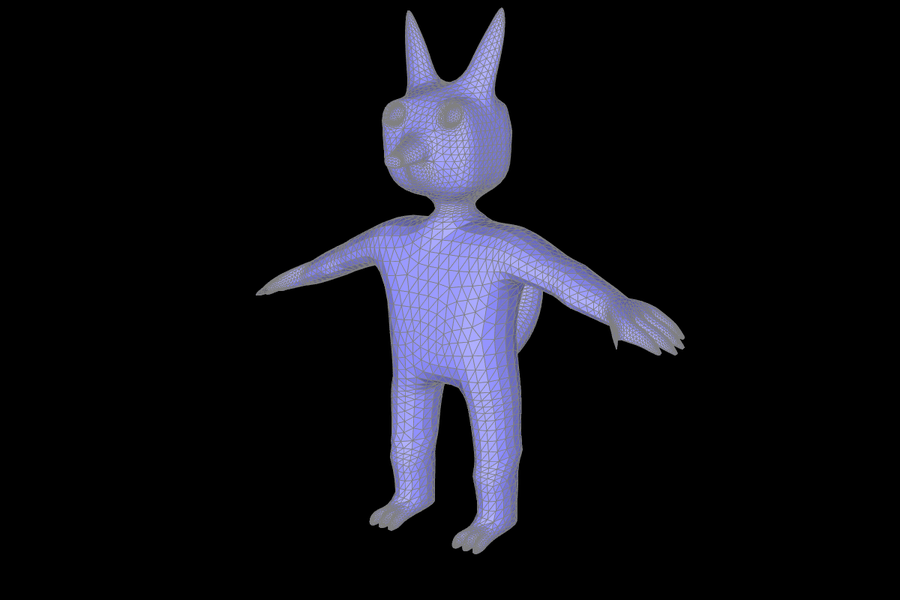
The whole model takes 99 extrusions and 5 face-grid splits. To split a face into a grid (for the fingers, toes, and the top of the head), I extrude the face with extra vertices along two of its edges, then fill in the grid's interior. That way neighboring faces never get T-junctions. Every face is turned into triangles before export: quads are split along their shorter diagonal. Before export, I check that every edge has exactly two faces running in opposite directions, and that no triangle is degenerate. The mesh has 484 vertices, 1446 edges, and 964 triangles. Its Euler characteristic V − E + F is 2, which means it is closed and has no holes. After loading it into meshedit, it also passes my half-edge validity checks after each round of Loop subdivision. It has 3,856 triangles after one round and 15,424 after two.
Compared with the baseline humanoid in the tutorial, it adds ears, eye sockets with eyeballs, a snout and nose, four fingers and a thumb on each hand, three toes on each foot, joints along the limbs, and a curled tail. The low-poly faces show up well under Loop subdivision. The ears stay pointed, the fingers stay separate, and the tail becomes one smooth curve.
 |
 |
 |
 |
 |
 |
 |
 |
 |