CS184/284A Fall 2026 Homework 2 Write-Up
Link to webpage: https://cal-cs184-student.github.io/hw2-lol-writeup/
Link to GitHub repository: https://github.com/cal-cs184-student/hw2-lol
Overview
In this homework I built the core tools of a small geometric modeling program, in two halves. In Section I, I implemented de Casteljau's algorithm: first for 2D Bezier curves, one level of linear interpolation at a time, and then for bicubic Bezier surfaces by applying the same 1D algorithm separably, first along the rows of the control grid and then across the results. This was enough to turn the control points of the Utah teapot into a rendered surface.
In Section II, I worked with triangle meshes stored in a half-edge data structure. I computed area-weighted vertex normals to get smooth Phong shading, implemented the two basic local operations, edge flip and edge split, and then combined them into Loop subdivision, which repeatedly splits every triangle into four and repositions the vertices to smooth the mesh.
The most interesting lesson for me was how much a mesh's connectivity, not just its geometry, determines the result. Loop subdivision on a perfectly symmetric cube produced a lopsided shape, purely because of which diagonal had been used to split each face. Re-splitting those diagonals to give every corner the same connectivity made the result symmetric again. I also learned that pointer-heavy code like the half-edge operations is far easier to get right with a disciplined process: drawing the before/after diagram, labeling every element, reassigning every pointer even when it does not change, and testing with an automated checker that verifies every half-edge invariant, rather than trusting that the mesh "looks right" in the viewer.
Section I: Bezier Curves and Surfaces
Part 1: Bezier curves with 1D de Casteljau subdivision
A Bezier curve of degree \(n\) is defined by \(n+1\) control points \(p_0, \dots, p_n\). De Casteljau's algorithm evaluates the curve at a parameter \(t \in [0, 1]\) using nothing but repeated linear interpolation. Given the points at one level, each pair of neighbors is blended into a single new point: \[ p_i' = (1 - t)\,p_i + t\,p_{i+1}, \qquad i = 0, \dots, n-1. \] This turns \(n+1\) points into \(n\) points. Applying the same step to the new points again and again shrinks the set by one each time, until a single point is left. That last point is exactly \(B(t)\), the point on the curve at parameter \(t\). Sweeping \(t\) from 0 to 1 traces out the whole curve.
I implemented this in BezierCurve::evaluateStep, which performs exactly one level of the recursion. It loops over each adjacent pair of input points, computes \((1 - t)\,p_i + t\,p_{i+1}\) using the curve's member parameter t, and pushes the result into a new vector, which it returns (so \(n\) inputs give \(n-1\) outputs). The GUI calls this function repeatedly to display each intermediate level, and the full curve is drawn by running it until one point remains for many values of \(t\).
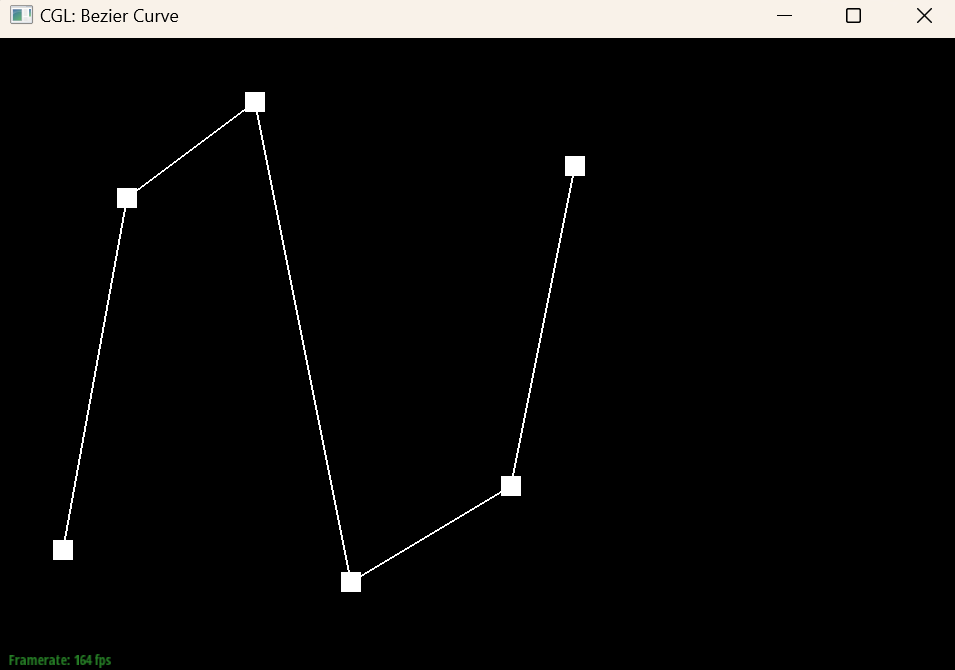
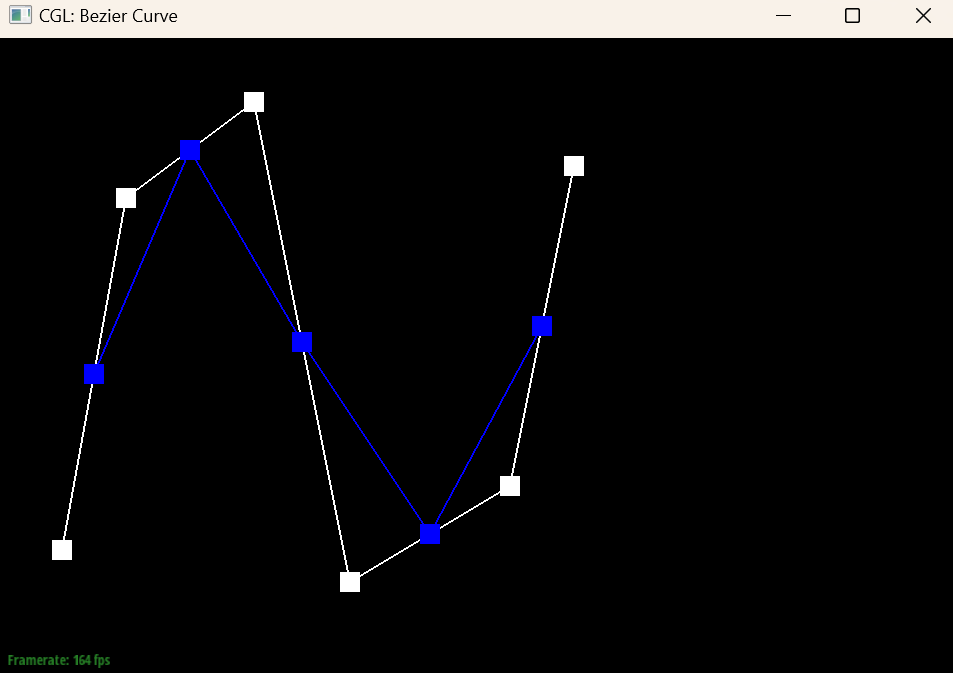
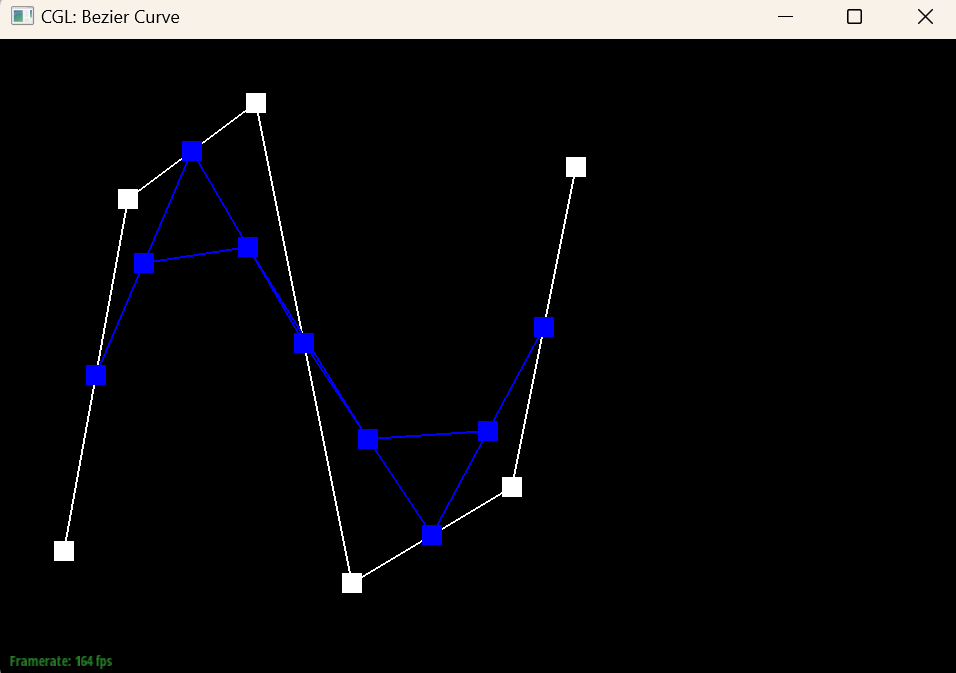
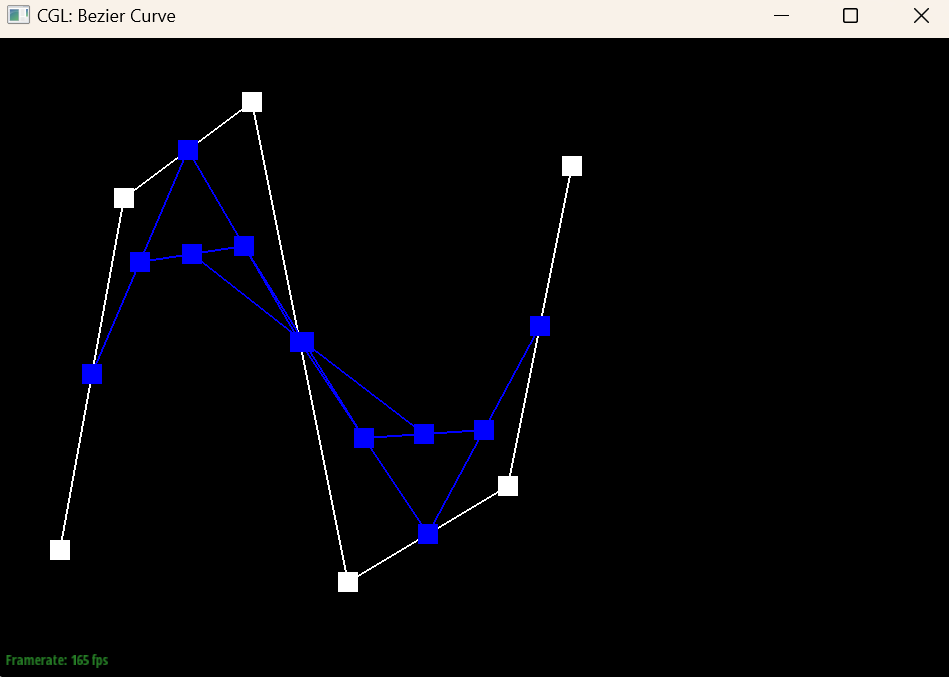
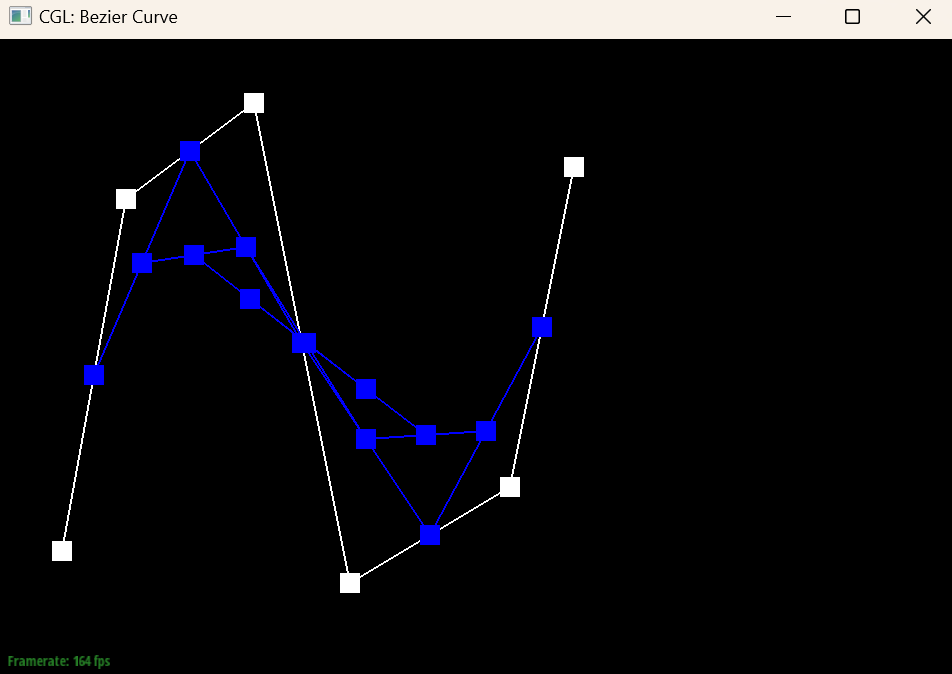
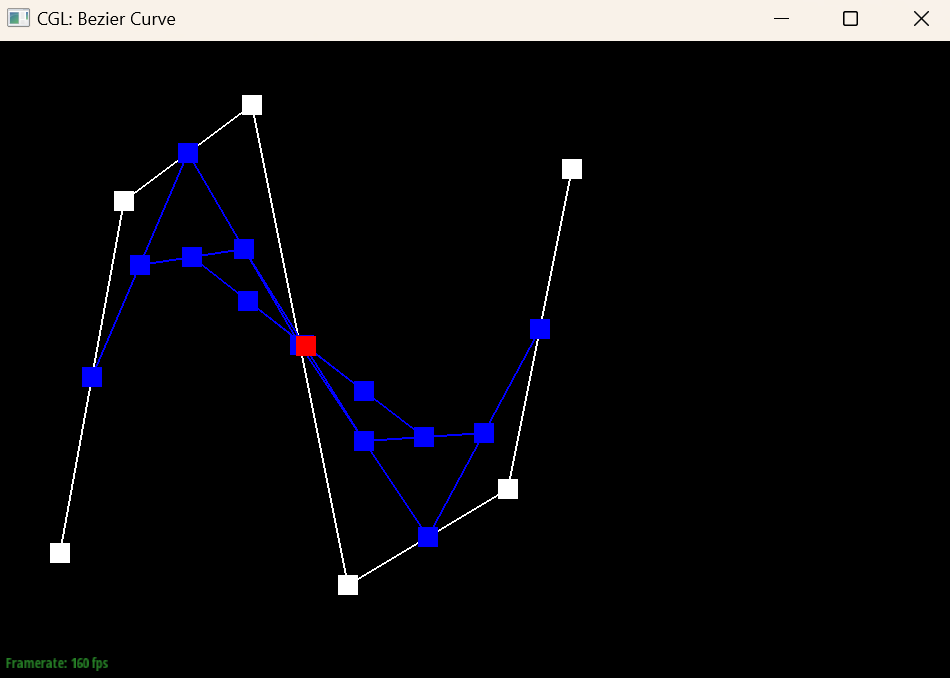
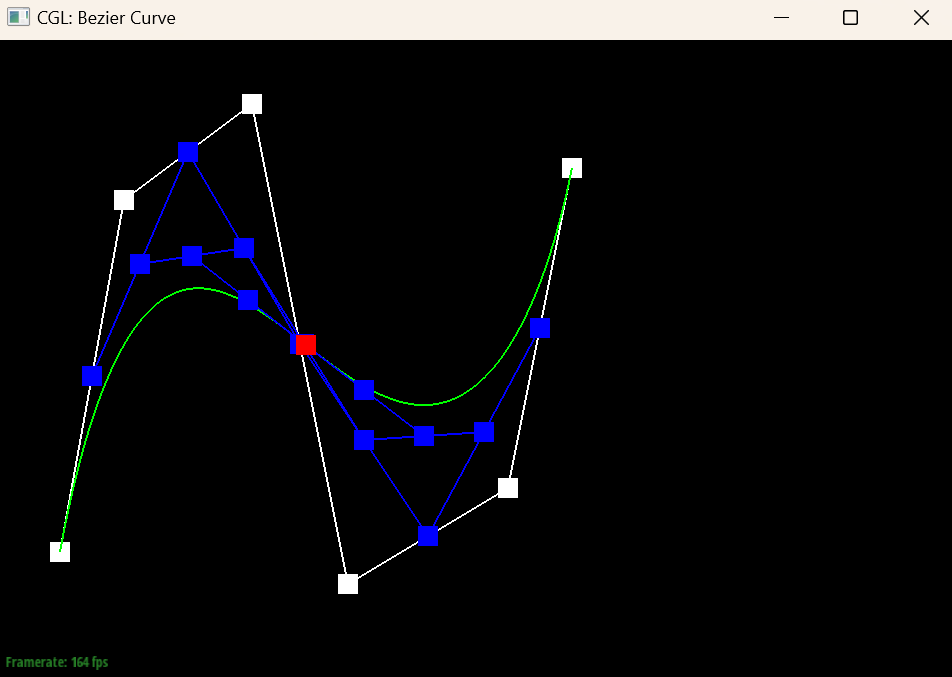
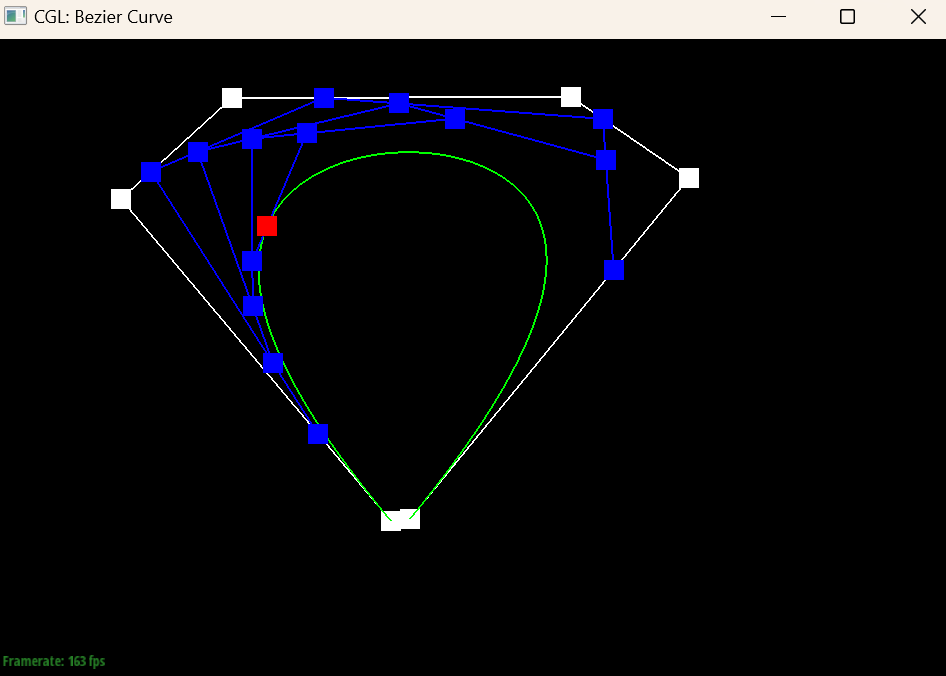
I created my own curve with 6 control points (bzc/curve6.bzc). Below are the levels of de Casteljau's algorithm at the same \(t\), from the original control points down to the final evaluated point, followed by the complete curve.
|
|
|
|
|
|
|
|
Part 2: Bezier surfaces with separable 1D de Casteljau
A bicubic Bezier patch is defined by a \(4 \times 4\) grid of control points \(P_{ij}\) and is parameterized by two values \(u, v \in [0, 1]\). The surface is a tensor product of two Bezier curves: \[ S(u, v) = \sum_{i=0}^{3} \sum_{j=0}^{3} B_i(v)\, B_j(u)\, P_{ij}, \] where \(B_k\) are the cubic Bernstein polynomials. Because this sum separates into one direction at a time, de Casteljau's algorithm extends to surfaces directly. First, treat each row of the grid as its own Bezier curve and evaluate it at \(u\), which collapses each row to a single point. This gives 4 points, one per row. These 4 points form a Bezier curve in the \(v\) direction, and evaluating that curve at \(v\) gives the final surface point \(S(u, v)\).
I implemented this with three functions. BezierPatch::evaluateStep performs one level of de Casteljau on 3D points, taking \(n\) points to \(n-1\) by computing \((1 - t)\,p_i + t\,p_{i+1}\) for each adjacent pair. evaluate1D calls evaluateStep repeatedly until only one point remains and returns it, which fully evaluates a 1D Bezier curve at \(t\). Finally, evaluate(u, v) calls evaluate1D on each of the 4 rows of control points with parameter \(u\), collects the 4 results, and calls evaluate1D once more on them with parameter \(v\). The renderer samples each patch on a \(16 \times 16\) grid of \((u, v)\) values and connects the results into triangles.
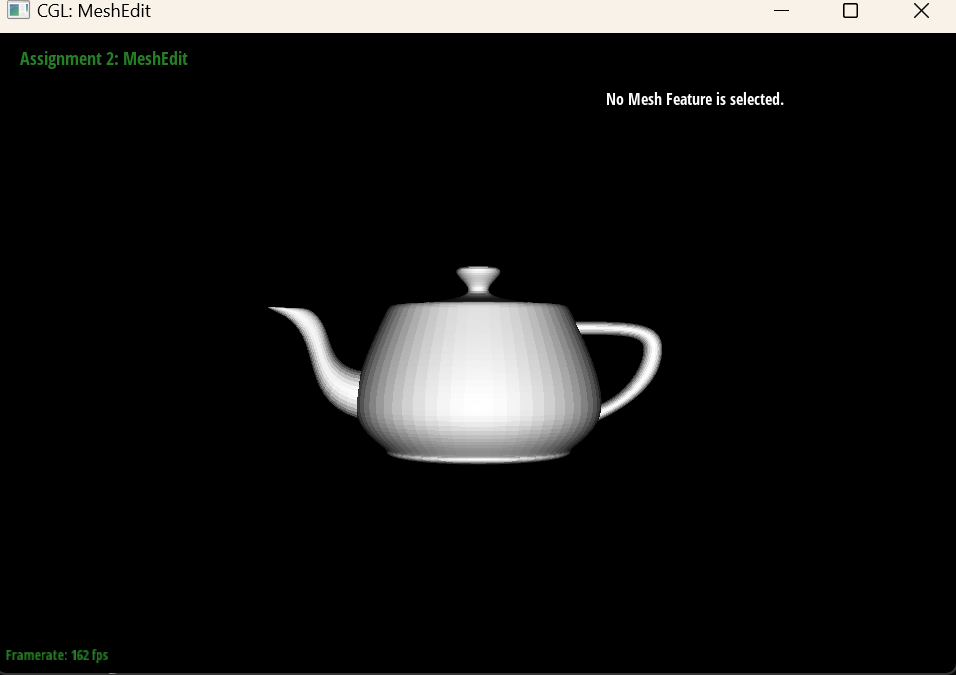
bez/teapot.bez evaluated with my Bezier surface implementationSection II: Triangle Meshes and Half-Edge Data Structure
Part 3: Area-weighted vertex normals
With flat shading, every triangle uses its own face normal, so the lighting jumps abruptly at each edge and the mesh looks faceted. Phong shading instead interpolates normals stored at the vertices across each triangle, which requires a good normal at every vertex. A natural choice is the average of the normals of all faces touching the vertex, weighted by each face's area so that large faces have more influence than tiny slivers.
I implemented this in Vertex::normal. Starting from the vertex's halfedge, I walk around the vertex by repeatedly moving to h->twin()->next(), which visits each incident face exactly once, stopping when I get back to the starting halfedge. For each face that is not a virtual boundary face, I take its three vertices \(p_0, p_1, p_2\) in the face's winding order and compute \((p_1 - p_0) \times (p_2 - p_0)\). This cross product points along the face normal, and its length is twice the triangle's area, so simply adding these vectors together already gives an area-weighted sum (the constant factor of 2 does not matter). Finally, I normalize the sum to get a unit vector. Using the same winding order as the faces keeps all normals pointing outward. Because the function is const, the traversal uses HalfedgeCIter.
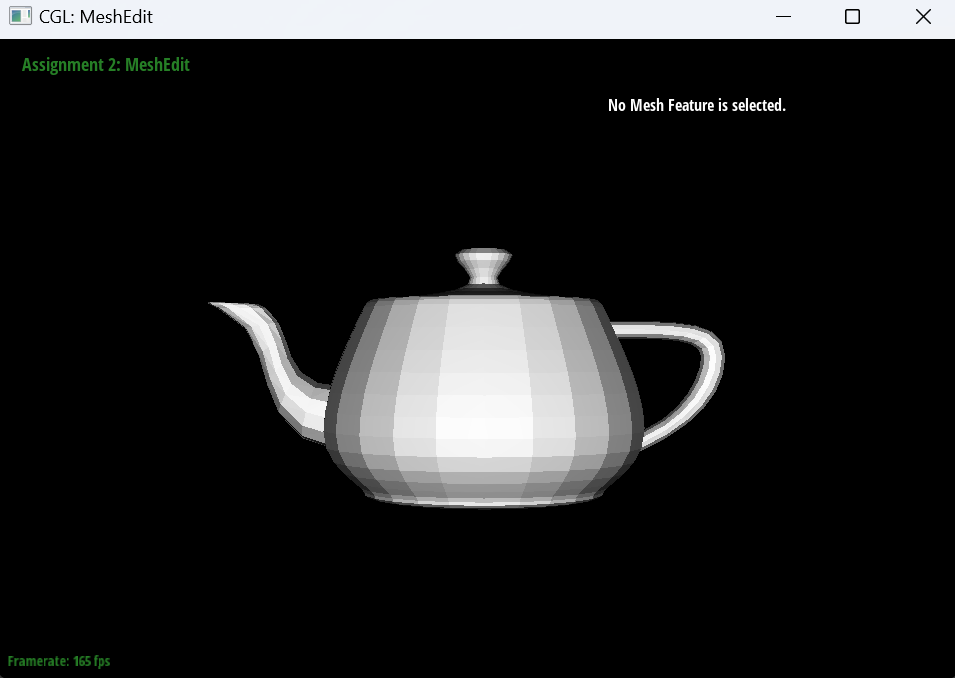
dae/teapot.dae with flat shading (face normals) |
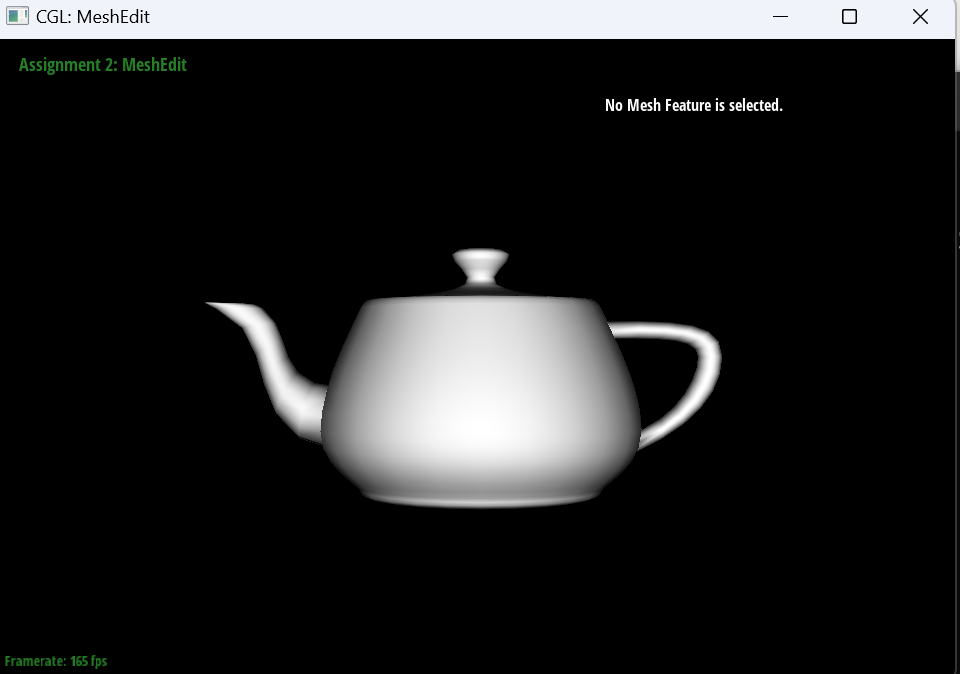
dae/teapot.dae with Phong shading (area-weighted vertex normals) |
Part 4: Edge flip
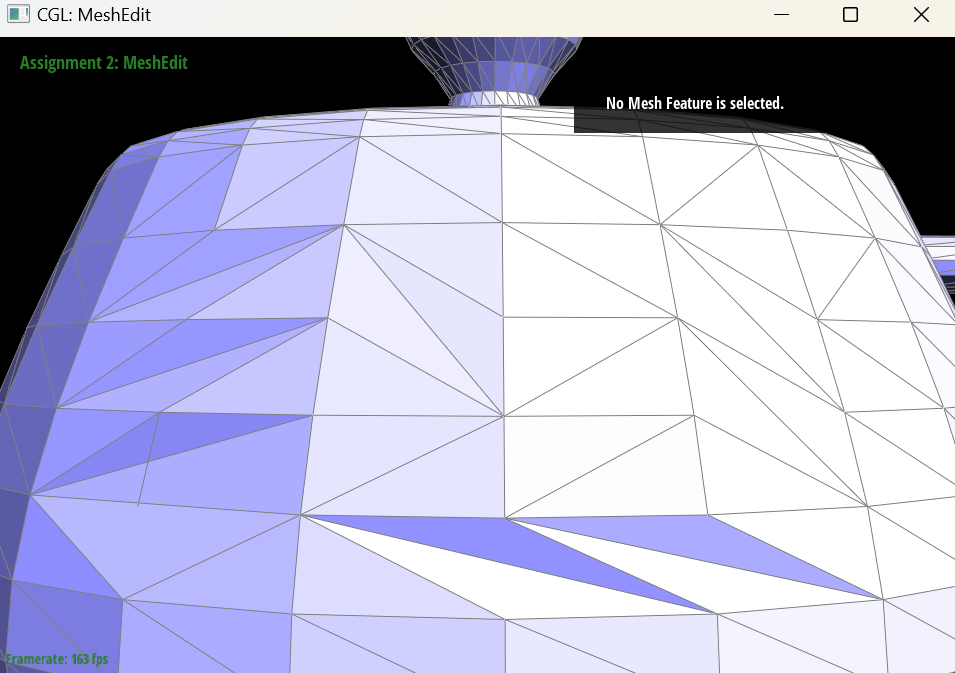
An edge flip takes two triangles that share an edge and swaps which diagonal of the resulting quadrilateral is used. If the triangles are \((v_0, v_1, v_2)\) and \((v_1, v_0, v_3)\), sharing the edge \(v_0 v_1\), then after the flip they become \((v_3, v_2, v_0)\) and \((v_2, v_3, v_1)\), sharing the new edge \(v_2 v_3\). The flip changes only connectivity: no vertex moves, and no element is created or deleted.
In HalfedgeMesh::flipEdge, I first return immediately if the edge is on the boundary, since a boundary edge has only one real triangle. Otherwise, I collect iterators to every element involved before changing anything: the 6 halfedges of the two triangles, the 4 outer twin halfedges around the quadrilateral, the 4 vertices, the 5 edges, and the 2 faces. Then I reassign the pointers of the 6 inner halfedges with setNeighbors, so each one gets its new next, twin, vertex, edge and face. The two halfedges of the flipped edge now start at \(v_3\) and \(v_2\), and each of the other four halfedges moves into whichever new triangle it now borders. Finally, I update the halfedge() pointer of all 4 vertices, the flipped edge, and both faces, because a vertex or face may have pointed to a halfedge that now belongs to a different triangle. The outer twins and the 4 outer edges do not need to change. The whole operation does a constant amount of work, independent of the mesh size.
Following the spec's advice, I reassigned every pointer of every affected element, even ones that happen to stay the same. This makes the code easier to check against a diagram: one line per element, with no reasoning about which pointers could be skipped.
|
|
Debugging. To test the flip, I wrote a small checker that walks the whole mesh and verifies the half-edge invariants: every twin is symmetric, every face loop is a triangle, each halfedge's twin starts where its next starts, every vertex, edge and face points to a halfedge that points back to it, and walking around each vertex returns to the start. I ran it after flipping every edge of an icosahedron (and flipping back, which must restore the original mesh exactly) and after thousands of random flips on a grid with a boundary. One surprise: my checker initially failed on a freshly loaded mesh, before any flip. It turned out that the starter code never sets the halfedge() pointer of the virtual boundary faces, so I changed the checker to examine boundary loops through their halfedges instead.
Part 5: Edge split
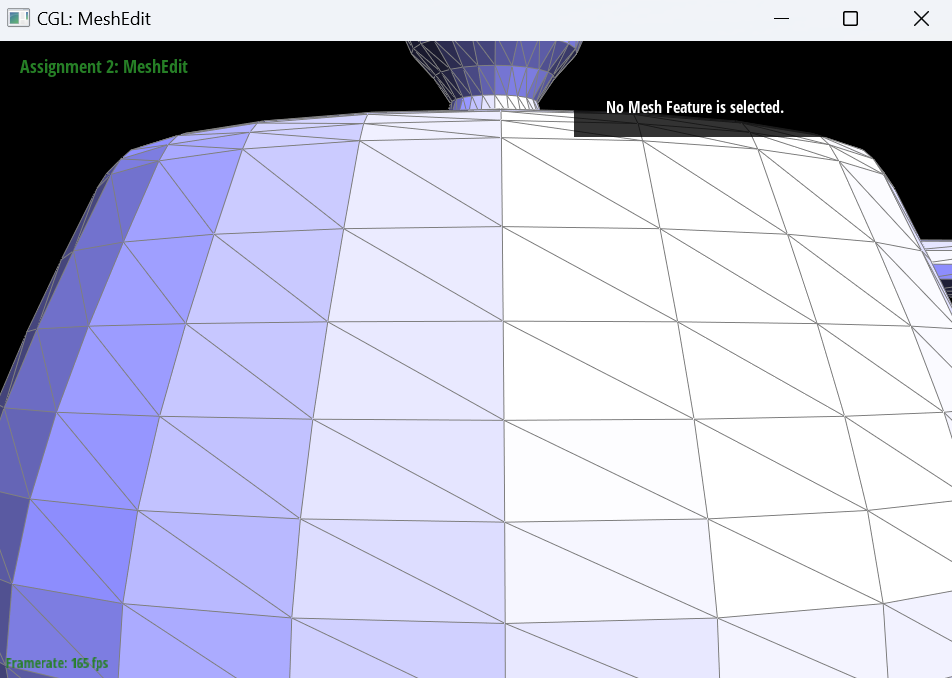
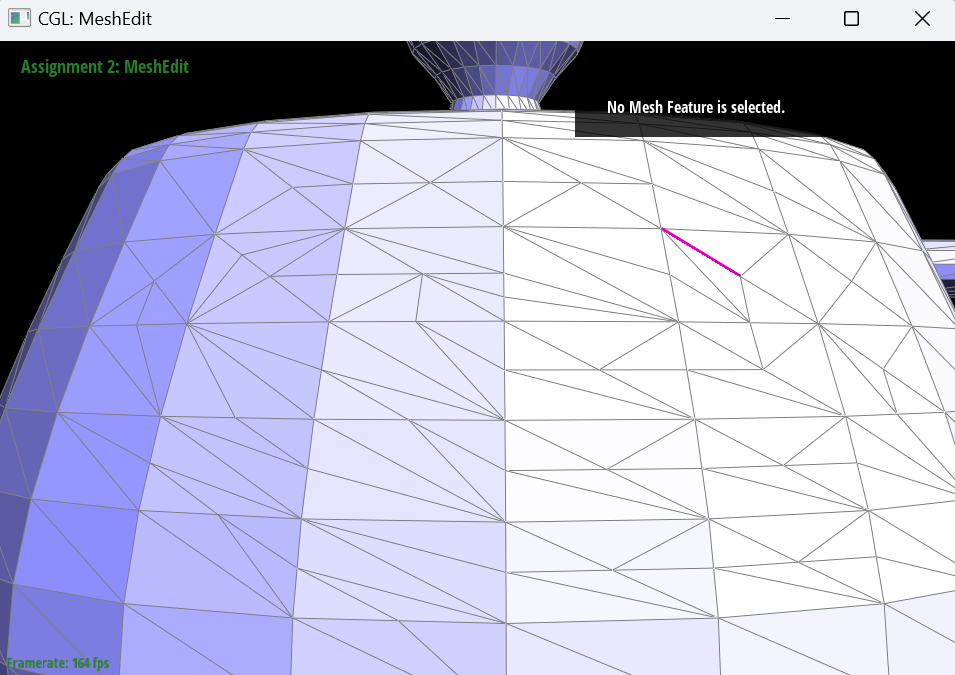
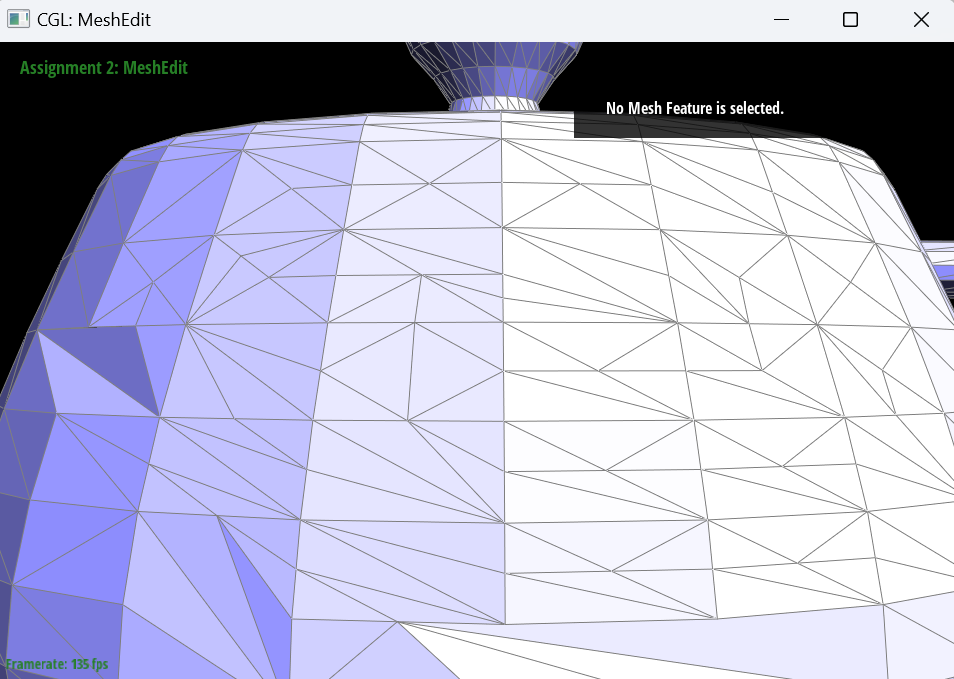
An edge split inserts a new vertex \(m\) at the midpoint of an edge and connects it to the two vertices opposite that edge. If the edge \(v_0 v_1\) is shared by triangles \((v_0, v_1, v_2)\) and \((v_1, v_0, v_3)\), the split replaces these 2 triangles with 4: \((m, v_1, v_2)\), \((v_0, m, v_2)\), \((v_1, m, v_3)\) and \((m, v_0, v_3)\). Unlike a flip, a split adds elements: exactly 1 vertex, 3 edges, 6 halfedges and 2 faces.
In HalfedgeMesh::splitEdge, I skip boundary edges and return verticesEnd() to signal that no vertex was created. For an interior edge, I first collect iterators to all existing elements around the two triangles, using the same labeling as my edge flip. Then I allocate the new vertex, the 3 new edges (the second half of the split edge, plus the two edges from \(m\) to \(v_2\) and \(v_3\)), the 6 new halfedges, and the 2 new faces. I reuse the original edge as one half of the split edge and the two original faces as two of the four new triangles. Next, I set every pointer of all 12 halfedges inside the two original triangles with setNeighbors, and update the halfedge() pointer of the 5 vertices, the 4 inner edges and the 4 faces. One easy-to-miss detail is \(v_0\): its old halfedge may have been the halfedge along the split edge, which now starts at \(m\), so it must be reassigned. The new vertex is placed at \((v_0 + v_1)/2\), and its halfedge points along the original edge, as the starter code requires. Finally, I set the isNew flags that Loop subdivision needs: the new vertex is new, the two halves of the split edge are not new, and the two edges cutting across the original triangles are new.
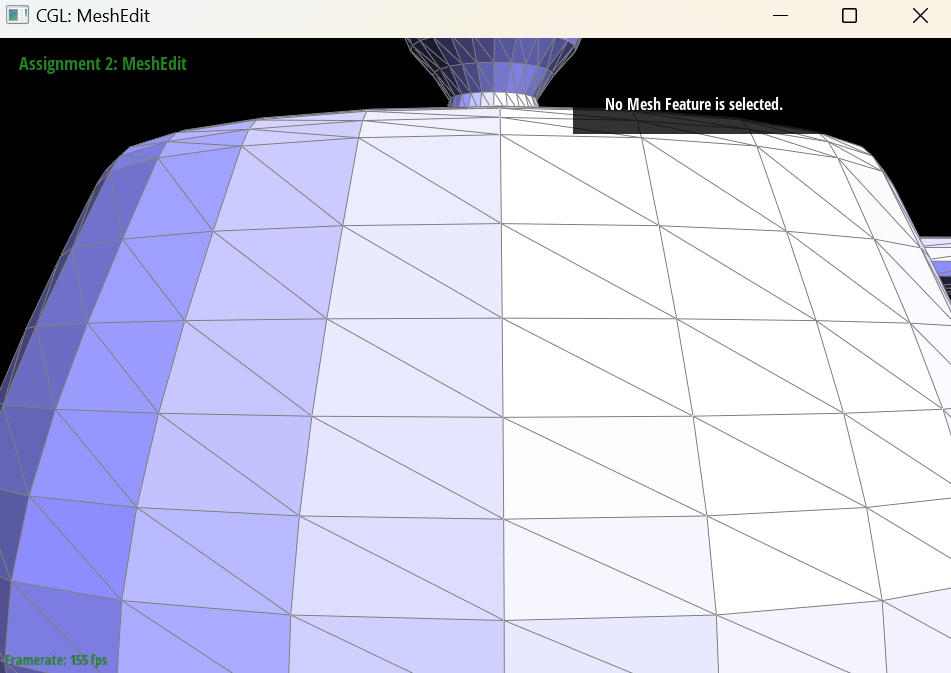
Since the new vertex lies exactly on the old edge, a split does not change the shape of the surface, so the four new triangles have the same shading as the two triangles they replace. To make the splits visible, the screenshots below are taken in the viewer's mode that draws every mesh edge.
|
|
|
Debugging. I tested the split with the same half-edge checker I wrote for Part 4. Splitting all 30 edges of an icosahedron must produce exactly 42 vertices, 120 edges and 80 faces (the same counts as one round of 1-to-4 subdivision) with an unchanged total area. I also ran over a thousand random splits and flips on a grid with a boundary, checking every pointer invariant along the way, and confirmed that the Euler characteristic \(V - E + F\) stayed constant.
Part 6: Loop subdivision for mesh upsampling
Loop subdivision turns a coarse triangle mesh into a smoother, denser one. Each round has two parts: a topological step that splits every triangle into 4, and a geometric step that moves every vertex to a weighted average of its neighbors. Repeating it converges to a smooth limit surface.
I implemented MeshResampler::upsample in five steps, computing all new positions on the original mesh first, so that every weighted average uses the original positions:
- Old vertices. For each vertex, I walk around it to sum its neighbors' positions and count its degree \(n\). Its new position is \((1 - n u)\,\text{original} + u \cdot \text{neighbor sum}\), with \(u = 3/16\) if \(n = 3\) and \(u = 3/(8n)\) otherwise. I store this in
Vertex::newPositionand mark the vertex as old (isNew = false). - New (edge) vertices. For each edge \(AB\) with opposite vertices \(C\) and \(D\), the vertex that will be inserted there gets the position \(\frac{3}{8}(A + B) + \frac{1}{8}(C + D)\), which I store in
Edge::newPosition. - Split every original edge. Splitting appends new edges to the end of the mesh's edge list, so I record the number of edges beforehand and split exactly that many, saving the next iterator before each split. I copy the edge's stored position into the new vertex's
newPosition. MysplitEdgealready sets the flags: the new vertex is new, the two halves of the split edge are old, and the two edges cutting across the old triangles are new. - Flip. I flip every new edge that connects an old vertex to a new vertex. This turns the 4 triangles around each original triangle into the standard 1-to-4 pattern, with the middle triangle formed by the three new vertices.
- Update. Finally, I copy
newPositionintopositionfor every vertex.
Debugging. To check correctness, I wrote a separate reference version of Loop subdivision that works directly on the list of triangles, without the half-edge structure. On a tetrahedron (degree 3, which exercises \(u = 3/16\)), an octahedron (degree 4), an icosahedron (degree 5 and then 6) and an irregular triangulated cube, I subdivided 2 to 3 times and checked that every vertex position, every triangle and every triangle's orientation matched the reference exactly, and that the half-edge structure stayed valid after each round.
Sharp corners and edges
Loop subdivision smooths everything: every vertex moves toward a weighted average of its neighbors, so sharp corners and edges get rounded off, and the whole shape shrinks. The cube below loses its corners after one round, and after three rounds it looks like a lumpy ball, noticeably smaller than the original cube.
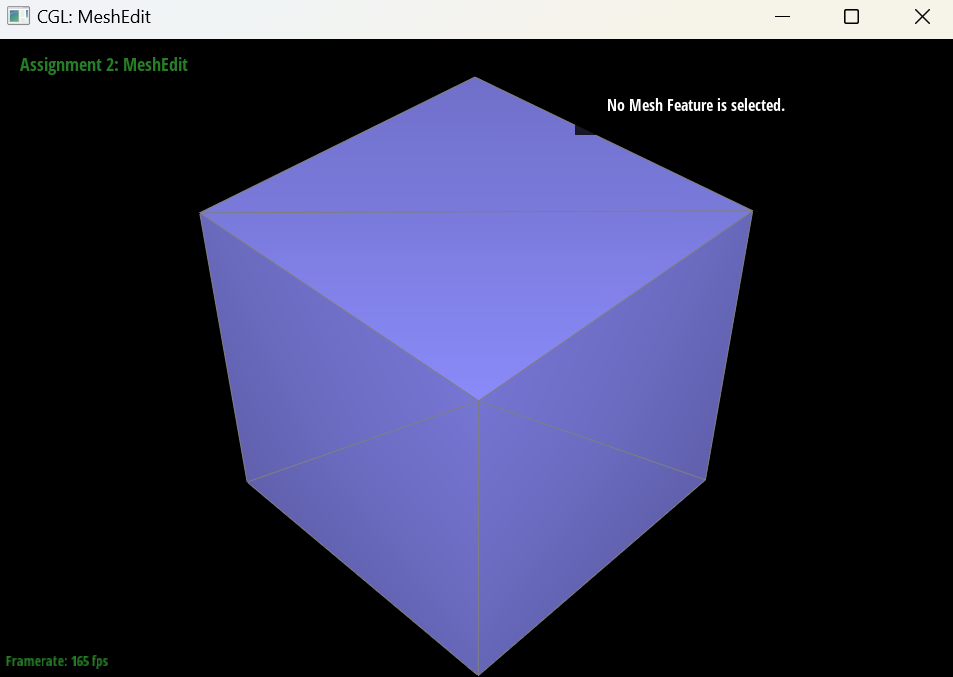
dae/cube.dae, original |
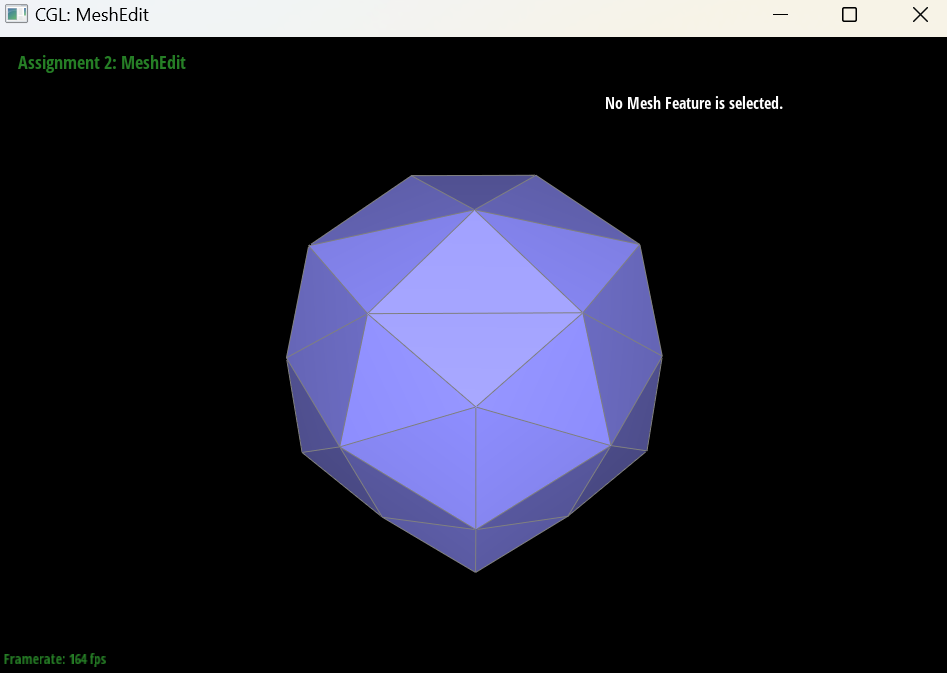
|
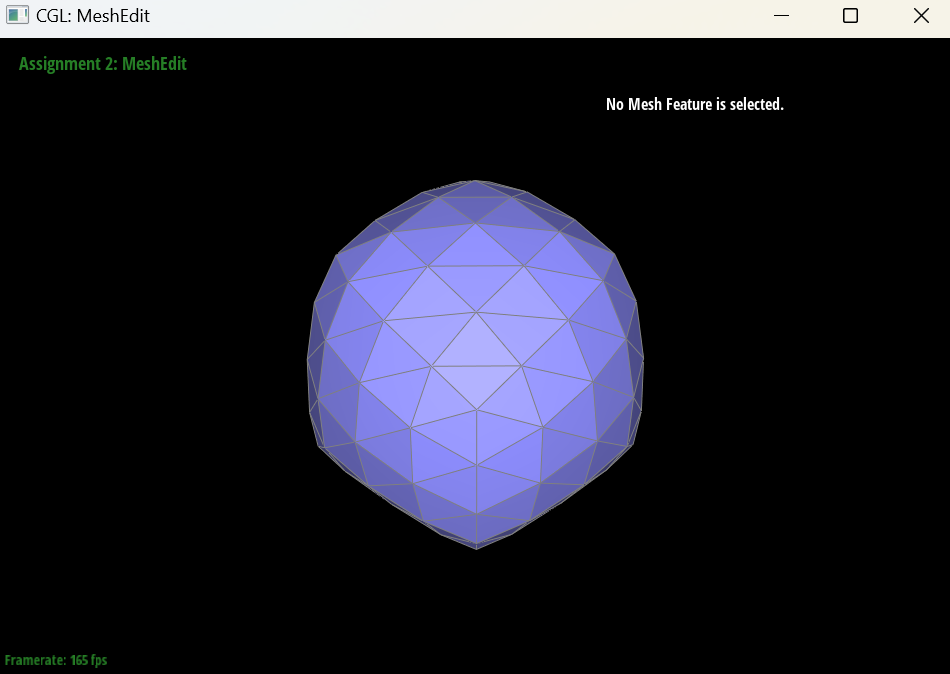
|
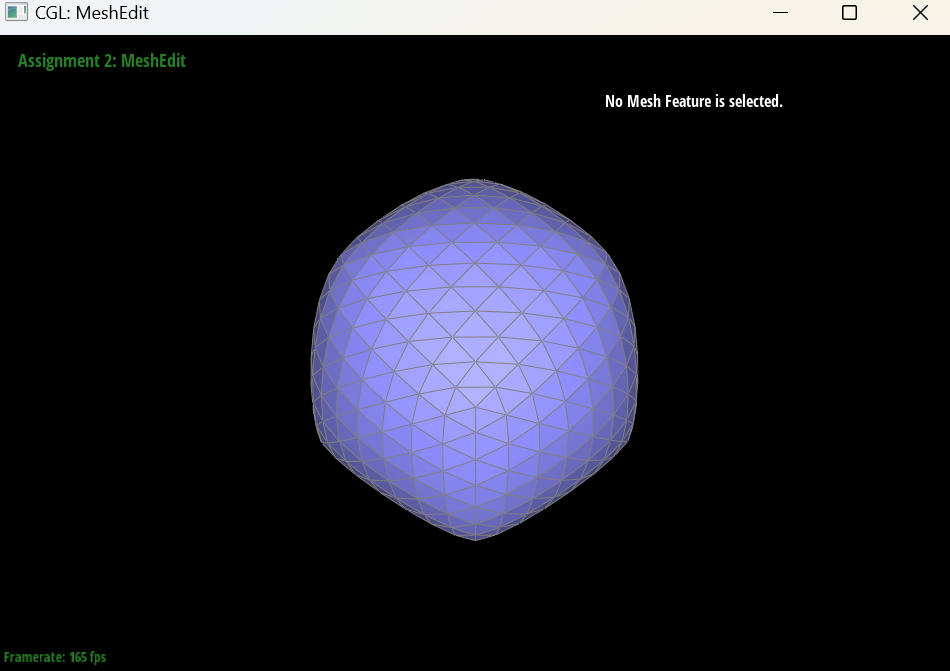
|
Does pre-splitting edges help?
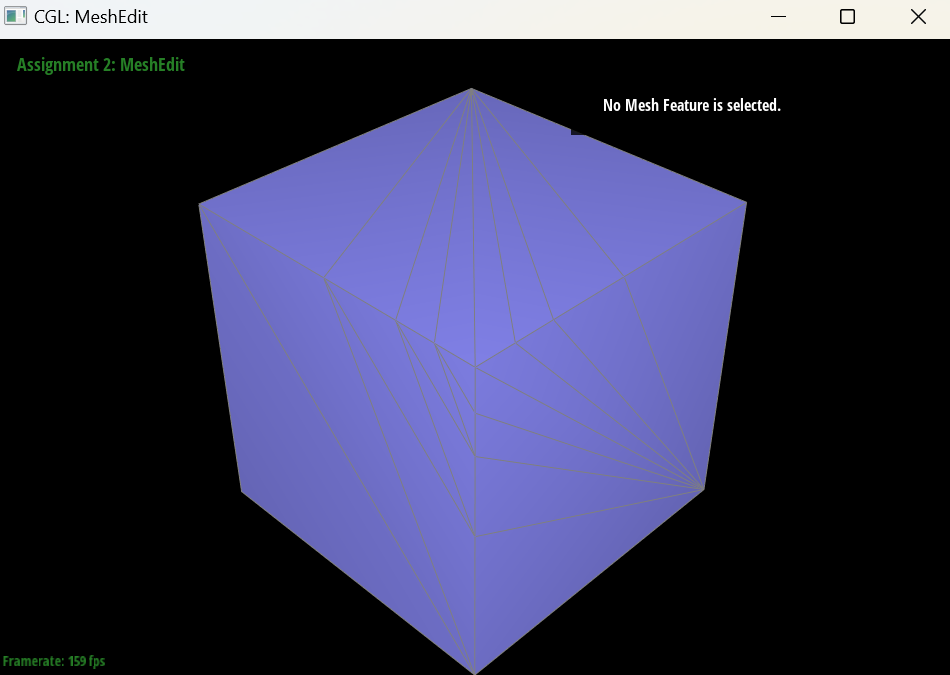
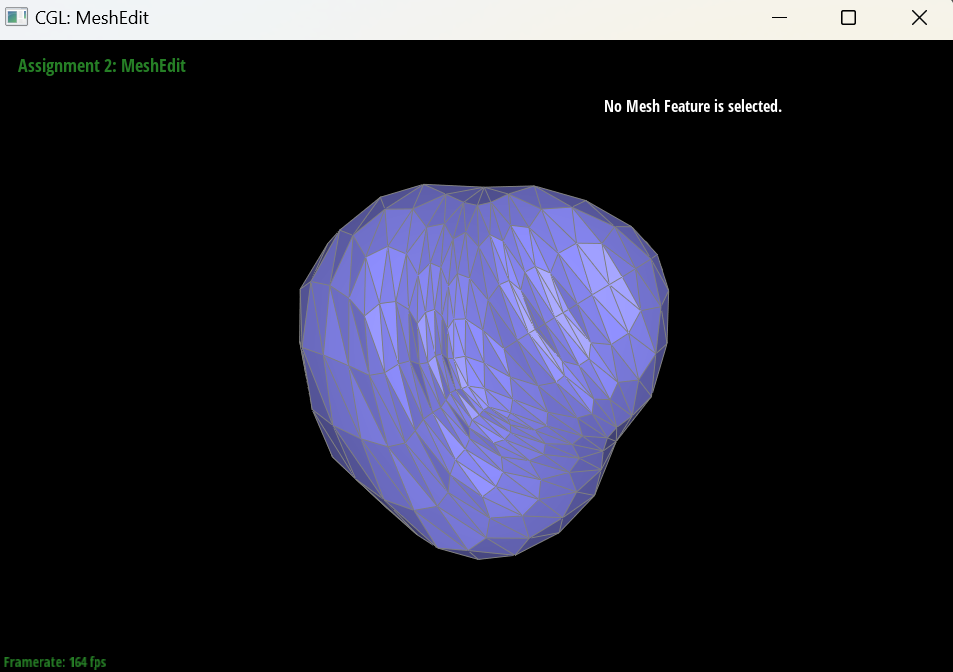
To test whether adding vertices near a feature keeps it sharper, I took a fresh cube and split each of the 3 cube edges meeting at the front corner three times, each time splitting the half closest to that corner, so the new vertices crowd toward the corner. Because each split also connects the new vertex to the two vertices opposite the edge, this creates fans of long, thin triangles converging on the top and right corners, which now have very high degree.
After two rounds of subdivision, the region where the vertices were concentrated does not round off like the rest: the small triangles there converge into a pinched, creased point instead of a smooth curve. That is the local effect we wanted. Since each vertex is averaged only with its nearby neighbors, packing vertices close to a feature limits how far the smoothing can spread. However, the overall result is much worse than plain subdivision. The long sliver triangles and the high-degree fan vertices pull the surface unevenly, producing dents and folds across the whole shape. So pre-splitting does reduce rounding near the feature, but only helps cleanly if the added vertices keep the triangles well shaped (for example, by also splitting the neighboring edges, or flipping to avoid slivers). Splitting a few edges on their own trades one artifact for another.
|
|
Why the cube becomes asymmetric, and how to fix it
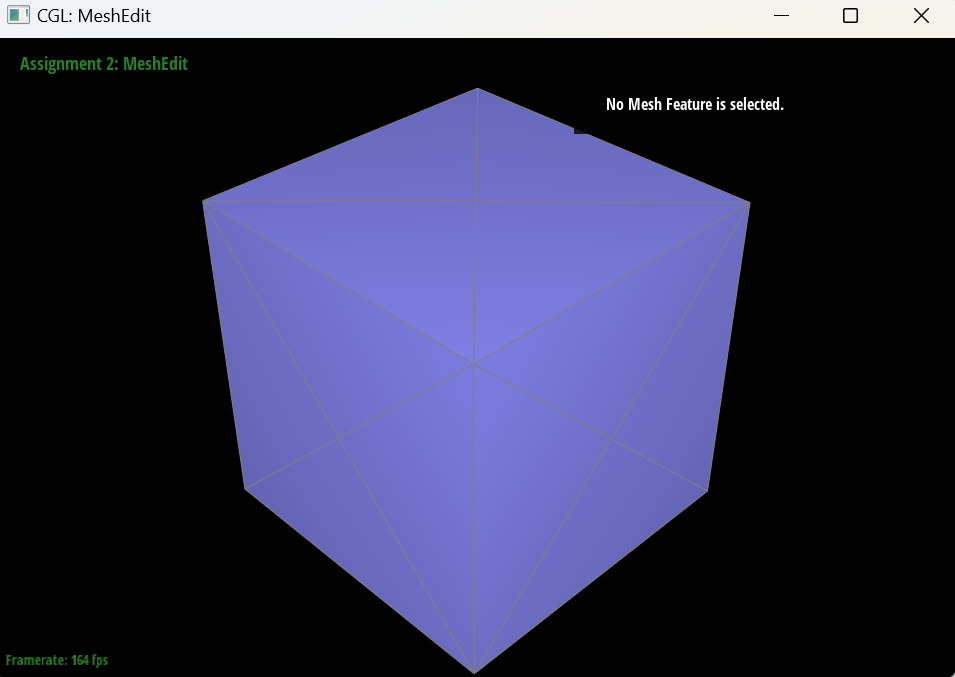
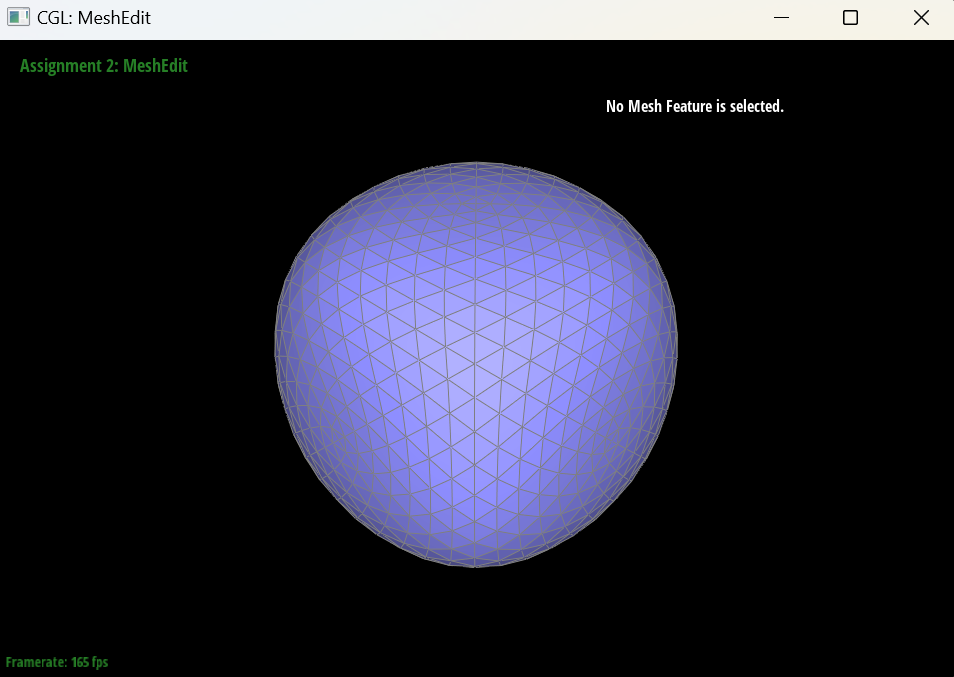
The cube is geometrically symmetric, but its triangulation is not. Each square face is cut into two triangles by a single diagonal, and the diagonals do not follow a symmetric pattern, so different corners touch different numbers of edges. Counting the edges at each of the 8 corners of cube.dae gives degrees 3, 4, 4, 4, 5, 5, 5 and 6. Loop subdivision's weights depend on a vertex's degree and on which vertices are its neighbors. Corners with more neighbors are pulled toward more points, and each diagonal pulls the surface toward the two corners it connects. So the same rule moves the 8 corners differently, and the subdivided shape inherits the asymmetry of the triangulation rather than the symmetry of the cube. This is what produces the lopsided, pointed blob after 3 rounds.
To fix it, I preprocessed the cube by splitting the diagonal of each of the 6 faces once. Each face then becomes 4 triangles that meet at a new vertex at the face's center. Now every face has the same connectivity: each corner has degree 6 (3 cube edges plus 3 edges to the centers of its faces), and each face center has degree 4. Because the mesh connectivity now has the cube's symmetry, Loop subdivision treats all corners and all faces the same way, and the result after 3 rounds is a symmetric, rounded shape.
|
|