CS184/284A Fall 2026 Homework 2 Write-Up
Link to webpage: https://cal-cs184-student.github.io/hw2-iloveuhouse-writeup
Link to GitHub repository: https://github.com/cal-cs184-student/hw2-iloveuhouse
Overview
In this assignment, we work on implementing smooth curves and surfaces. There are two parts to this assignment. In Section 1, we design Bezier curves using the de Casteljau algorithms. In Section 2, we implement a half-edge data structure to represent triangle meshes and perform mesh operations such as edge flip, edge split, and Loop subdivision. The trickiest bug we ran into was in Loop subdivision: edges that we had split by hand kept theirisNew flag, so the next subdivision skipped them (more on this in Part 6). We also found that the same cube can subdivide into a lopsided shape or a symmetric one, depending only on how its faces are split into triangles.
Section I: Bezier Curves and Surfaces
Part 1: Bezier curves with 1D de Casteljau subdivision
Bezier Curves
Bezier curves are parametric curves that are used to represent smooth curves and surfaces in computer graphics. They are defined by a set of control points, and each point on the curve is a linear combination of these points. De Casteljau's algorithm is one way to evaluate them.
De Casteljau's algorithm
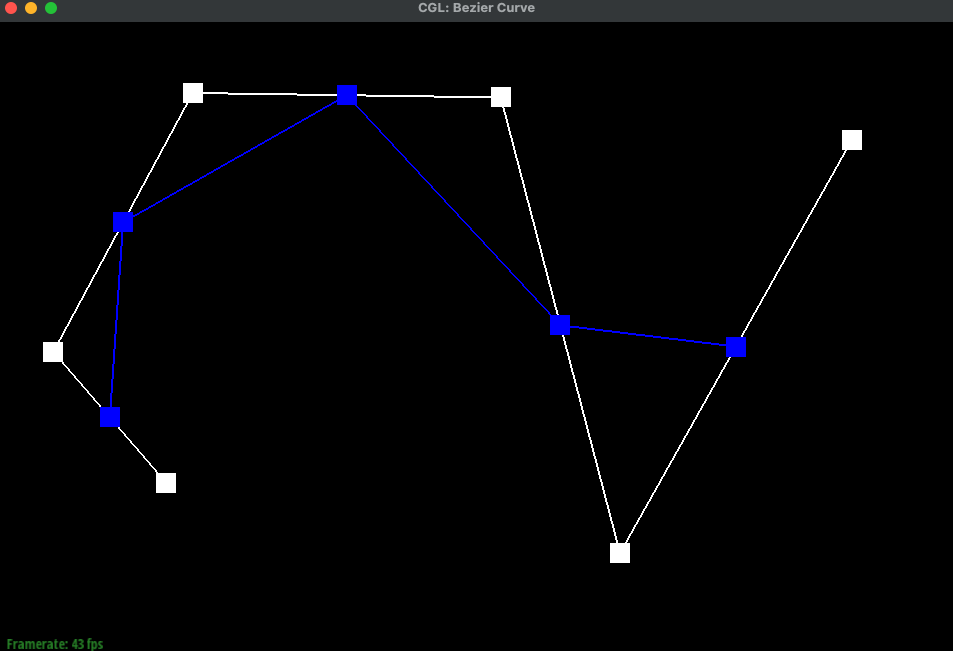
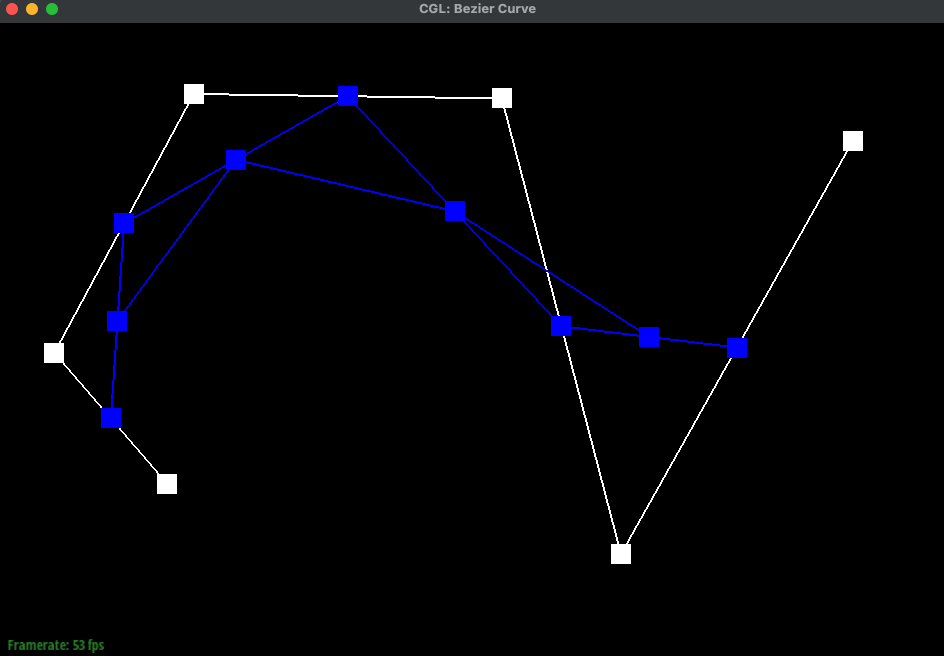
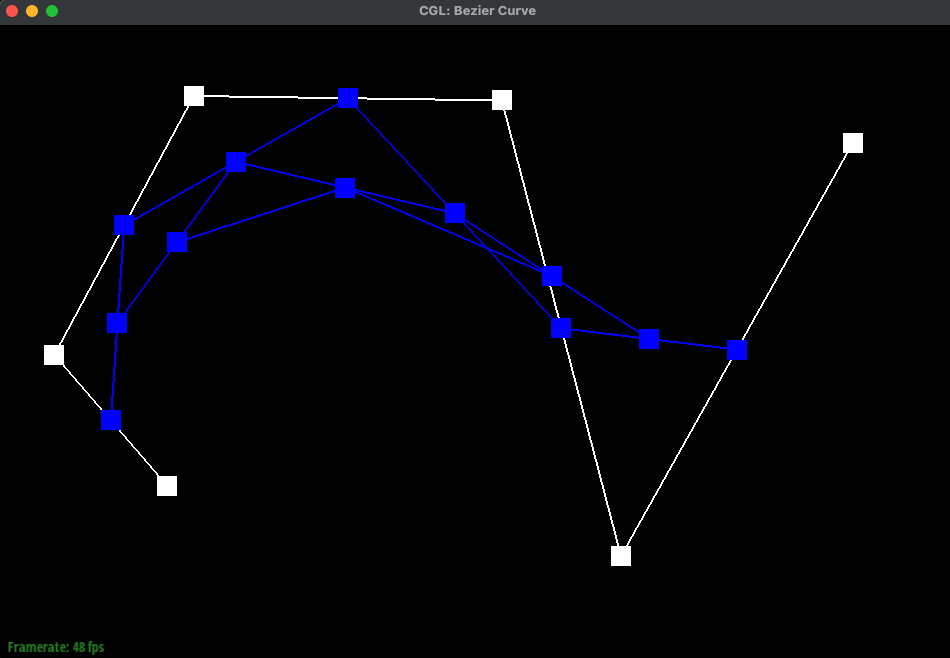
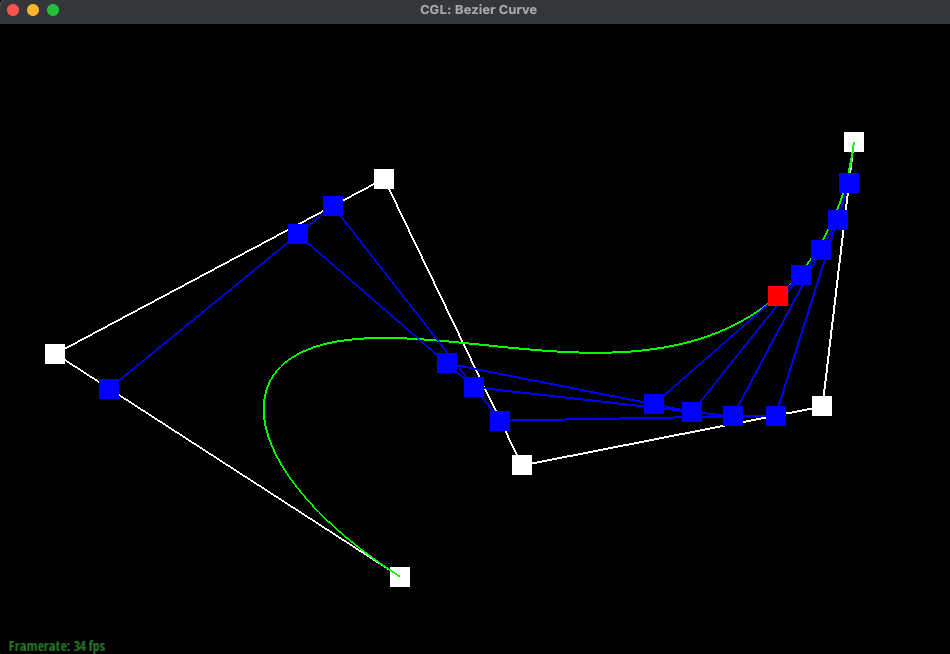
De Casteljau's algorithm evaluates a point on a Bezier curve using repeated linear interpolation. In one step, it takes the current set of points and replaces it with a new set, which has one fewer point. Each new point is the linear interpolation between a pair of adjacent points, all using the same parameter \(t\). This process is repeated until we reach a single final point, which is the point on the Bezier curve at \(t\). As a more detailed description of the implementation, we use a lerp function defined as follows:
Given n+1 control points \(P_0, P_1, \ldots, P_n\) and a parameter \(t\) in the range [0, 1], the linear interpolation between two points \(P_i\) and \(P_{i+1}\) is given by:
\[ \text{lerp}(P_i, P_{i+1}, t) = (1 - t) \cdot P_i + t \cdot P_{i+1}. \]
Each call to our evaluateStep function applies lerp to every pair of adjacent points and returns the next set of n points, and we repeat this process (\(n+1 \to n \to \cdots \to 1\) points) until we reach the final single point.
Example of a Bezier Curve
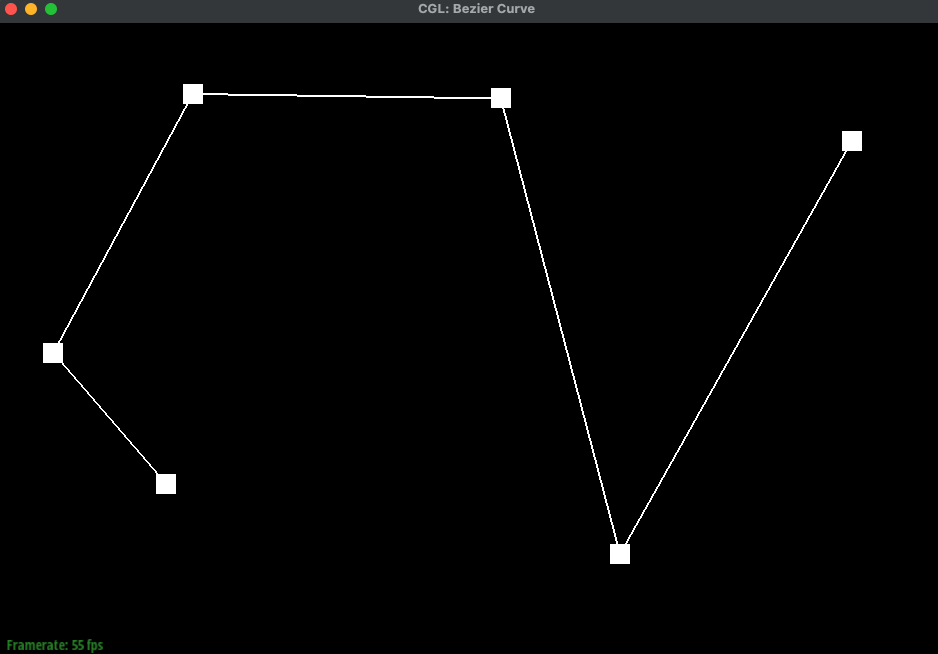
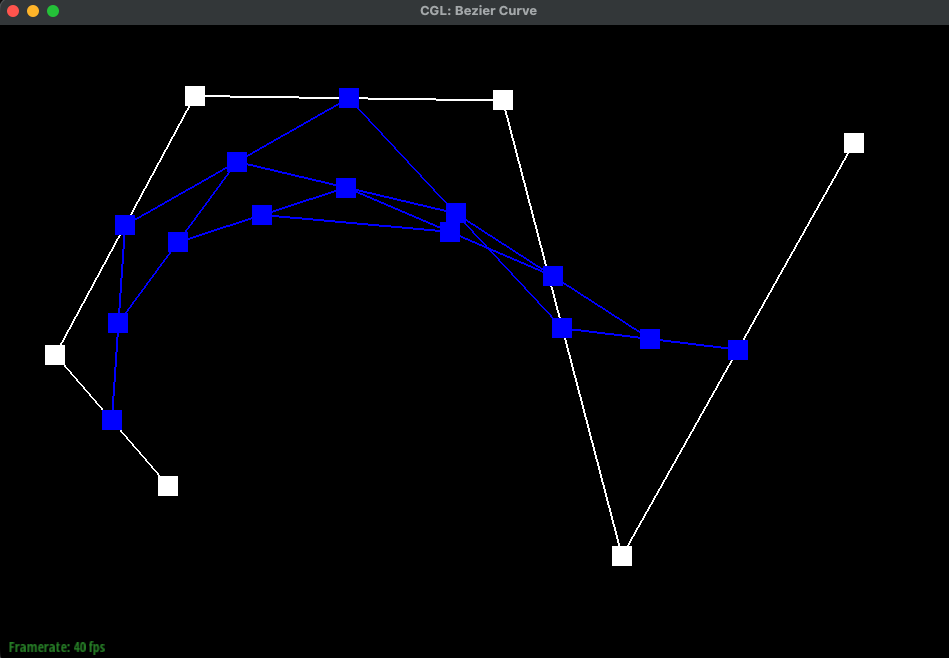
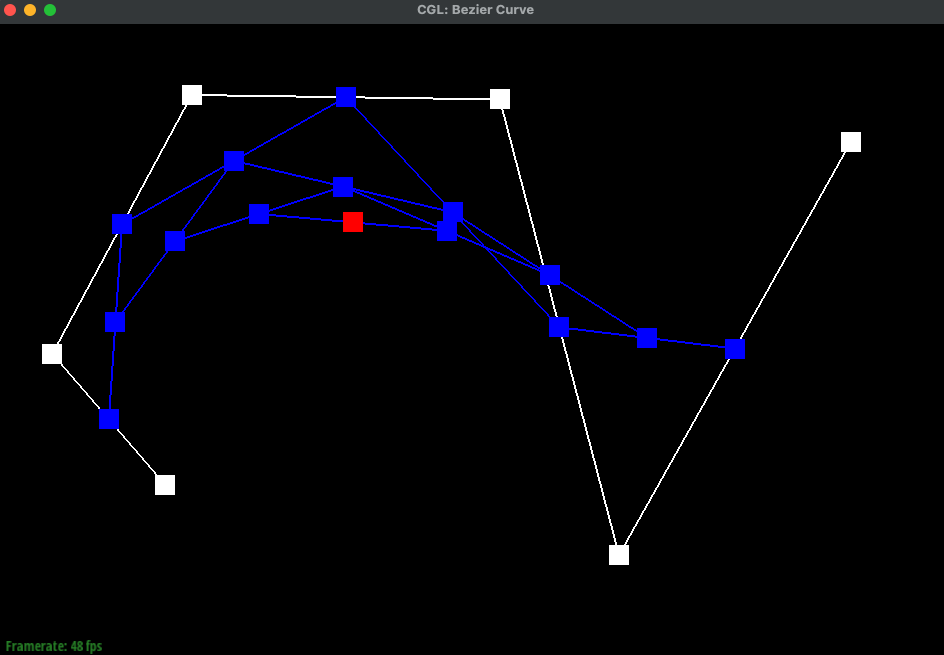
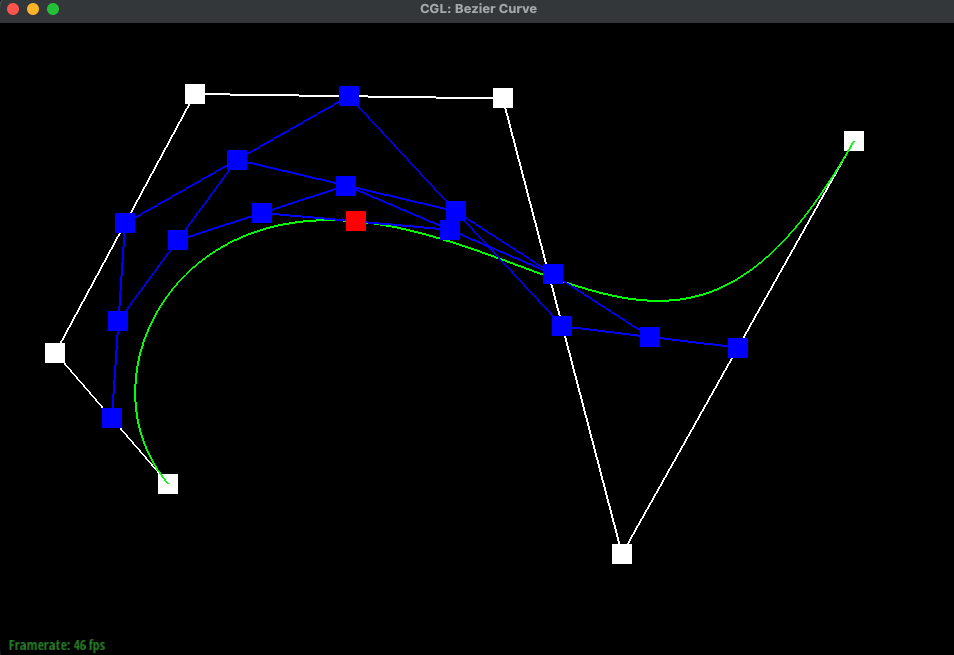
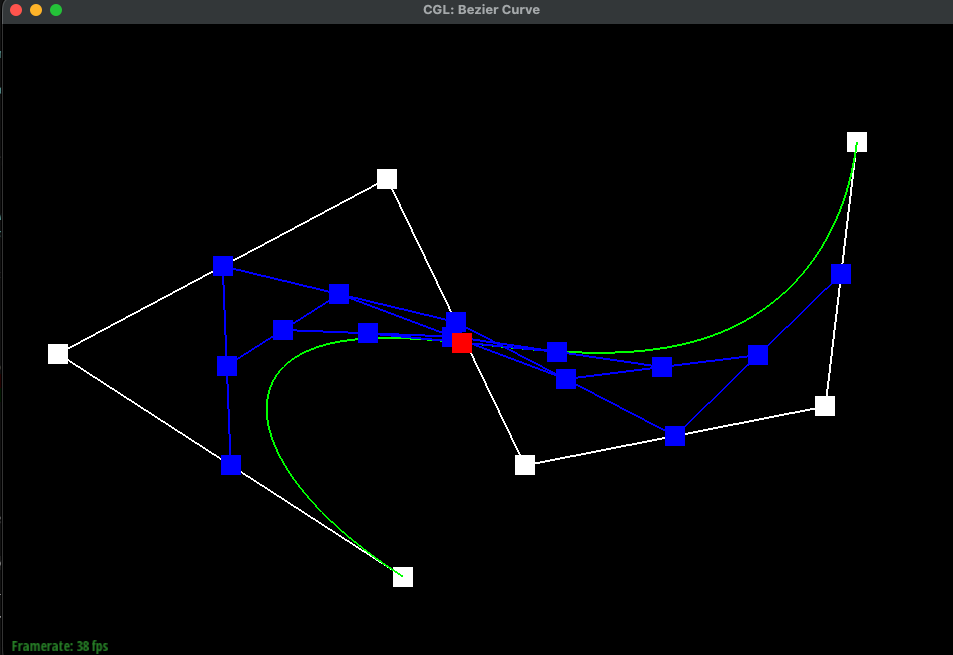
Below, we generate an example of six control points. Each image shows the curve at different stages of the de Casteljau subdivision process. We also added an example of a different control point location and a changed t parameter
|
|
|
|
|
|
|
|
|
Part 2: Bezier surfaces with separable 1D de Casteljau
Bezier Surfaces
For surfaces, we reused the 1D de Casteljau algorithm from Part 1 and applied it in two directions. A Bezier surface has a grid of control points and two parameters \(u\) and \(v\), both in [0, 1]. We treat each row of control points as a Bezier curve and evaluate it at \(u\), which leaves one point per row. Those points form a new Bezier curve, and evaluating it at \(v\) gives the point on the surface at \((u, v)\).
Implementation
evaluateStep is the same as in Part 1, except that it works on 3D points and takes \(t\) as an input. evaluate1D keeps calling evaluateStep until one point is left. evaluate then runs evaluate1D on every row with \(u\), and one last time on the results with \(v\).
Example of a Bezier Surface
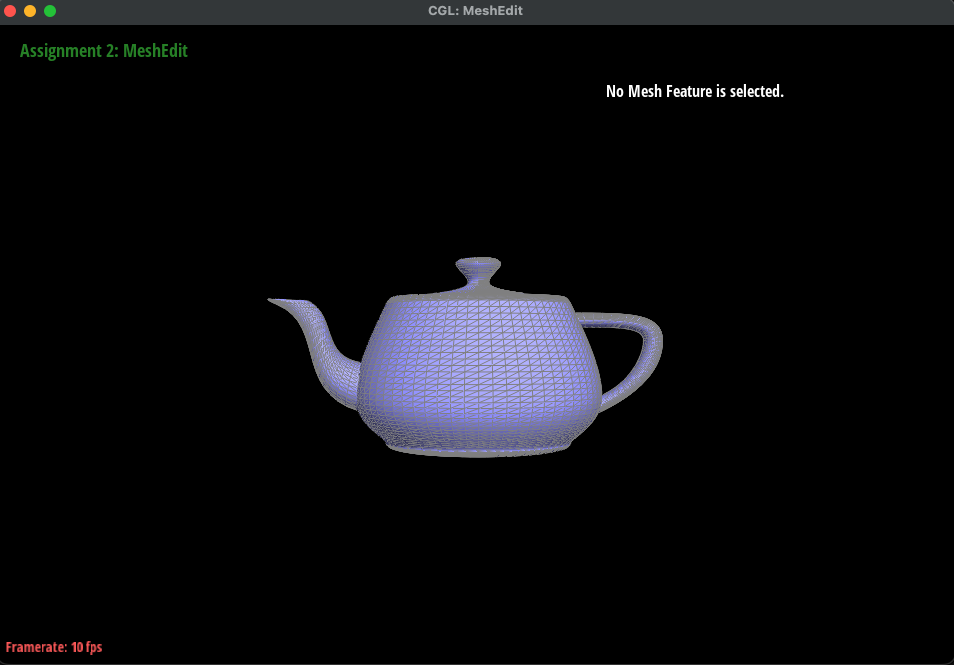
Below is bez/teapot.bez evaluated with our implementation.
|
Section II: Triangle Meshes and Half-Edge Data Structure
Part 3: Area-weighted vertex normals
Vertex Normals
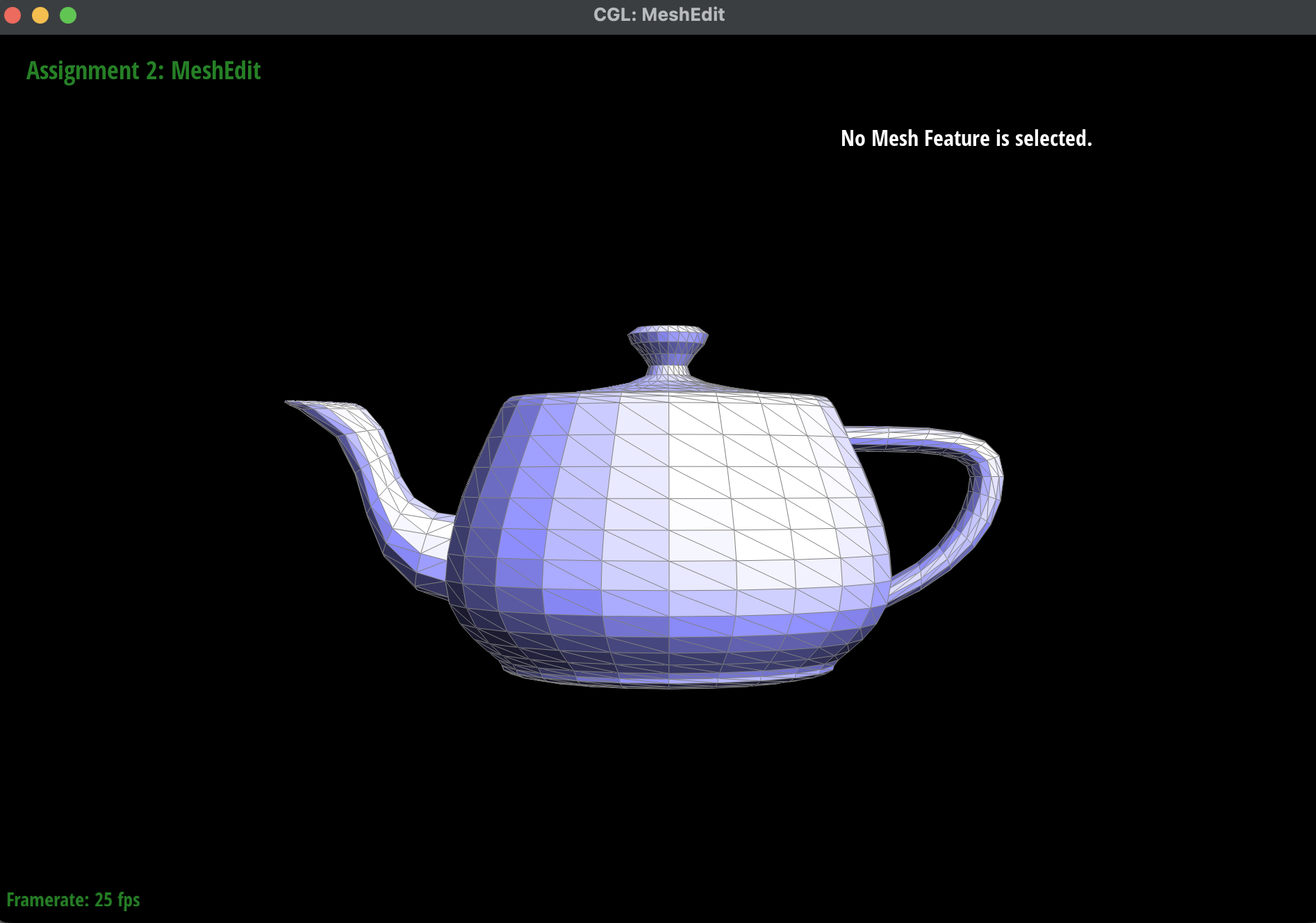
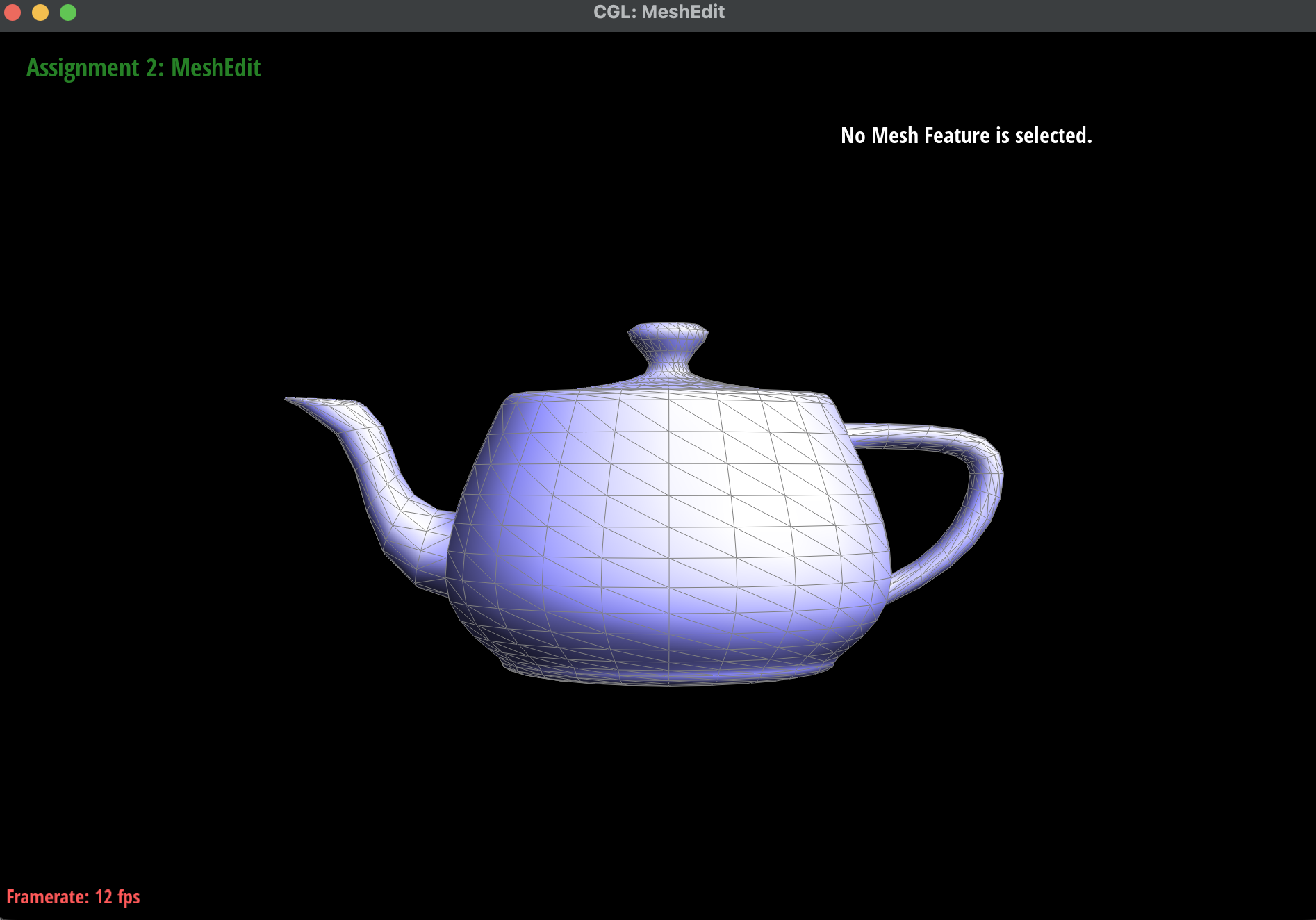
To get smooth Phong shading, we compute a normal at every vertex by averaging the normals of the faces around it, with each face weighted by its area.
We start from the vertex's halfedge and walk around the vertex using h = h->twin()->next() until we come back to the starting halfedge. For each face, we take the two edges that start at the vertex and compute their cross product. The cross product is perpendicular to the face and its length is twice the area of the face, so adding up the cross products already weights each face by its area. At the end, we normalize the sum to get a unit vector. Since normal() is a const function, we use HalfedgeCIter instead of HalfedgeIter.
Comparison
Below, we compare dae/teapot.dae with the default flat shading and with Phong shading using our vertex normals (toggled with Q).
|
|
Part 4: Edge flip
Edge Flip
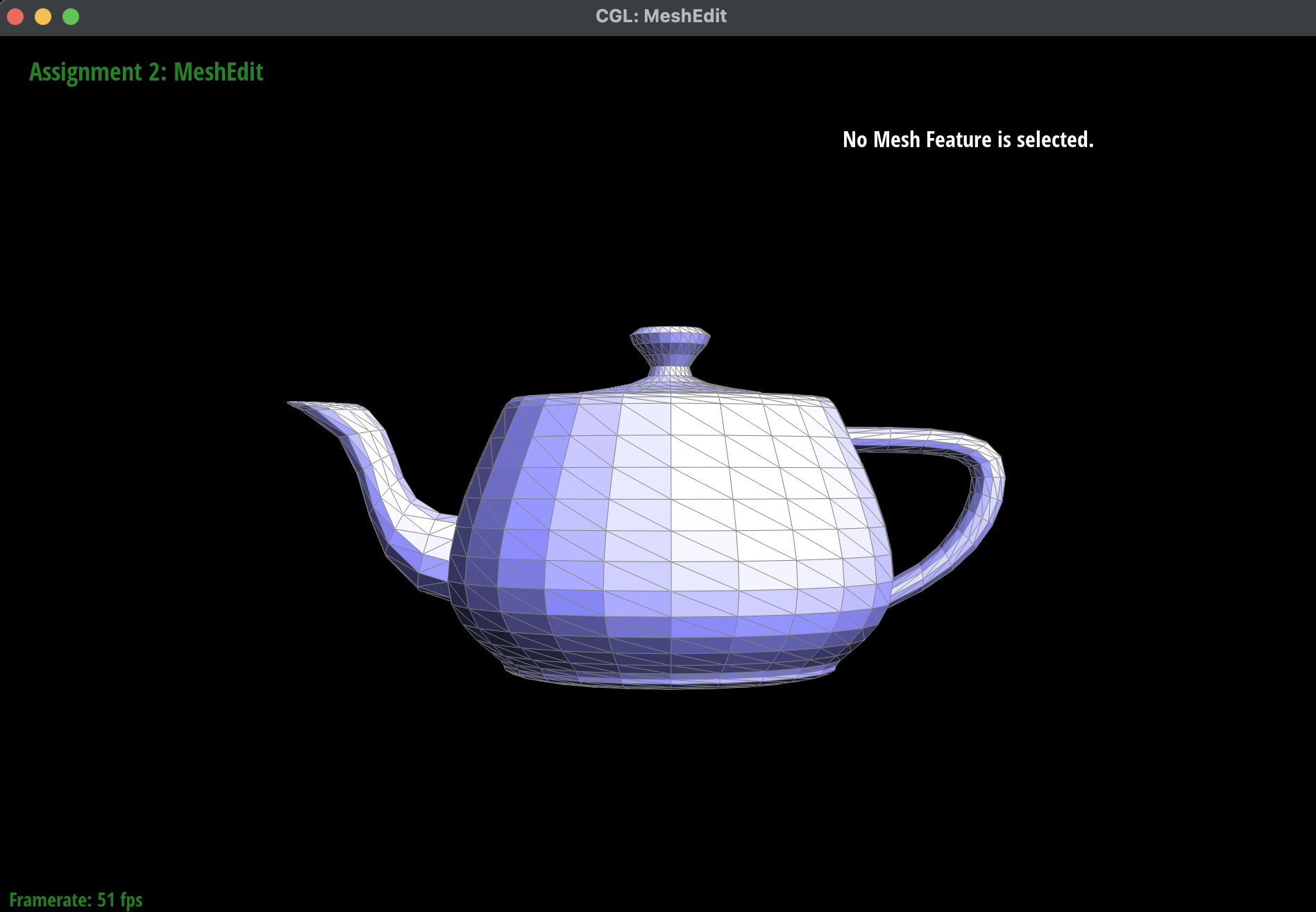
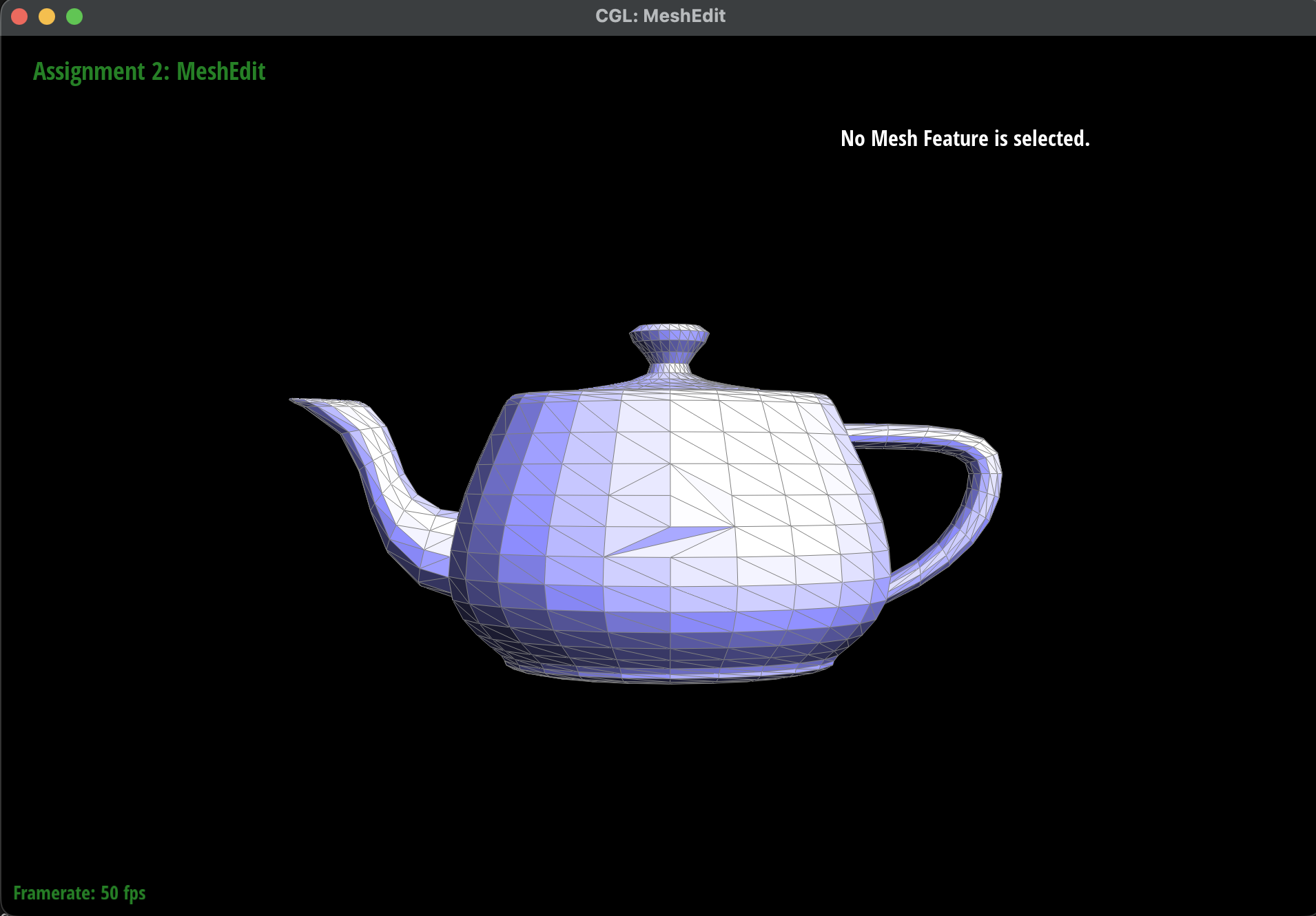
An edge flip takes two triangles \((a, b, c)\) and \((c, b, d)\) that share the edge \((b, c)\), and changes them into \((a, d, c)\) and \((a, b, d)\), which share the new edge \((a, d)\). No elements are added or removed. Only the pointers change. We do not flip boundary edges because they only have one triangle. For those edges the function returns right away.
Implementation
First we drew the two triangles before and after the flip and labeled every element. Then we saved each one as a variable. For example h0 goes from \(b\) to \(c\) and its twin h1 goes from \(c\) to \(b\). After the flip h0 goes from \(a\) to \(d\) and h1 goes from \(d\) to \(a\). We used setNeighbors to set all the pointers of every halfedge. We also made sure every vertex and edge and face points to the right halfedge.
Debugging Tricks
Instead of only updating the pointers that change, we set every pointer, even if it stays the same. This made it much harder to miss a pointer. To test, we flipped the same edge many times (flipping an edge twice should give back the original edge), and we flipped many edges close to each other to check that no holes appeared.
Example of Edge Flips
Below is the teapot before and after a few edge flips. The thin, dark triangle is a degenerate case, which is expected.
|
|
Part 5: Edge split
Edge Split
An edge split adds a new vertex \(m\) at the midpoint of the edge \((b, c)\) and connects it to the two opposite vertices \(a\) and \(d\). This turns two triangles into four. We do not split boundary edges (we did not do the extra credit).
Implementation
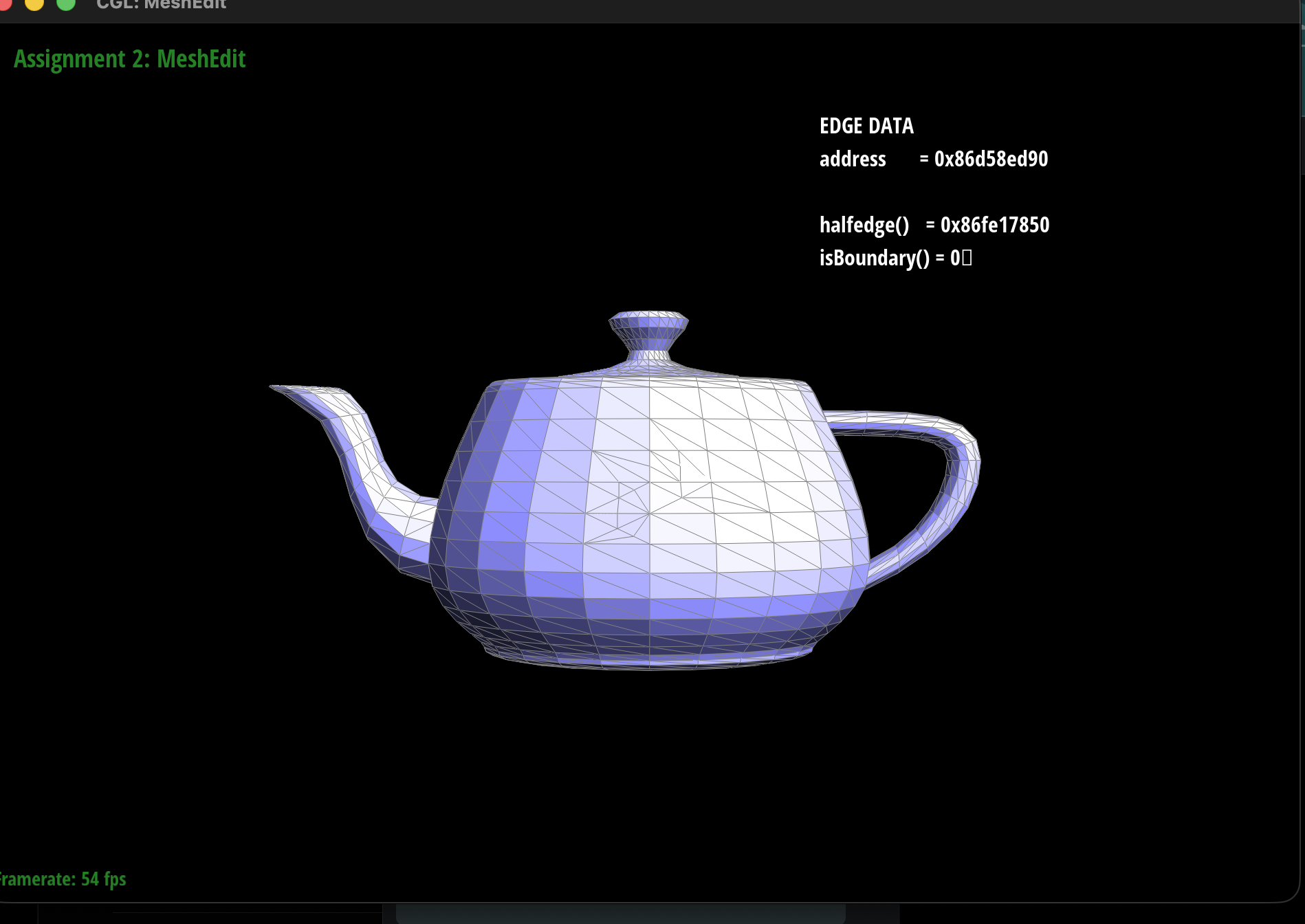
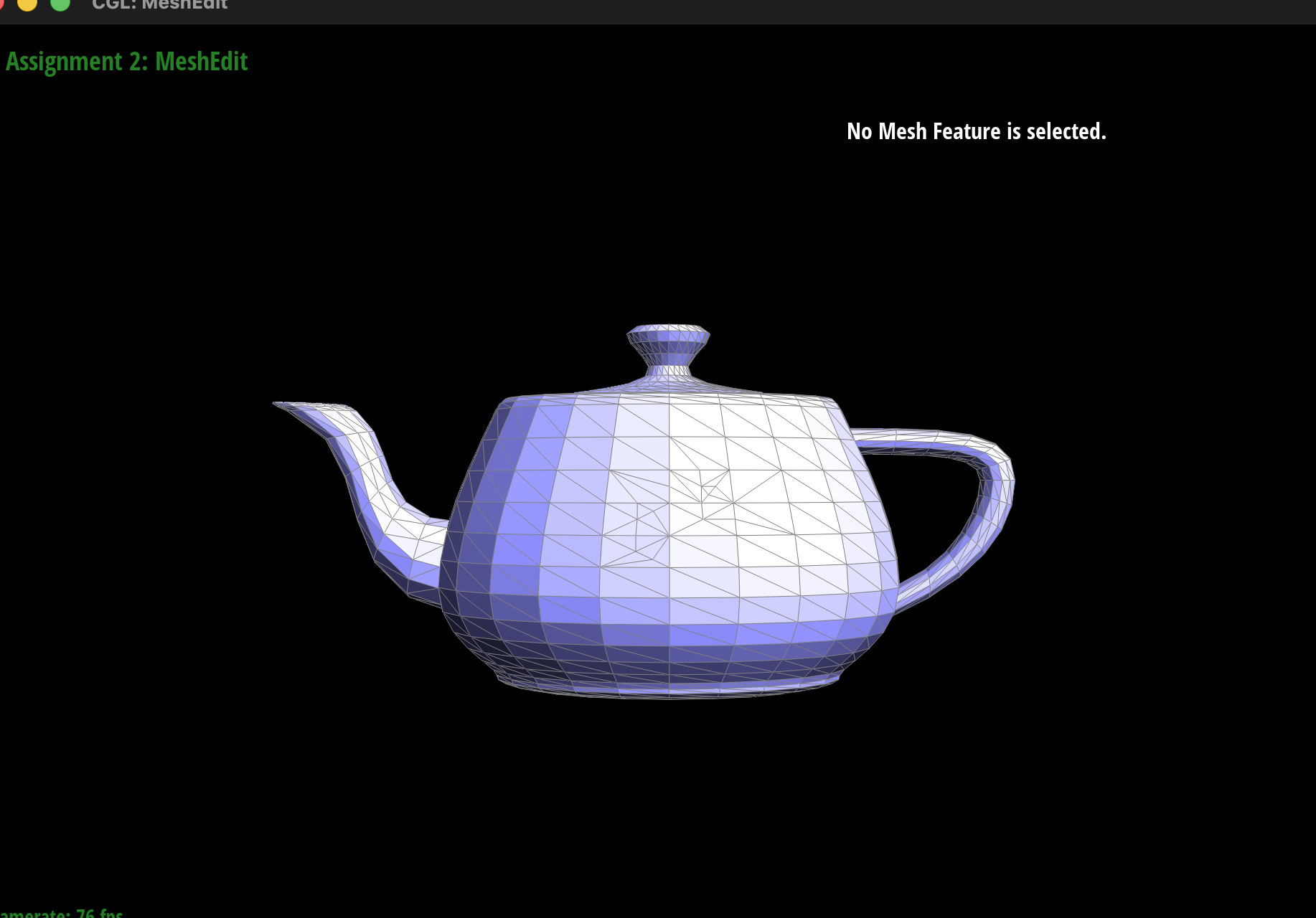
Splitting has more pieces to keep track of than flipping: it adds 1 vertex, 3 edges, 6 halfedges, and 2 faces, while the original edge, halfedges, and faces are reused. We place \(m\) at \((b + c) / 2\), set the pointers of all twelve halfedges with setNeighbors, and update the halfedge pointer of every vertex, edge, and face, with the halfedge of \(m\) pointing along the original edge. For Part 6, we also mark \(m\) and the two edges that cross the original triangles, \((m, a)\) and \((m, d)\), as new. To check our work, we counted the elements after each split, and alternated splits and flips on nearby edges, for example flipping an edge right after splitting it.
Example of Edge Splits
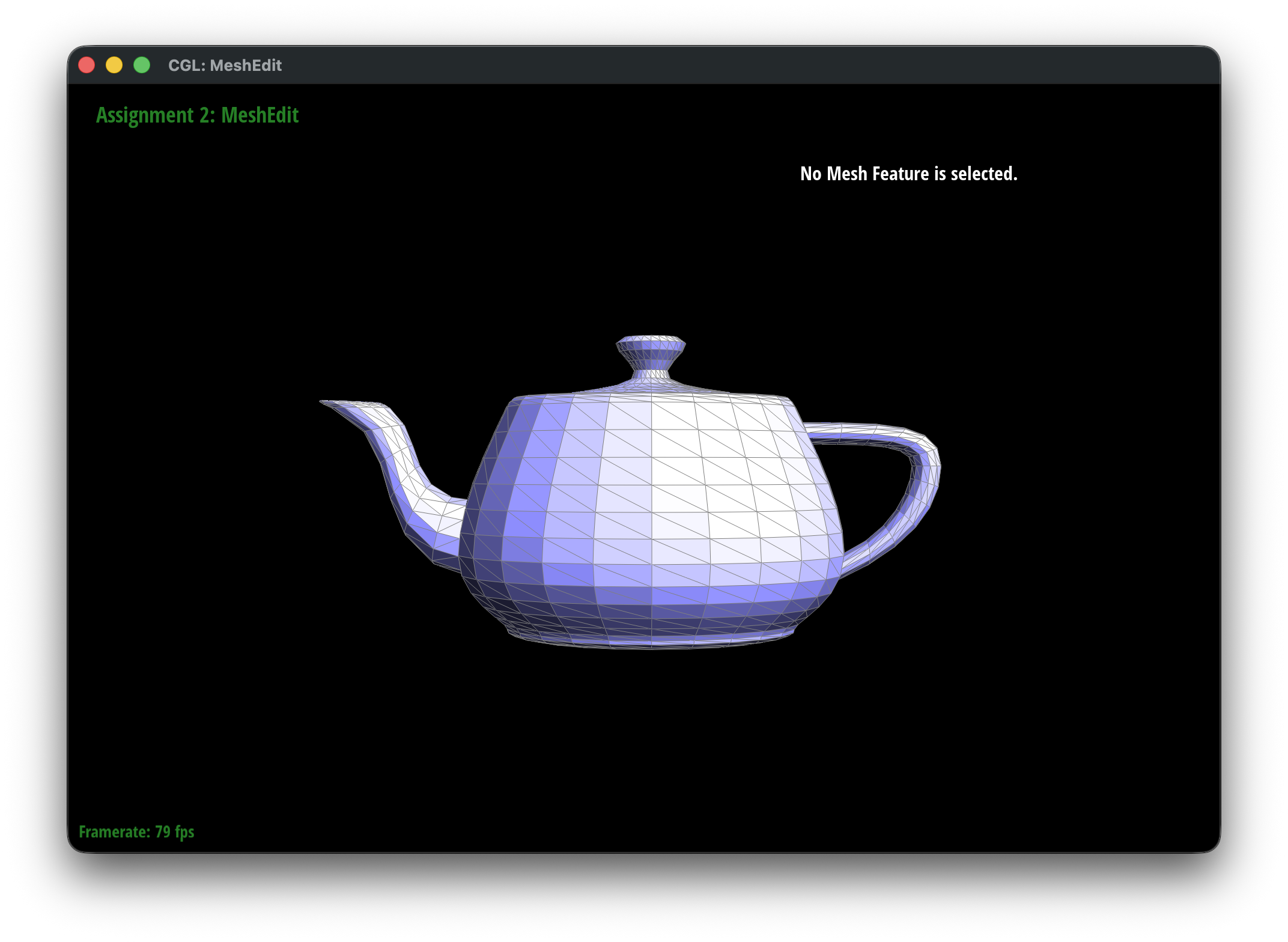
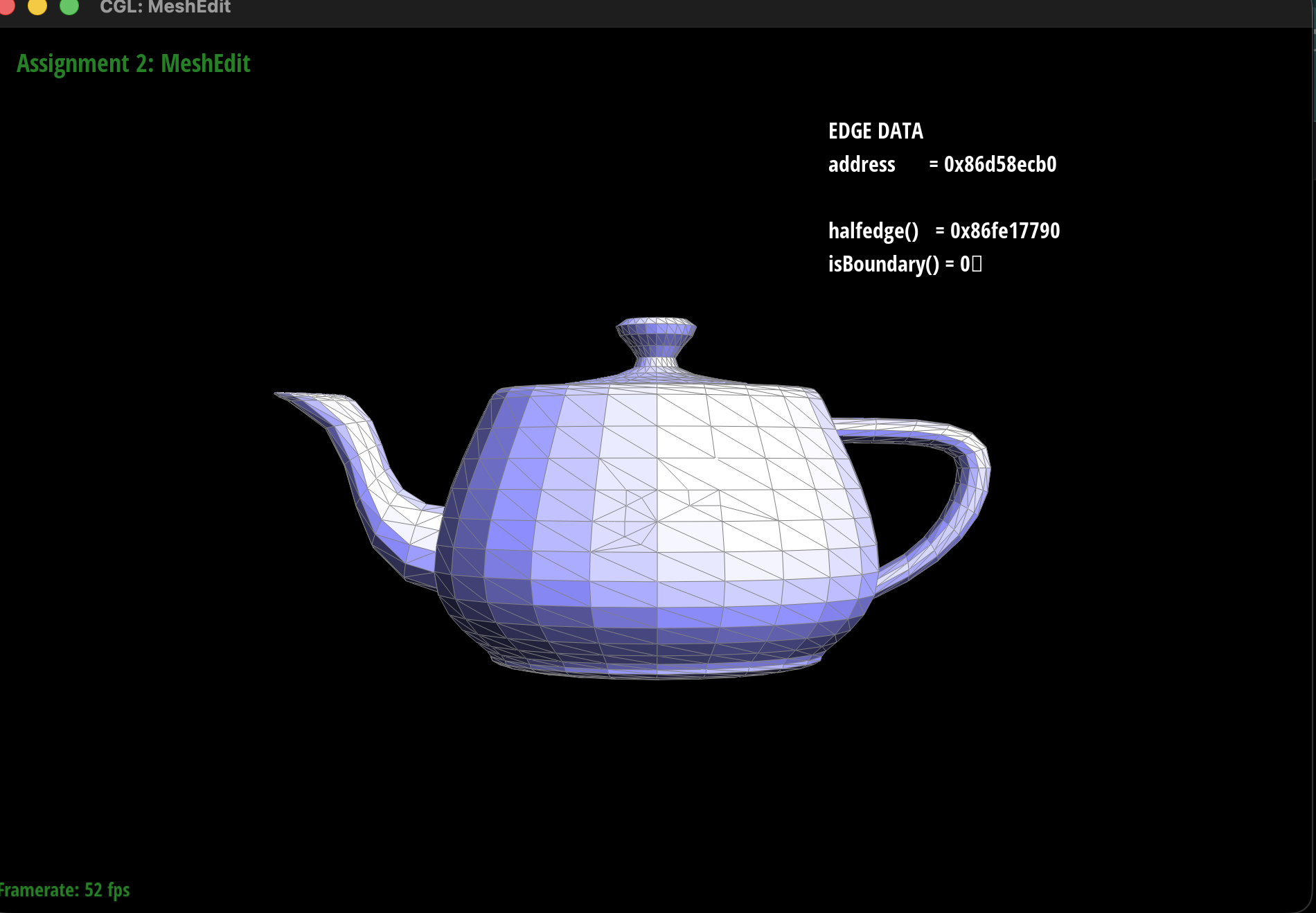
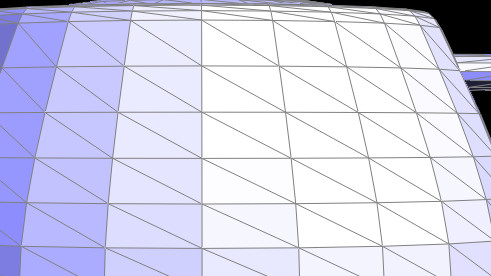
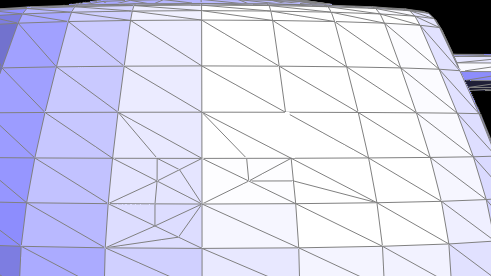
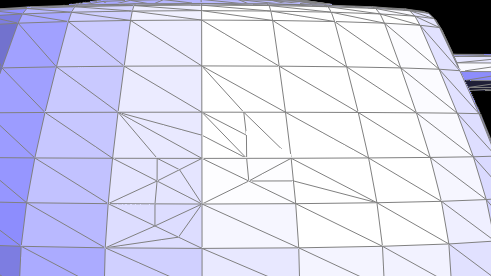
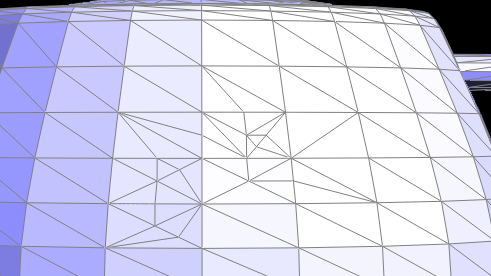
Below is the teapot before any edits, after some edge splits, and after a combination of edge splits and edge flips. All images use the same camera angle.
|
|
|
|
Since the changes are small, we also zoomed in on the same area of each image.
|
|
|
|
Part 6: Loop subdivision for mesh upsampling
Subdivision
We built loop subdivision on top of our edge split and edge flip from Parts 4 and 5. Each round splits every triangle into four and moves every vertex to a weighted average of its neighbors. In our upsample function we first go through every vertex of the original mesh and compute its new position \((1 - n \cdot u) \cdot \text{original_position} + u \cdot \text{neighbor_position_sum}\). Here \(n\) is the degree of the vertex and \(u\) is \(3/16\) when \(n = 3\) and \(3/(8n)\) otherwise. We store this in newPosition and mark the vertex as old. Next we go through every edge \((A, B)\) with opposite vertices \(C\) and \(D\) and compute the position of the vertex that will be added on it, which is \(\frac{3}{8}(A + B) + \frac{1}{8}(C + D)\). We store this in the edge's newPosition and mark the edge as old. We do all of this before changing the mesh because the weighted averages have to use the positions of the original mesh.
After that we split every edge of the original mesh. We save the original edges in a list first so that we never split one of the new edges. Then we flip every new edge that connects an old vertex to a new vertex. Finally we copy newPosition into position for every old vertex and reset all the isNew flags. The new vertices already got their positions when they were created.
Debugging
While testing, we found that subdivision gave the wrong result if we had split some edges by hand before pressing L. This was because splitEdge marks new vertices and edges with isNew, and those flags were still set when subdivision started. As a result, some edges were never split and some vertices were never moved. We fixed this by marking every vertex and edge as old at the start of upsample.
Sharp Corners and Edges
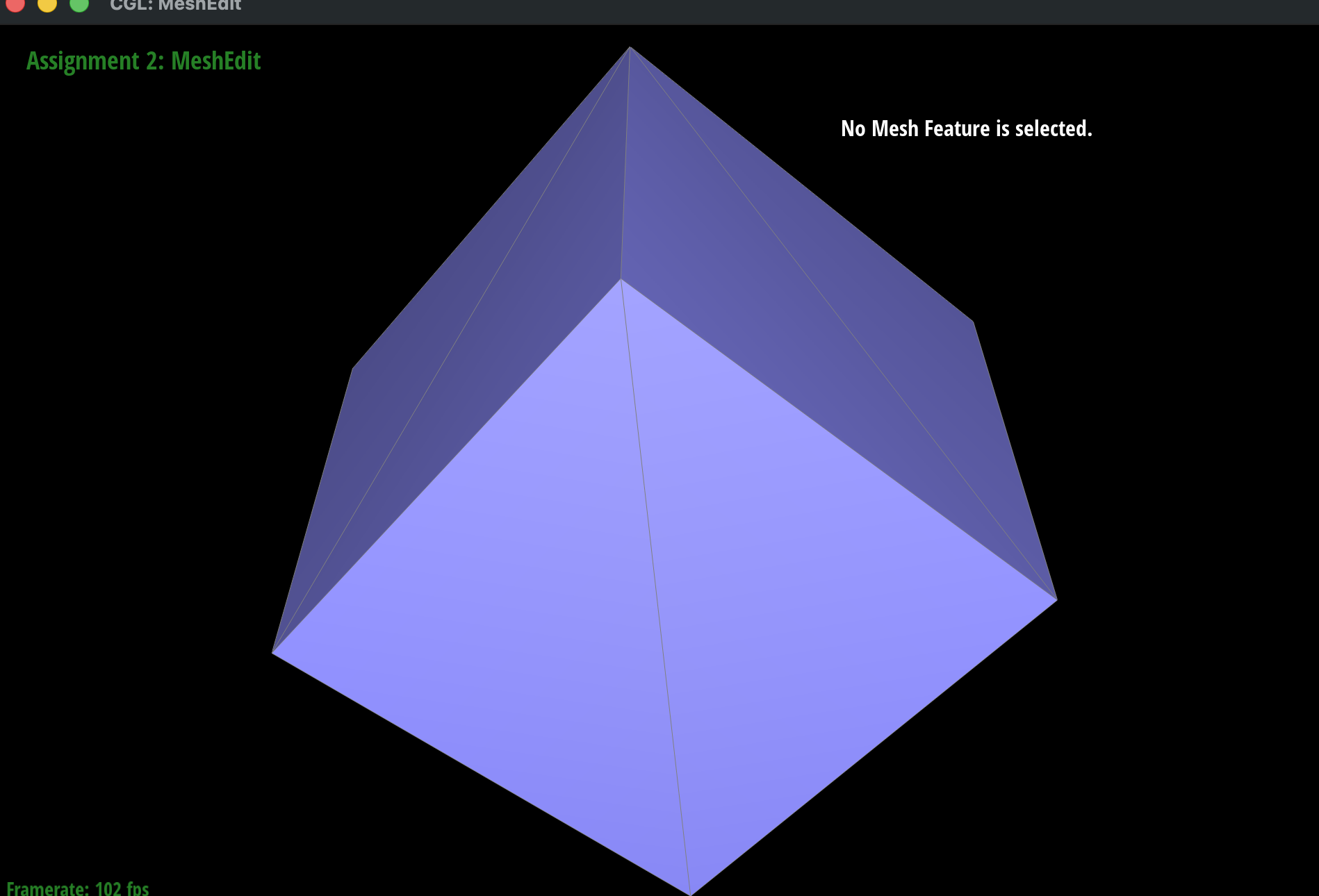
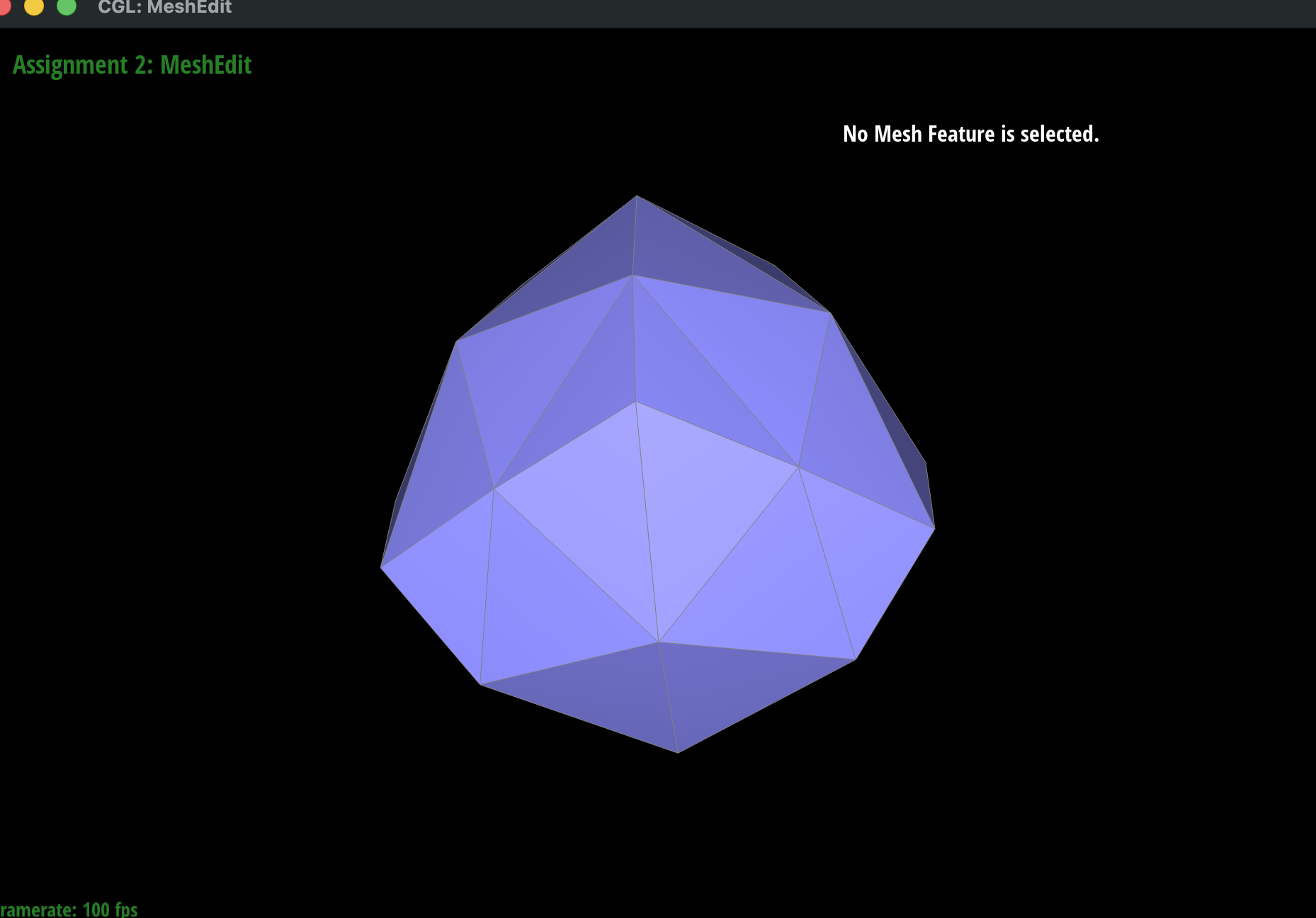
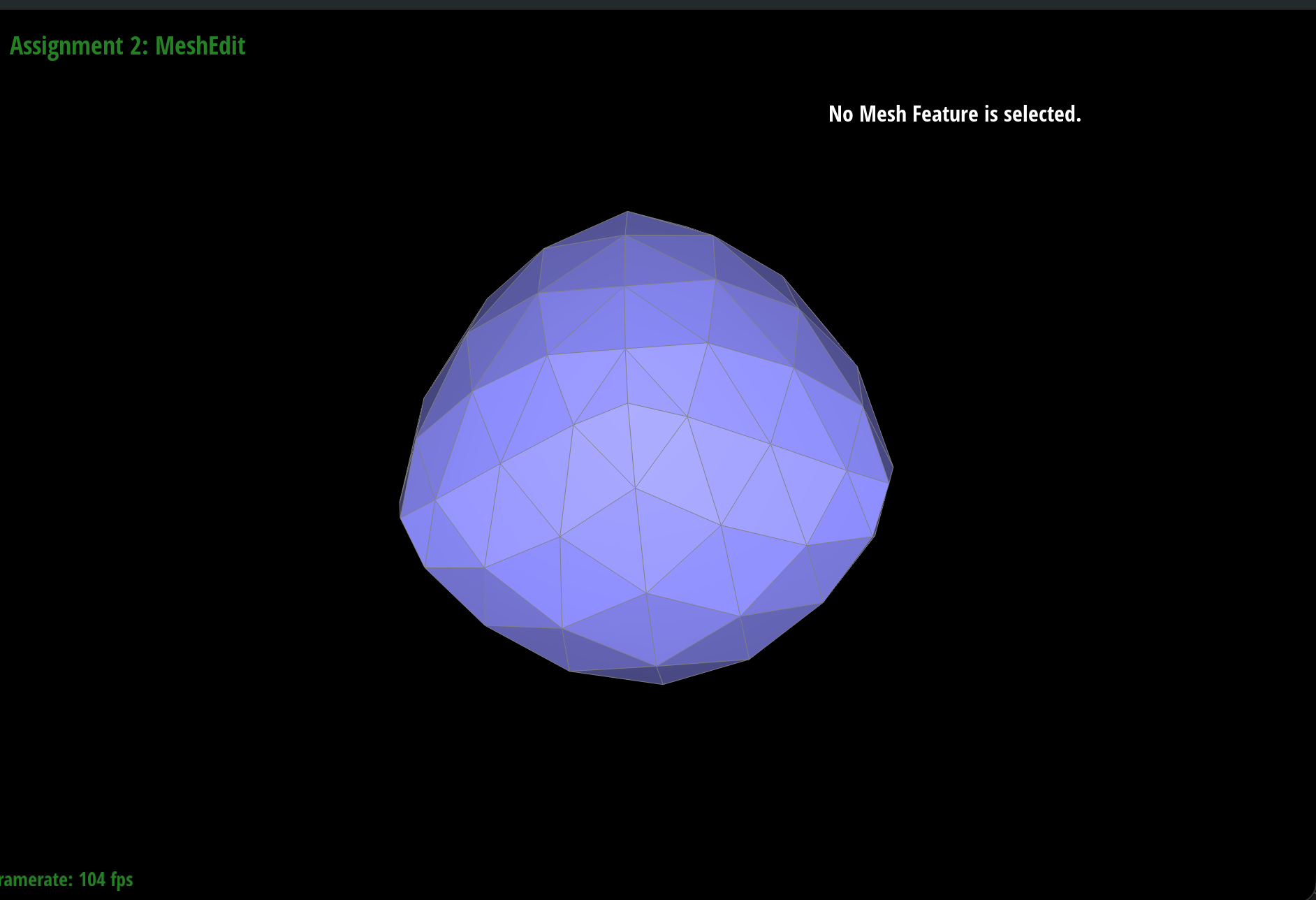
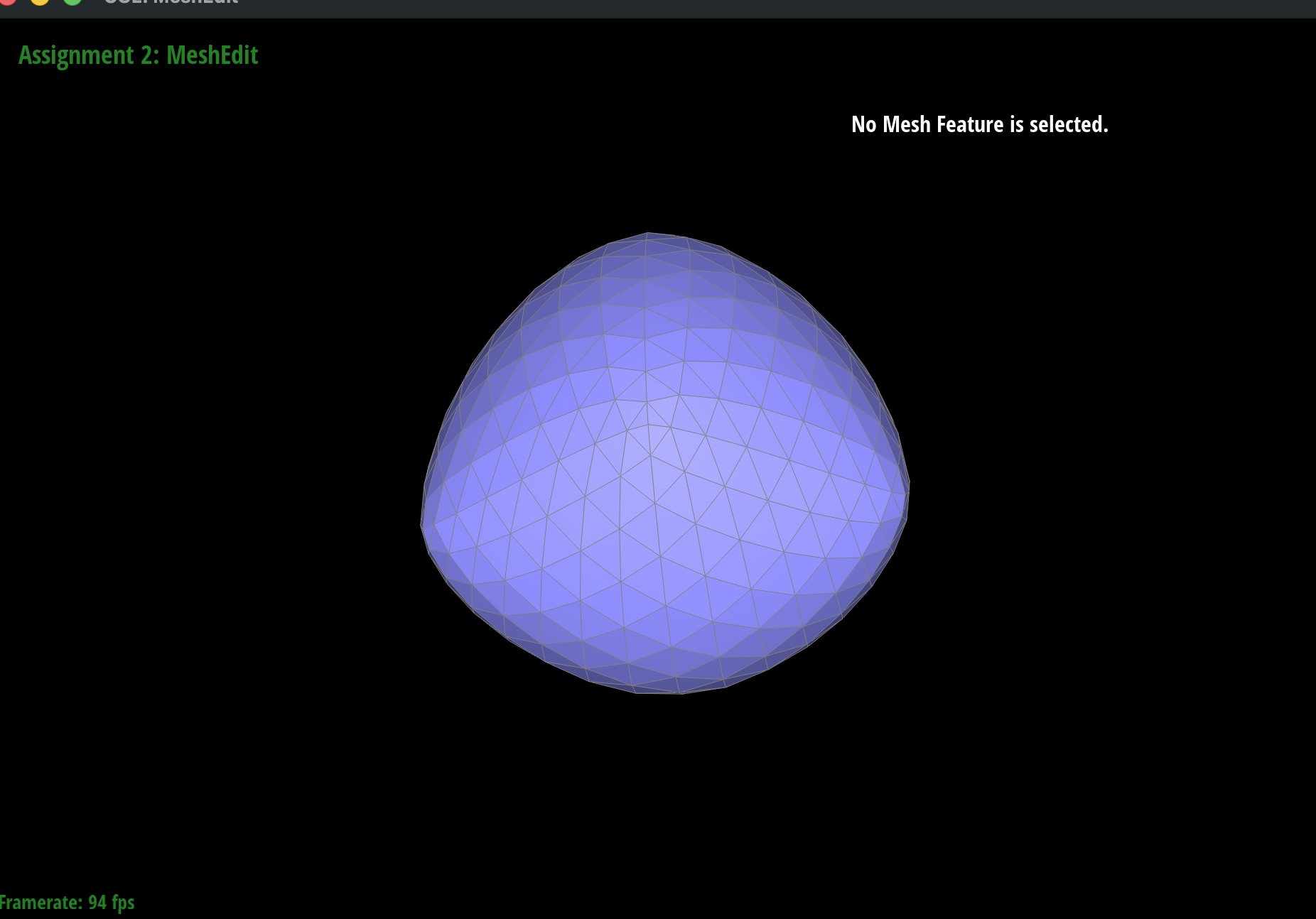
After loop subdivision, sharp corners and edges become round, and the mesh gets slightly smaller. This is because every vertex moves toward the average of its neighbors. Below, dae/cube.dae becomes a round shape after a few iterations.
|
|
|
|
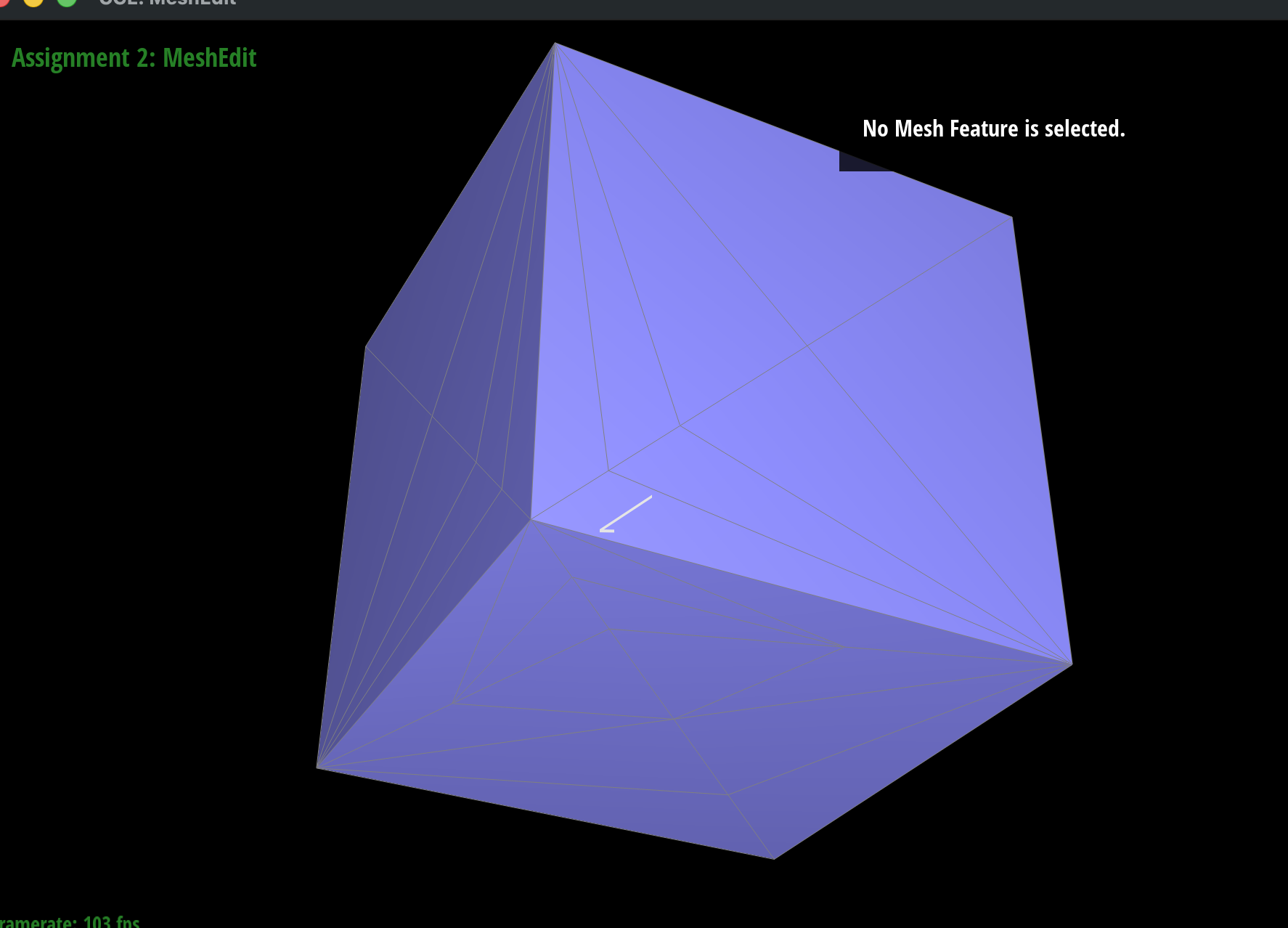
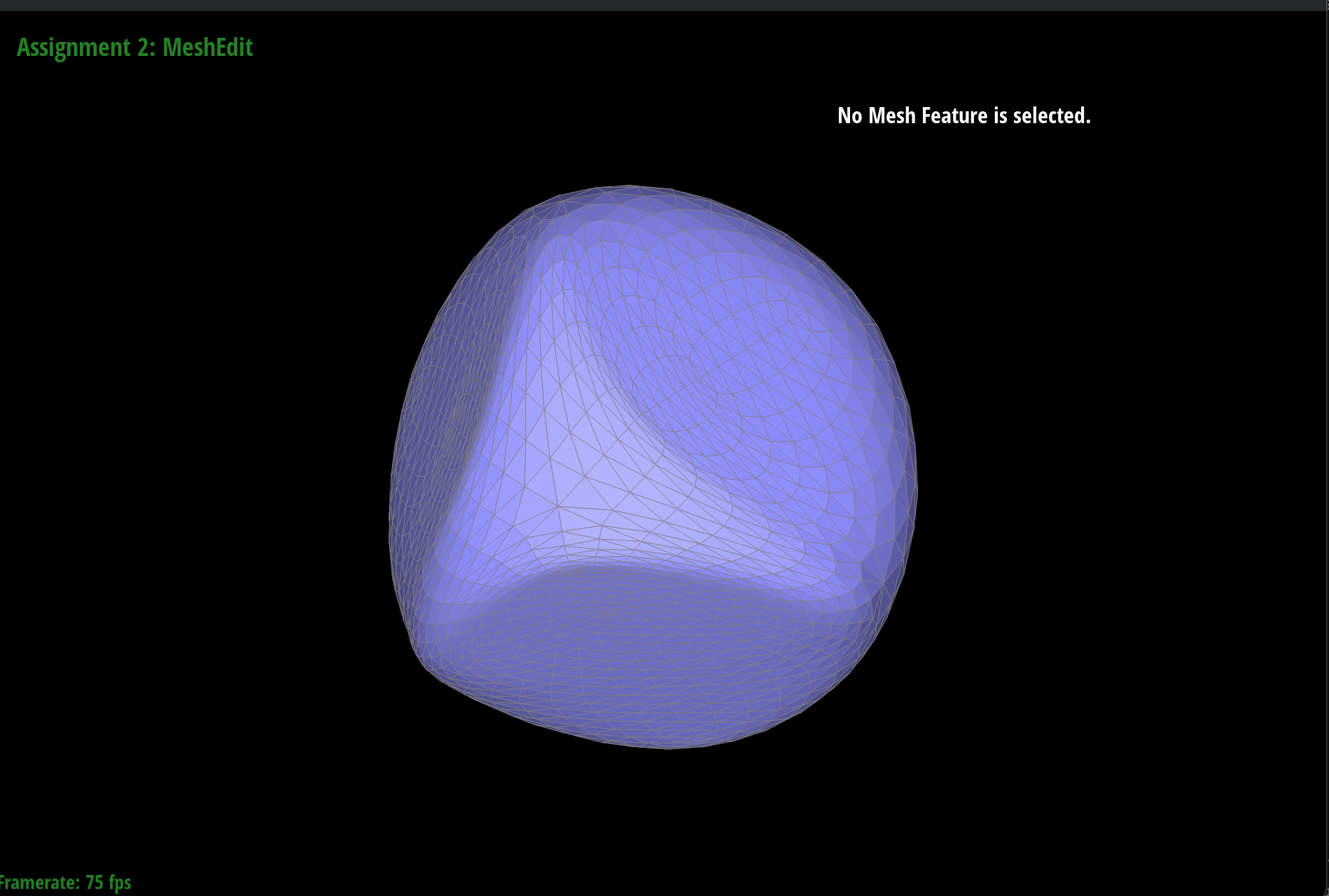
We can reduce this effect by splitting extra edges near a corner first. Adding more vertices close to the corner means the neighbors are closer together, so a smaller area gets smoothed out. Below, we split several edges around the front corner before subdividing. After 3 iterations, the area near this corner keeps sharper creases than the plain cube above. Since we only split edges on one side, the rest of the cube is still rounded.
|
|
Making the Cube Symmetric
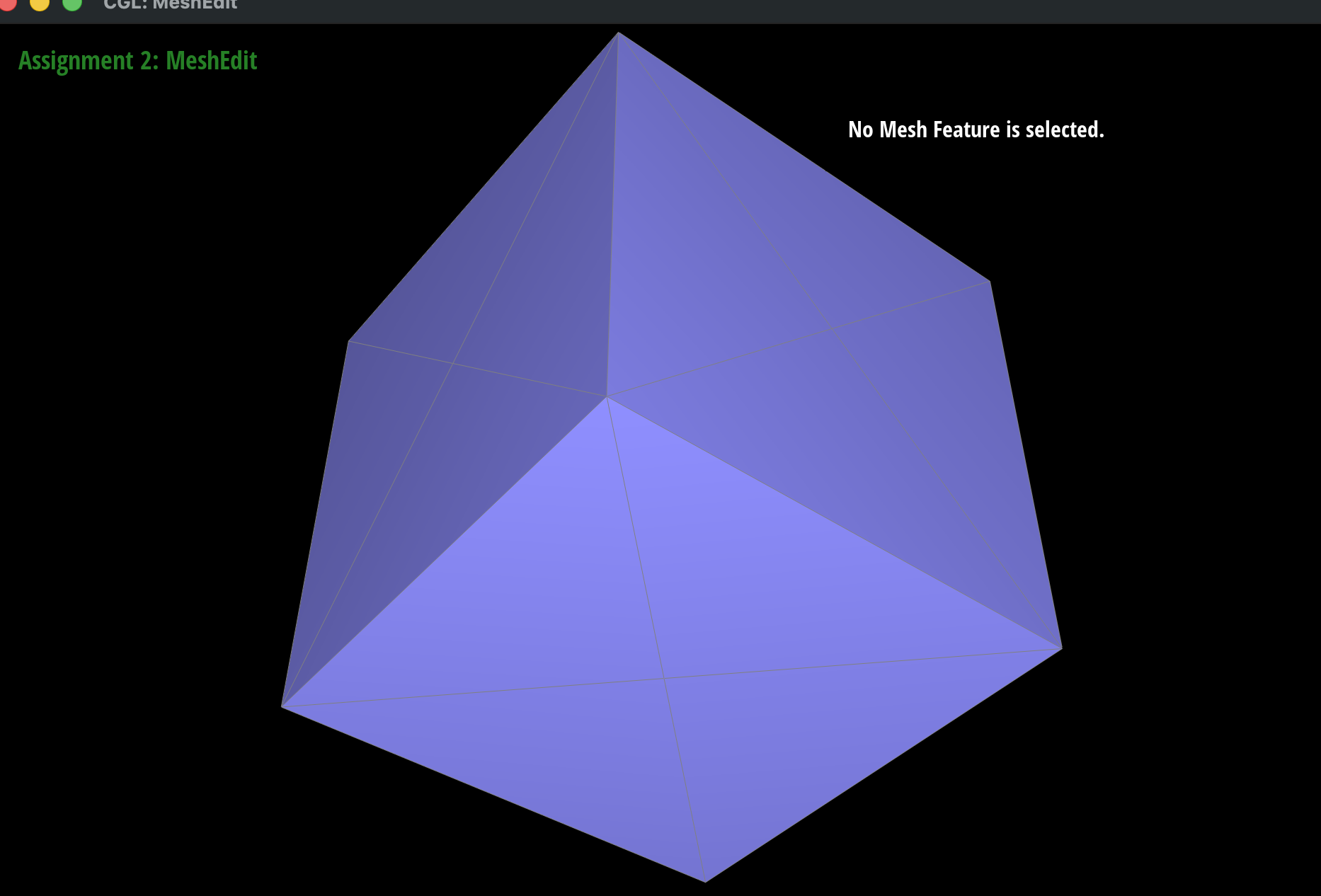
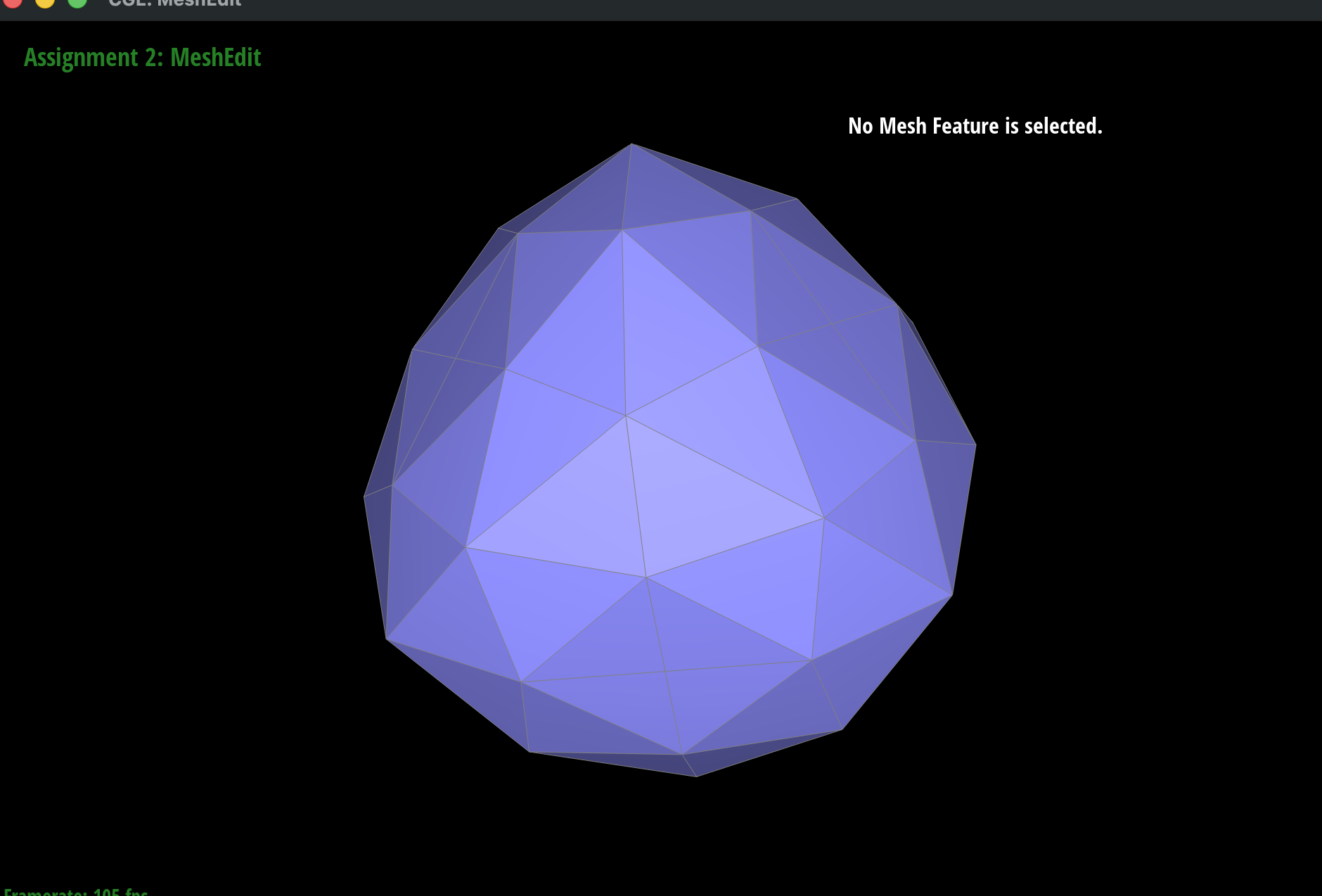
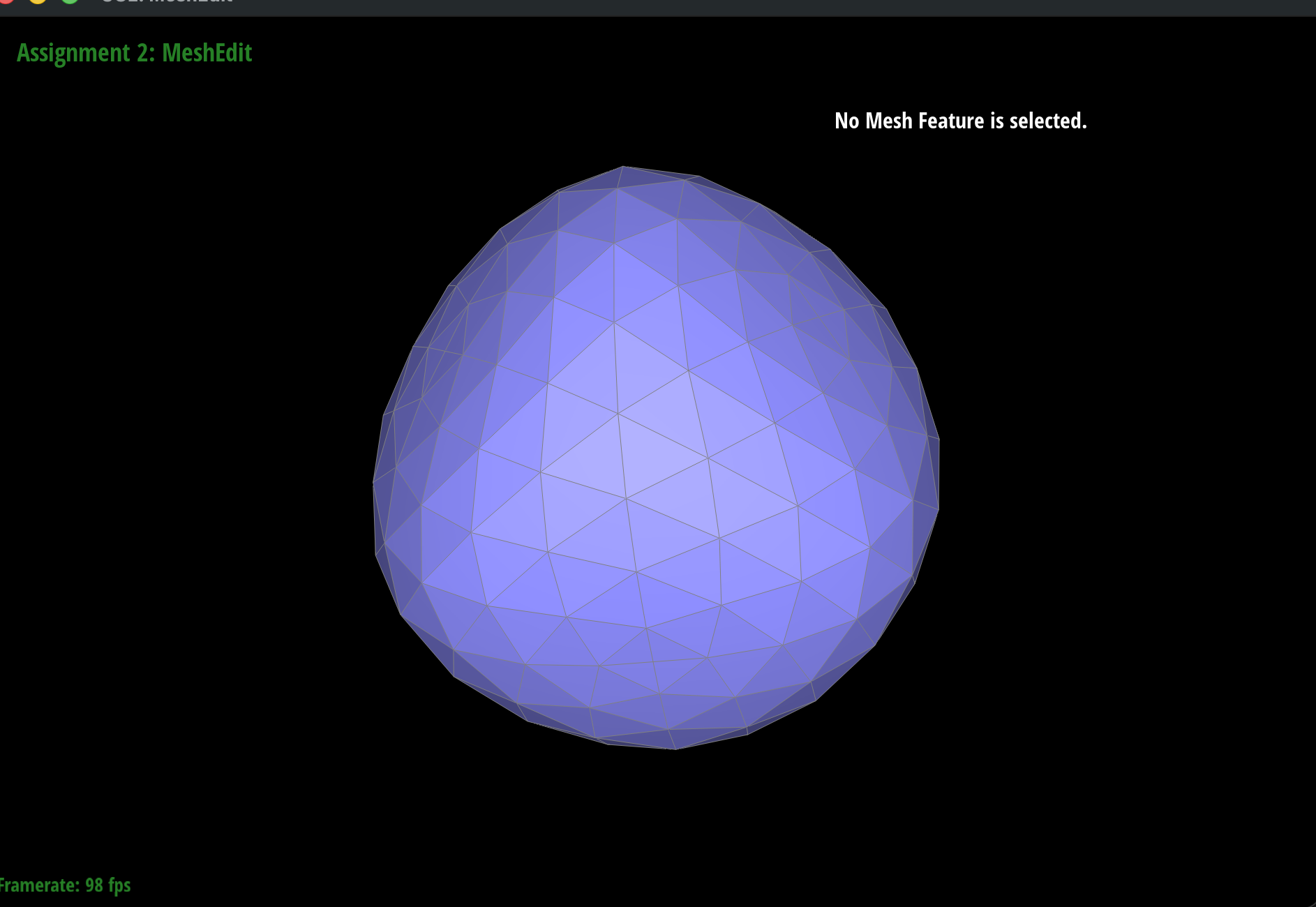
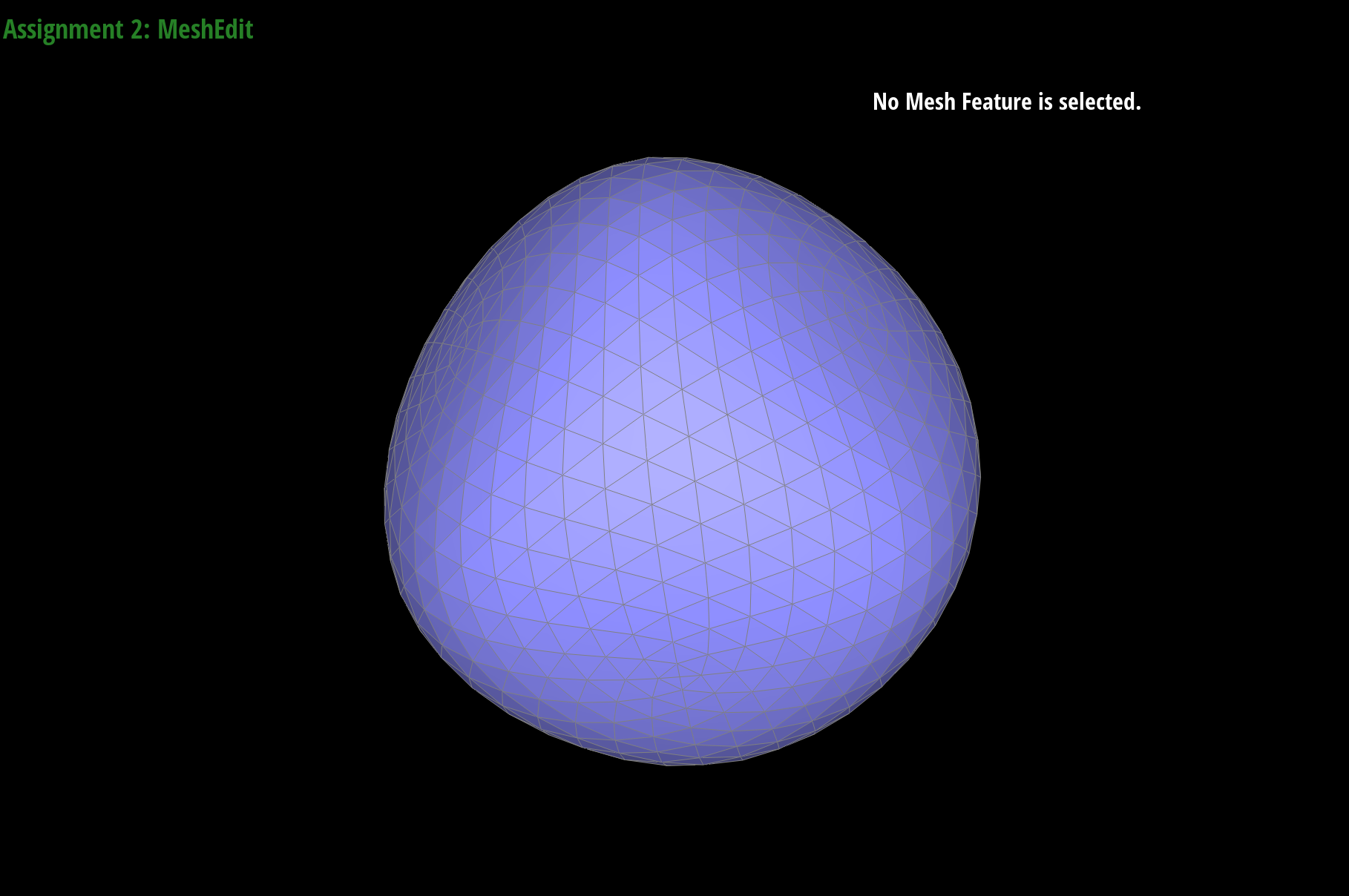
After several iterations, the cube above becomes slightly asymmetric, and it looks like an egg. This is because each face of the cube is split into two triangles by one diagonal (the thin grey line on each face), so the corners have different degrees: 3, 4, 4, 4, 5, 5, 5, and 6. Since the subdivision weights depend on the degree, the corners move by different amounts. To fix this, we split the diagonal of every face before subdividing. This adds a vertex in the middle of every face, so every face looks the same (an X shape), every corner has degree 6, and every face center has degree 4. Below, the modified cube stays symmetric after subdivision.
|
|
|
|
(Optional) Section III: Potential Extra Credit - Art Competition: Model something Creative
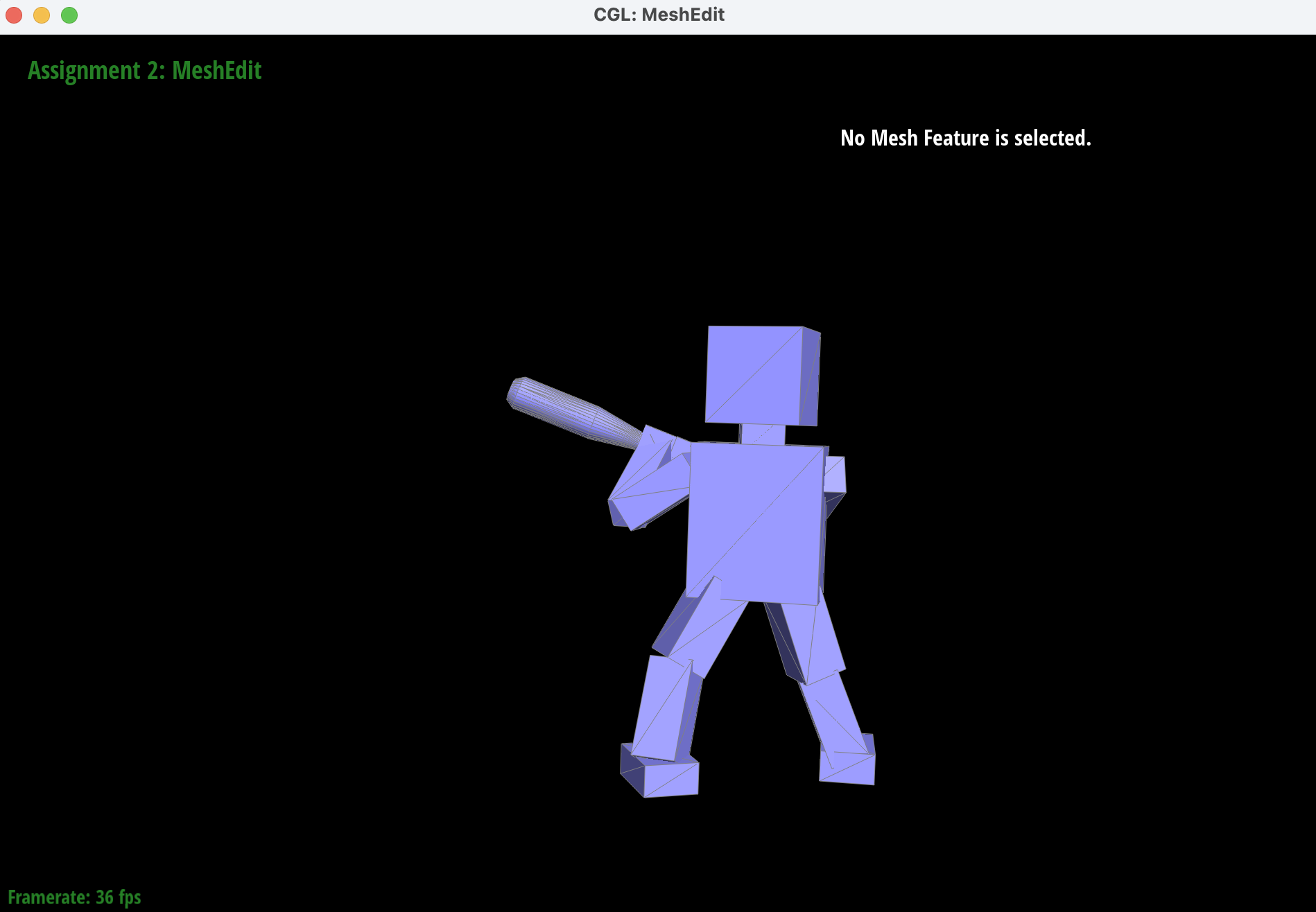
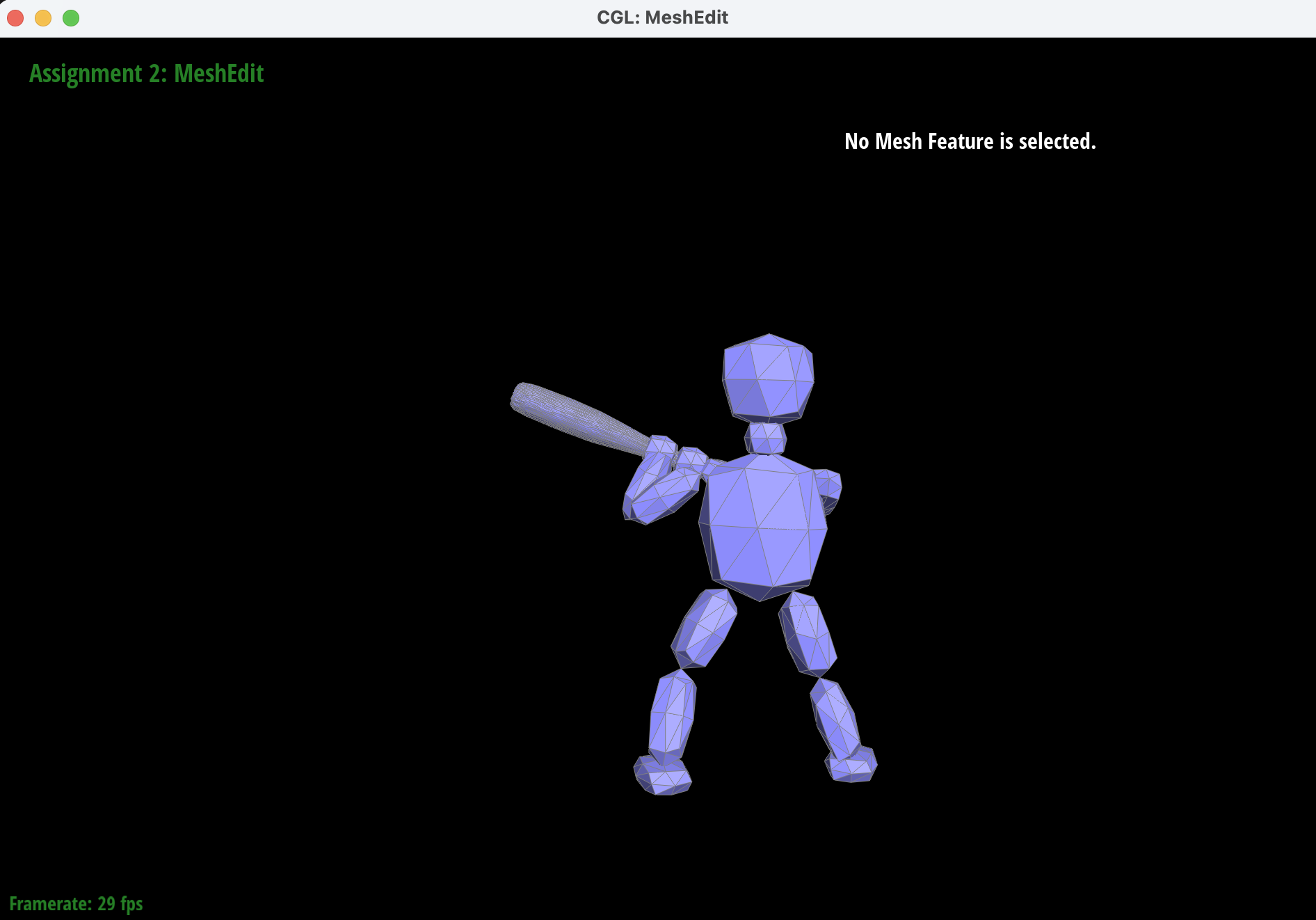
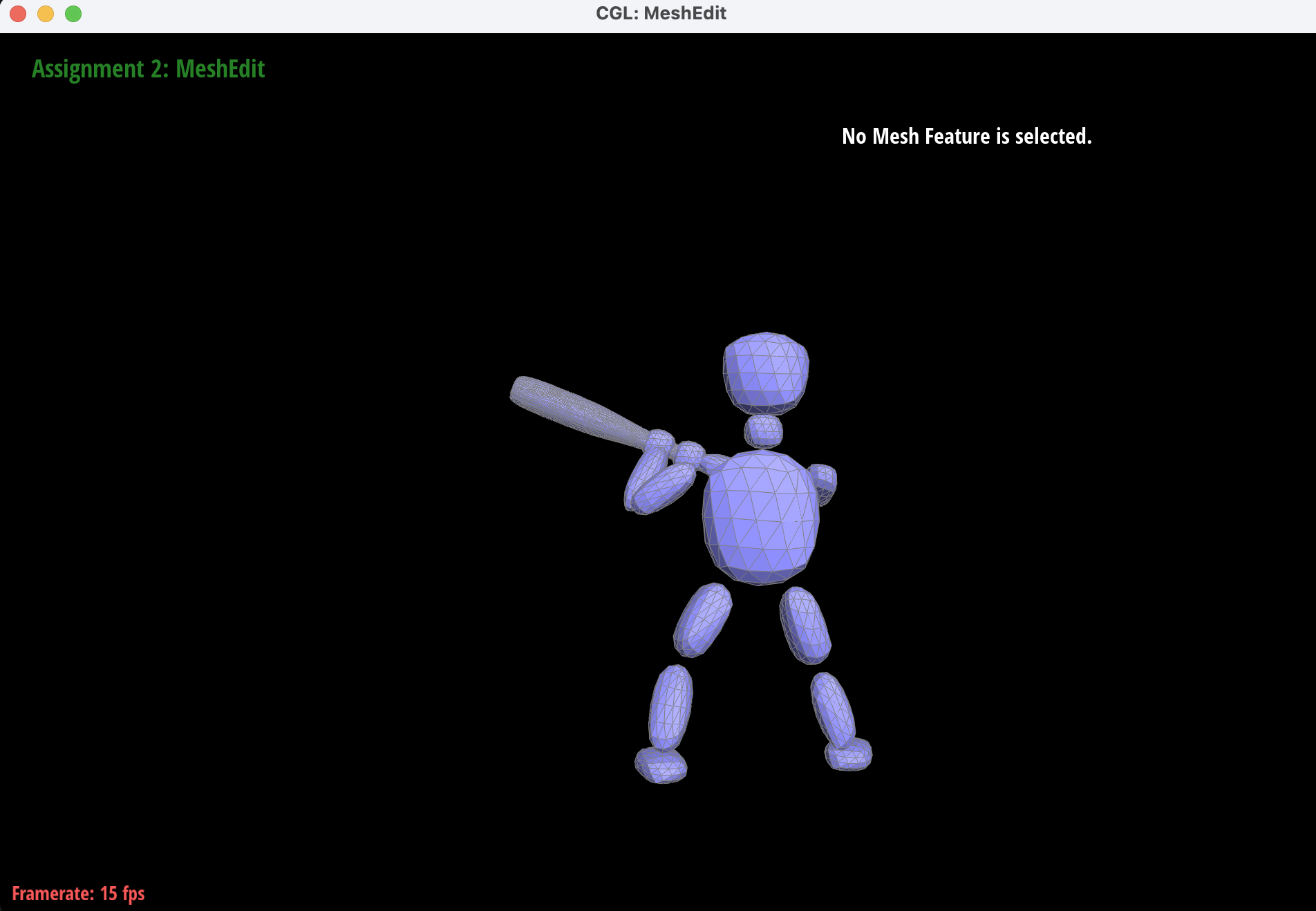
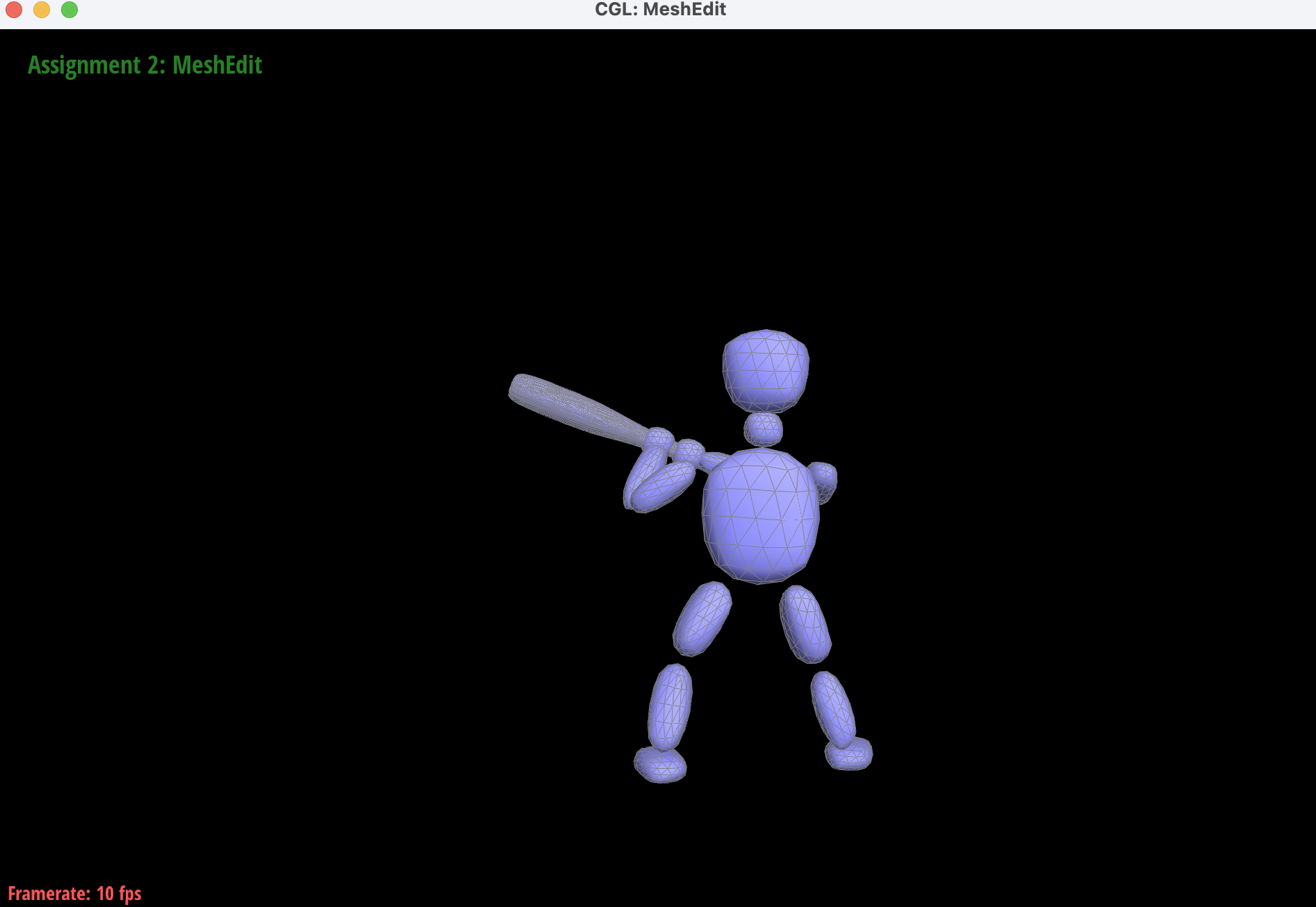
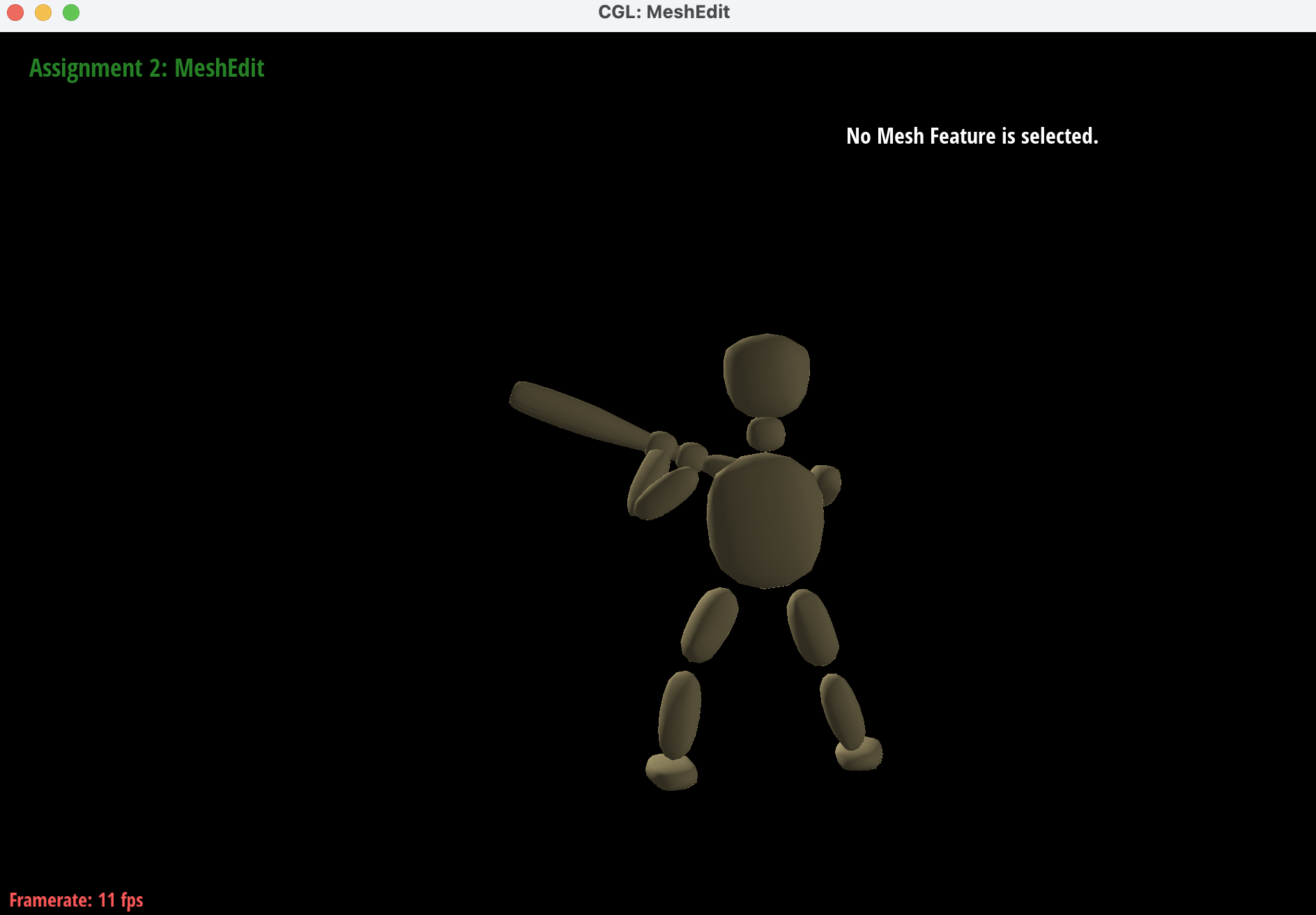
We gave an attempt in the art competition, generating a humanoid holding a bat and have a swinging pose. I opened the app Blender, and started generating from a regtangular box to a humanoid. I added head, body, arms, and modeling the whole body in such a pose using rotation and scaling tools. Then I made it a dae file and just rendered it using our mesh edit program. I put the files under docs/, and I will submit it to the art competition google form when it is available. Below is the images of the humanoid we generated, with loop divisions, phong shading and a new sand color shader we included.
|
|
|
|
|